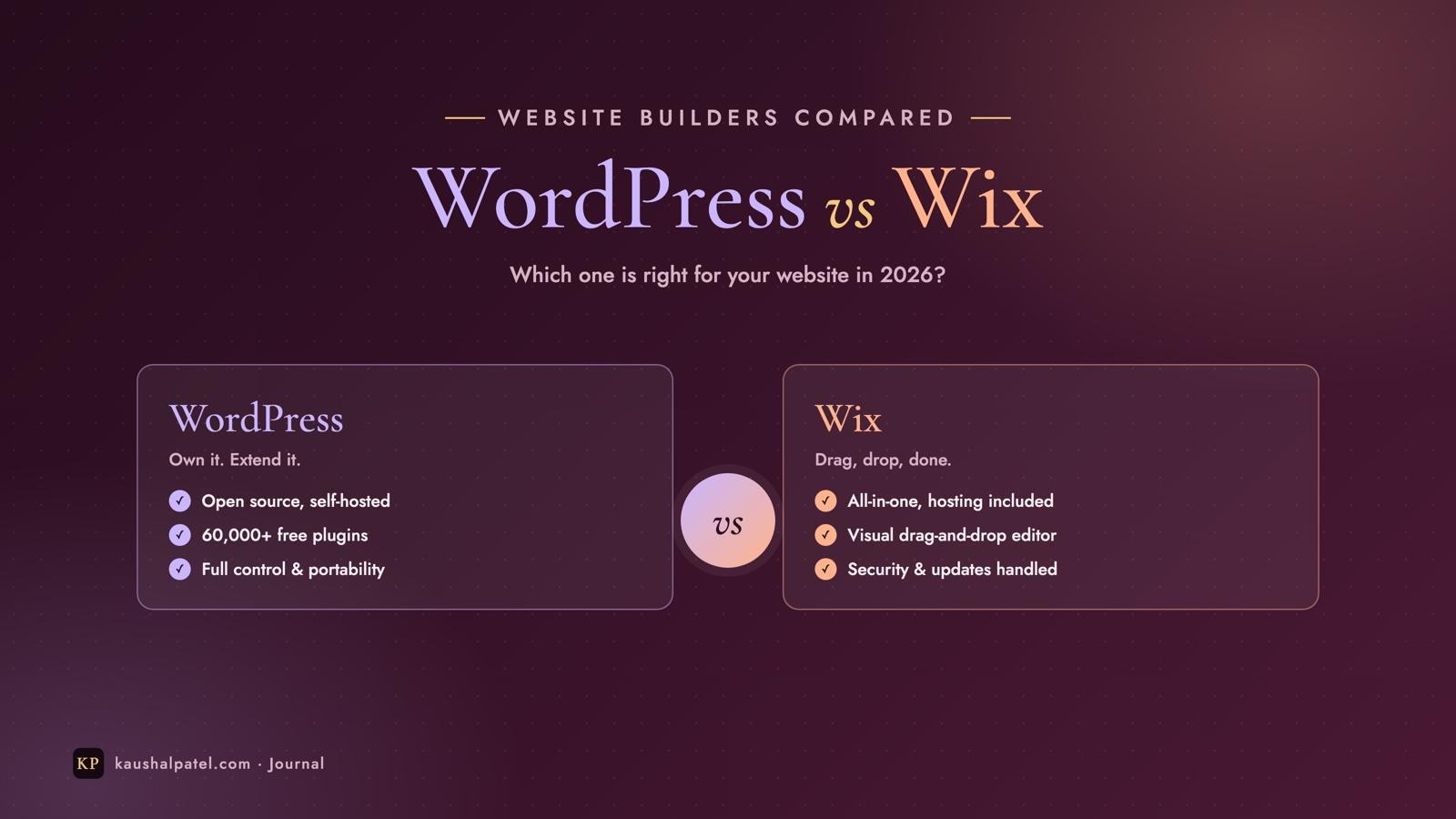
WordPress vs Wix: Which Website Builder Is Right for You?
An honest WordPress vs Wix comparison: who looks after what, ease of use, design, SEO, e-commerce, costs and ownership — plus a simple flowchart to help you choose.
7 min read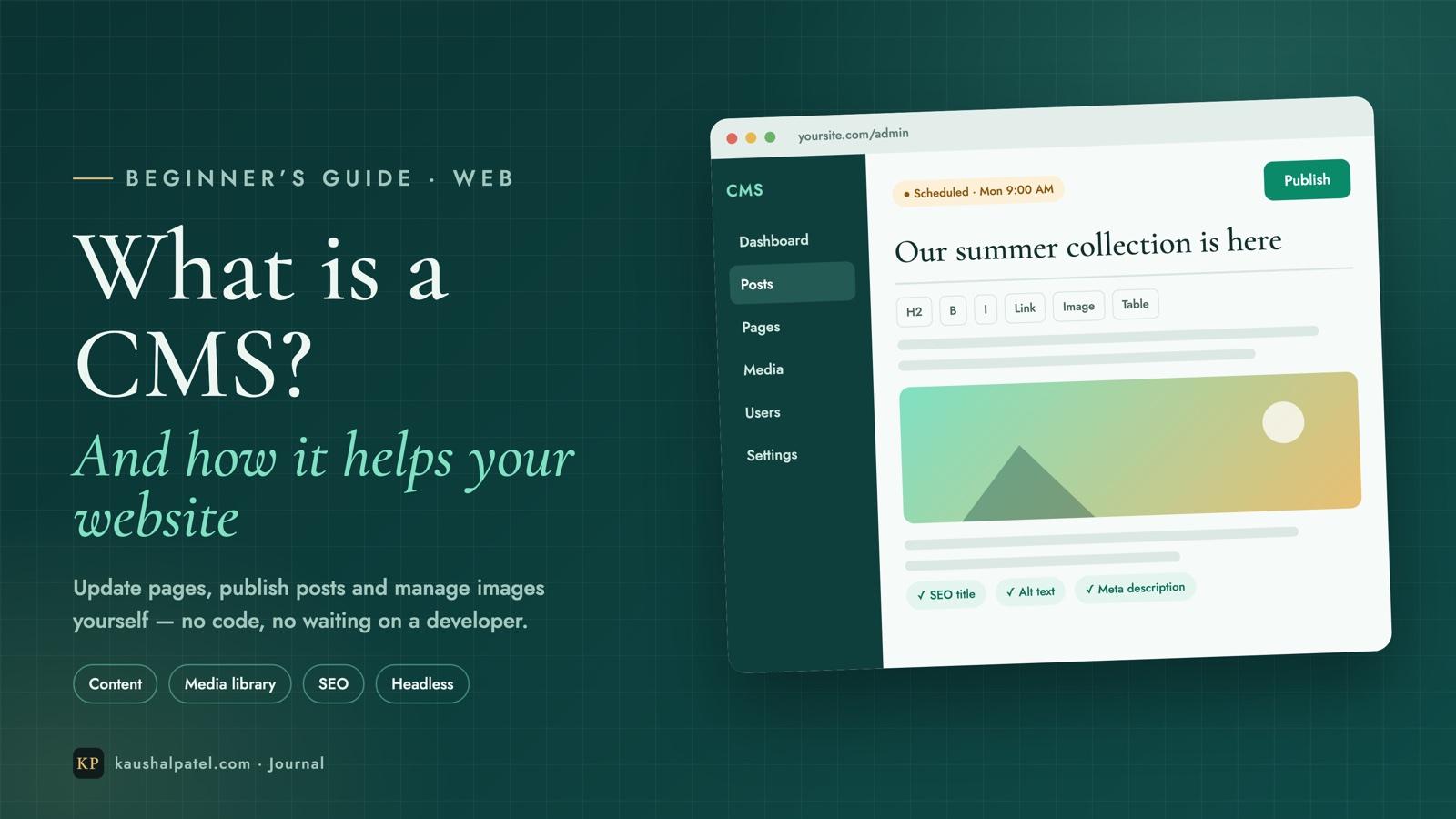
Every website has two jobs: it has to look good, and it has to stay up to date. The first is a design problem. The second is a people problem — and it’s the one a CMS solves. If you’ve ever waited days for a developer to change one line of text or swap a photo, this article is for you.
Below we’ll cover what a CMS actually is, how it works behind the scenes, the difference between a traditional and a headless CMS, and the very practical ways it helps a business — especially with images.
A CMS (content management system) is software that lets you create, edit, organise and publish website content through a simple dashboard — without writing code. You log in, type into an editor that feels like a word processor, drag in an image, press Publish, and the page is live.
The key idea is separation: the CMS keeps your content (text, images, products, prices) apart from your design (layout, colours, fonts). Designers and developers build the templates once; everyone else just fills them with content, as often as they like.
Whatever the brand, almost every CMS follows the same four steps:
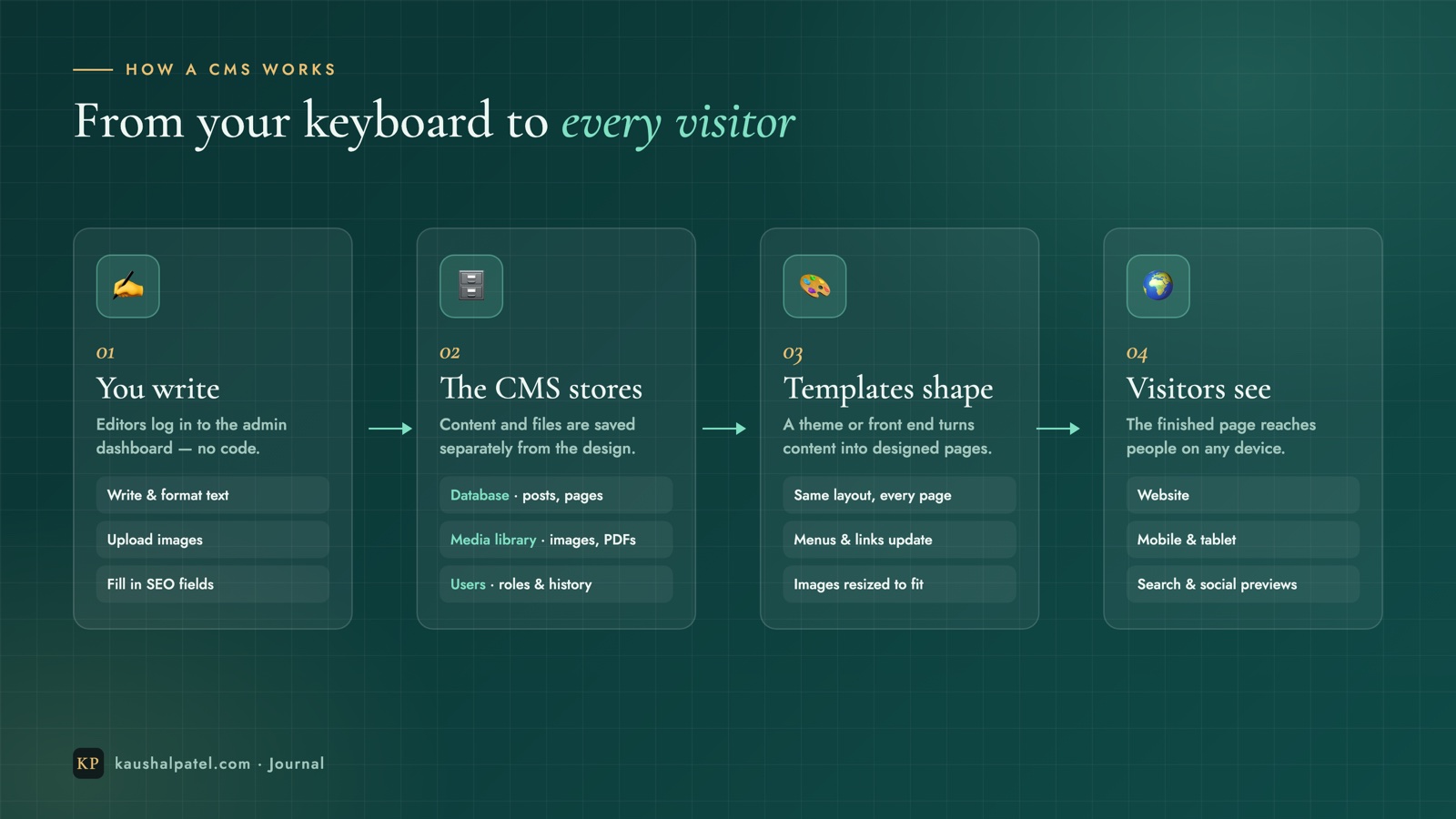
yoursite.com/admin) and create or update content.There are two broad ways to build with a CMS, and choosing between them is the biggest decision you’ll make.
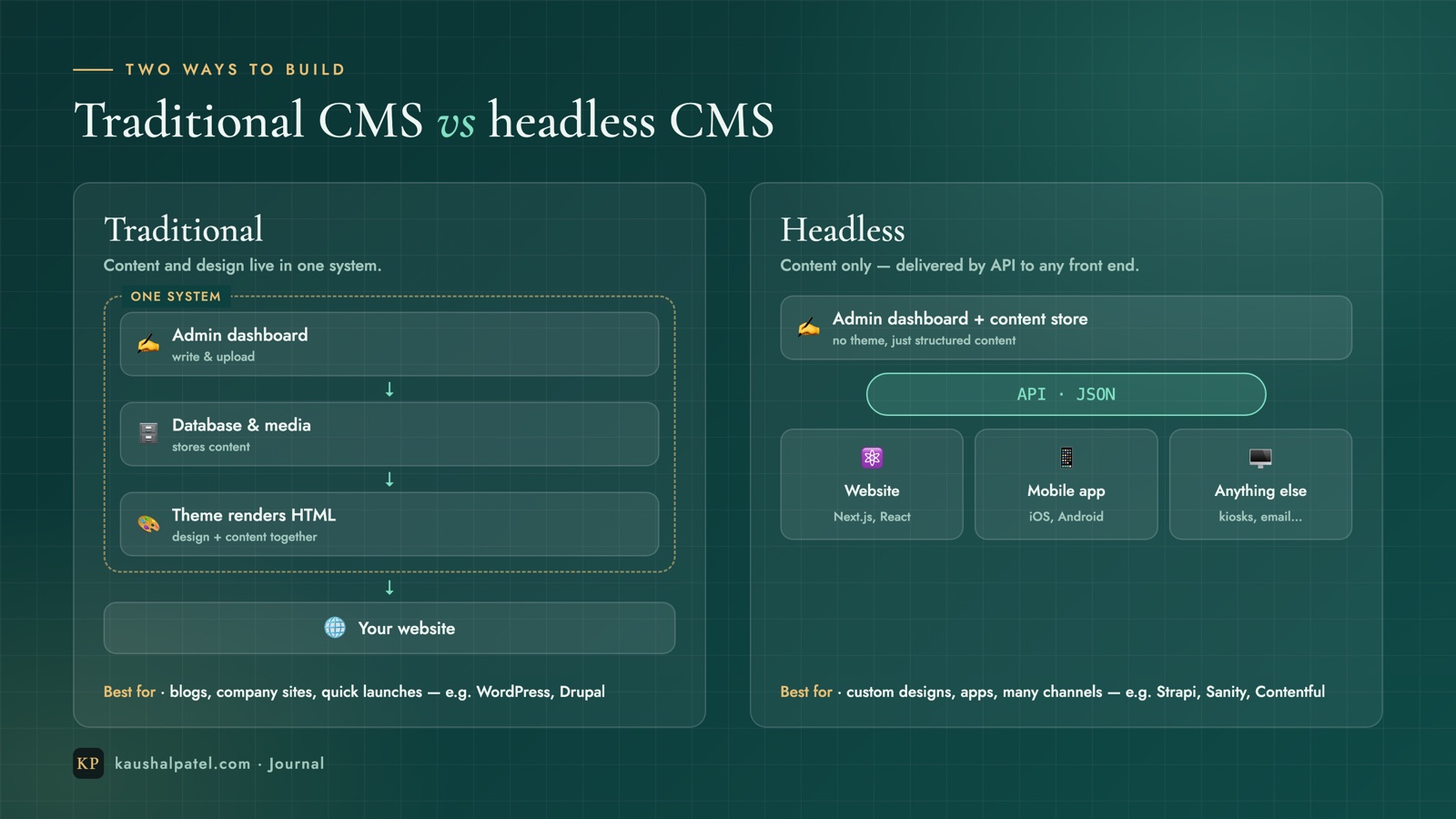
A traditional (or “coupled”) CMS such as WordPress or Drupal handles everything — the editing, the storage and the design — in one package. It’s quick to launch and has thousands of ready-made themes and plugins.
A headless CMS such as Strapi, Sanity, Contentful or Payload only manages content. It hands that content to developers through an API (usually as JSON), and they build the front end with tools like Next.js or React — or feed the same content to a mobile app, a kiosk or an email.
| Traditional CMS | Headless CMS | |
|---|---|---|
| Set-up | Fast — pick a theme and go | Needs a developer to build the front end |
| Design freedom | Limited by the theme | Anything you can design |
| Performance | Good, depends on plugins | Excellent with a modern front end |
| Channels | Mainly one website | Website, apps, and more from one source |
| Best for | Blogs, small business and company sites | Custom products, apps, growing brands |
Prices change, team members join, offers expire. With a CMS, the person who knows the change can make it in minutes — no ticket, no invoice, no waiting.
Because content flows into templates, a new page automatically matches the rest of the site: the same fonts, spacing and layout. Nobody can accidentally break the design by pasting in the wrong thing.
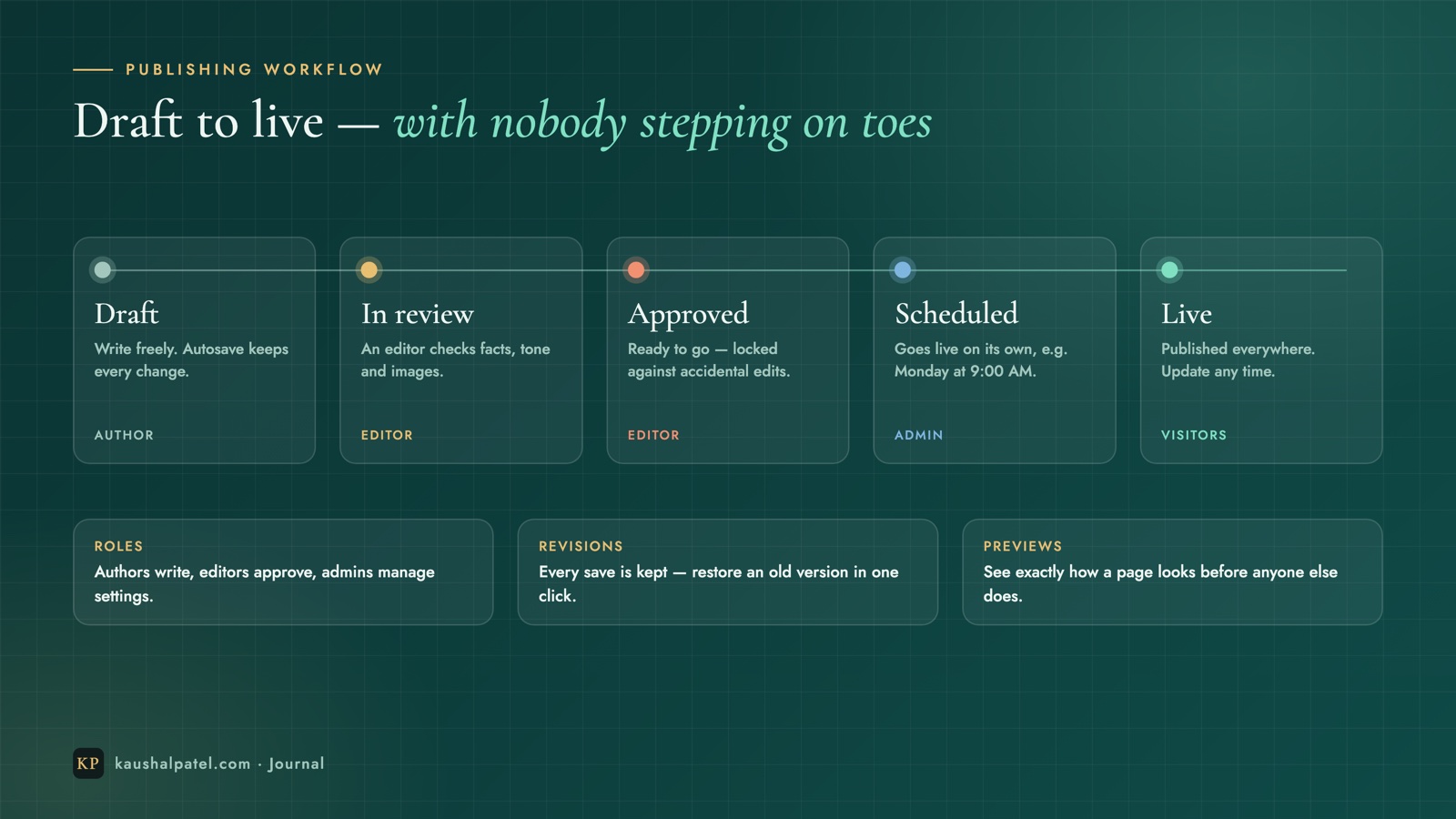
Roles and workflows let several people work safely on one site. Authors write, editors approve, admins control settings — and revision history means any mistake can be undone in one click. You can even schedule a post to go live on Monday at 9 a.m. while you’re asleep.
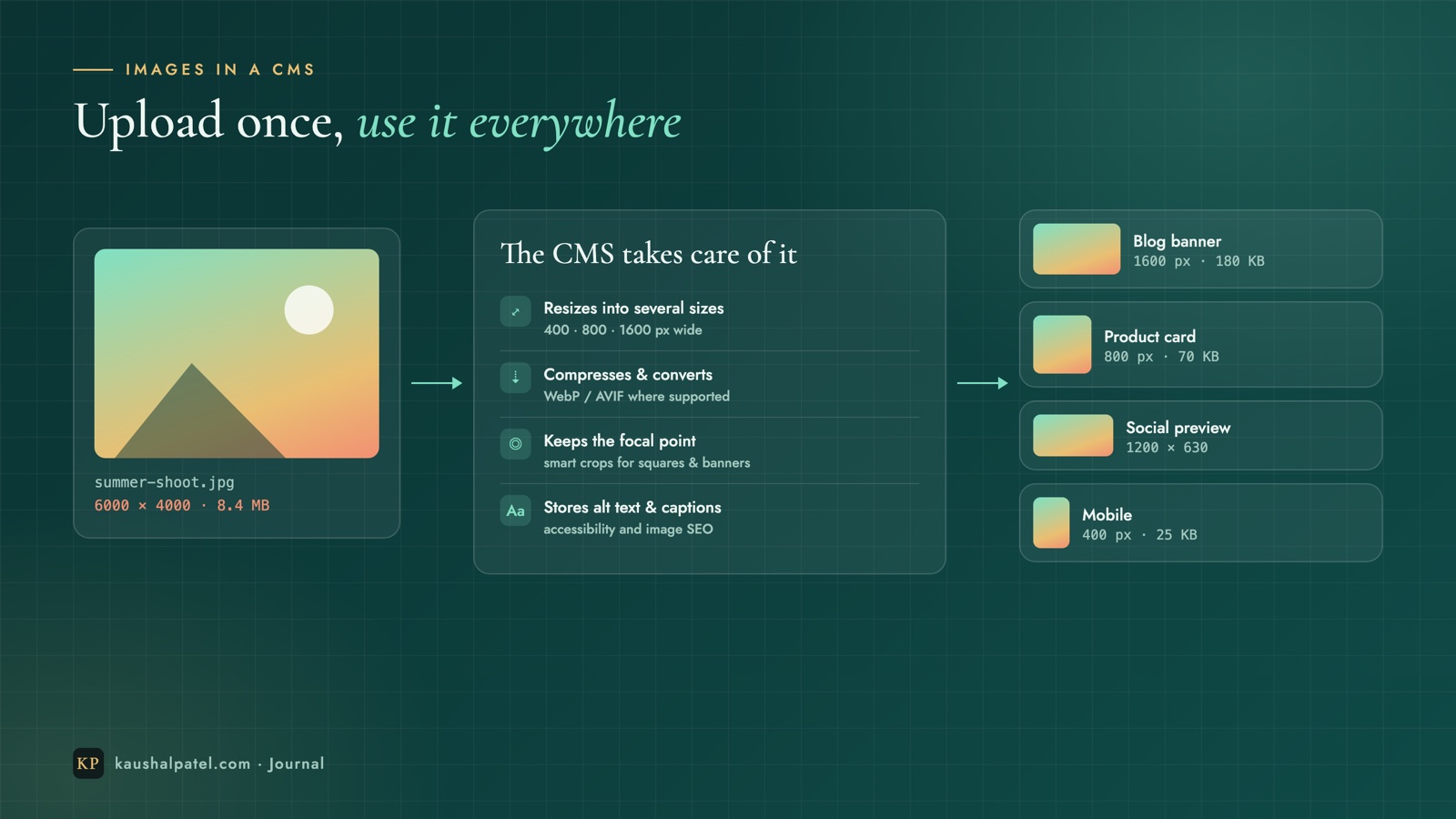
Images are usually the heaviest part of a web page, and the easiest place to lose speed. A good CMS (or the front end on top of it) does the hard work automatically:
Most CMSs (or a simple plugin) give you fields for page titles, meta descriptions and social images, generate an XML sitemap, create clean URLs and handle redirects when a page moves. Regularly updated content — which a CMS makes easy — is also one of the strongest signals for search engines.
Mature CMS platforms ship regular security updates, support automatic backups and scale from ten pages to ten thousand. Many also support multiple languages and, with a headless set-up, publishing to several channels from one place.
A CMS isn’t always the answer. A one-page site that changes once a year, or a site run entirely by developers, can keep its content in code — or in simple Markdown or JSON files stored in Git. That’s actually how this website works: the content lives in files, and every change is reviewed and deployed like code. It’s fast and free, but it only suits teams comfortable with Git.
Yes — WordPress is a traditional CMS, and the most widely used one. It can also be used headless, with its content delivered by API to a custom front end.
No. Day-to-day editing in any good CMS is point-and-click. You only need a developer to set it up, design the templates or build a custom front end.
Not automatically. It’s better when you want a custom design, top performance or several channels. For a straightforward company site or blog, a traditional CMS is often quicker and cheaper.
A CMS turns your website from something only a developer can change into something your whole team can keep fresh — with consistent design, safe workflows, faster images and better SEO built in. Start from who edits your content and where it needs to appear, and the right type of CMS usually becomes obvious.
Planning a new website or moving to a CMS? Get in touch — I’m happy to help you choose the right set-up.

Entrepreneur · Business Owner · IT Consultant — writing about startups, AI and building products.
Keep reading
An honest WordPress vs Wix comparison: who looks after what, ease of use, design, SEO, e-commerce, costs and ownership — plus a simple flowchart to help you choose.
7 min readRun a Next.js front end and a Node.js Express API on one Ubuntu server: Git, deploy keys, PM2, Nginx routing, free HTTPS with Certbot and a one-command deploy script.
9 min readBuild a Django REST Framework API and a React front end that uses it: models, serializers, ViewSets, CORS, Vite, fetch, Git and a path to production — every command included.
9 min read