WordPress vs Wix: Which Website Builder Is Right for You?
By Kaushal Patel7 min read
If you’re building a website for your business, two names come up again and again: WordPress and Wix. Both can produce a beautiful, professional site — but they work in very different ways, and the right choice depends far more on you than on the software.
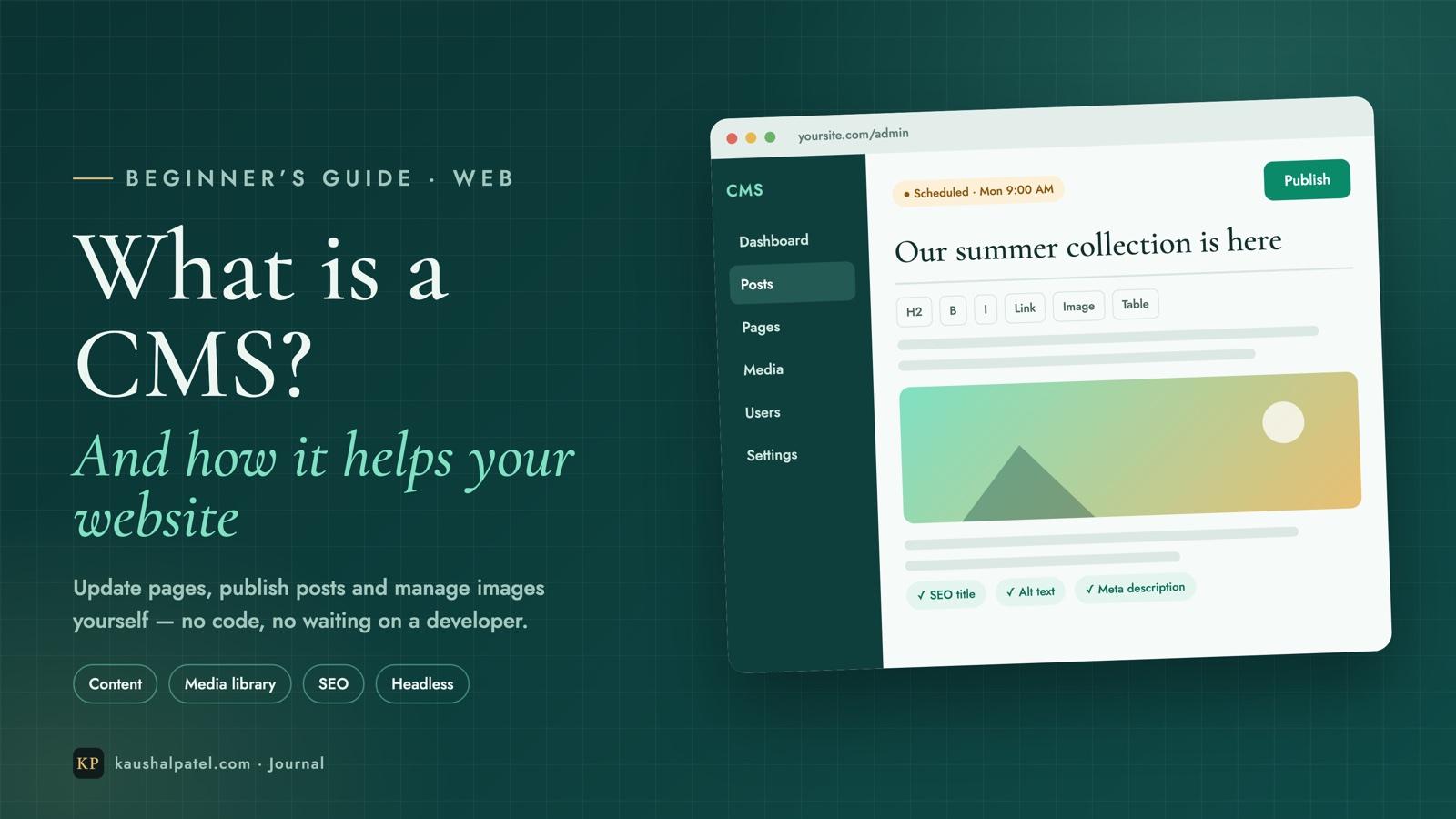
In this guide we’ll compare them honestly: how each one works, who looks after what, where each one wins, what you actually pay for, and a simple way to decide. (New to the idea of a content management system? Start with What is a CMS?)
WordPress and Wix in one minute
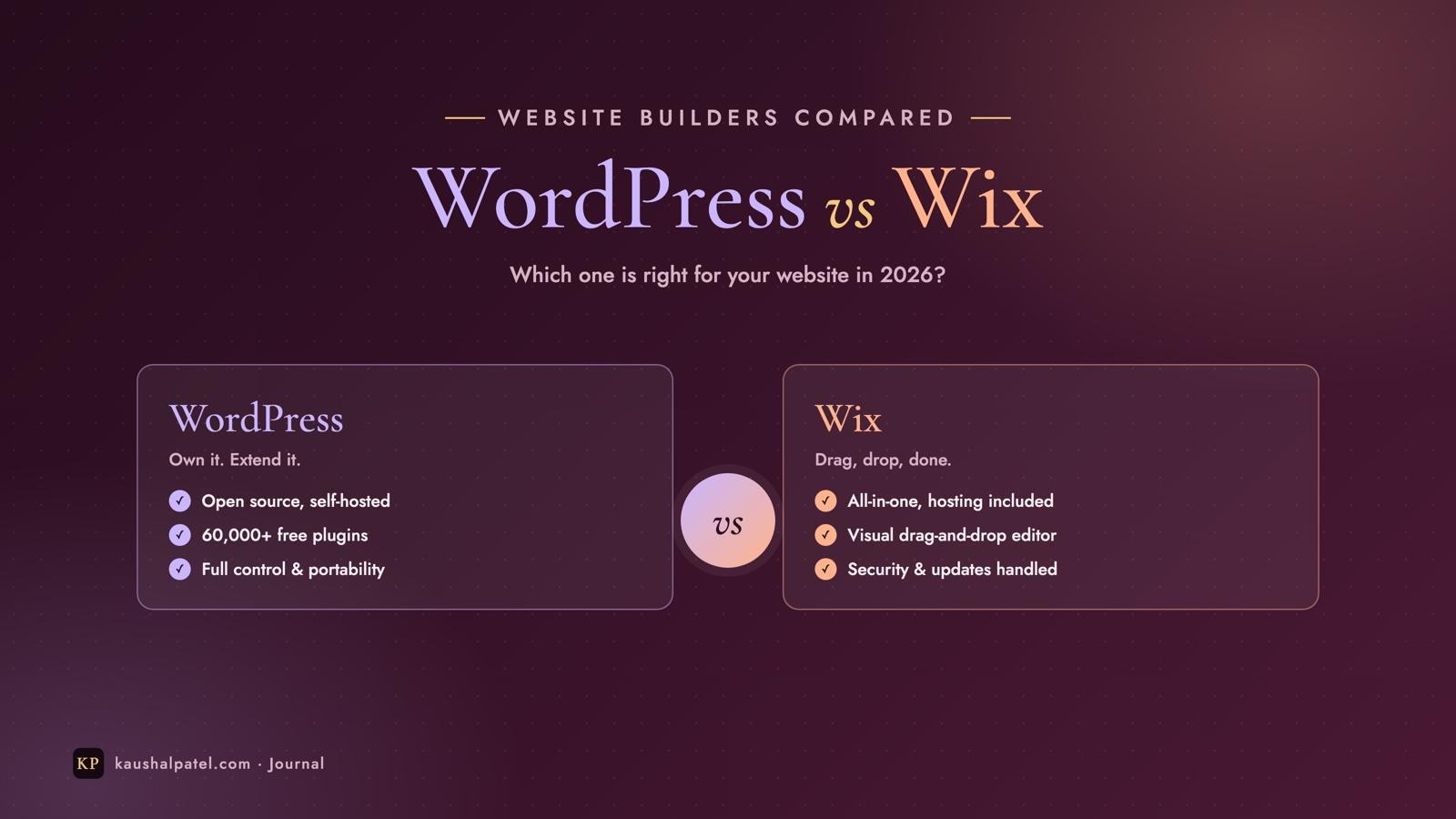
WordPress is free, open-source software that powers over 40% of all websites (W3Techs). You install it on a web host of your choice, pick a theme for the design, and add features with plugins — the official directory alone has around 60,000 free ones. It can run anything from a one-page site to a large online shop or news publication.
Wix is an all-in-one website builder. You sign up, choose a template, and design your pages with a visual drag-and-drop editor. Hosting, security, updates and support are all included in your subscription — there’s nothing to install and nothing to maintain.
Who looks after what
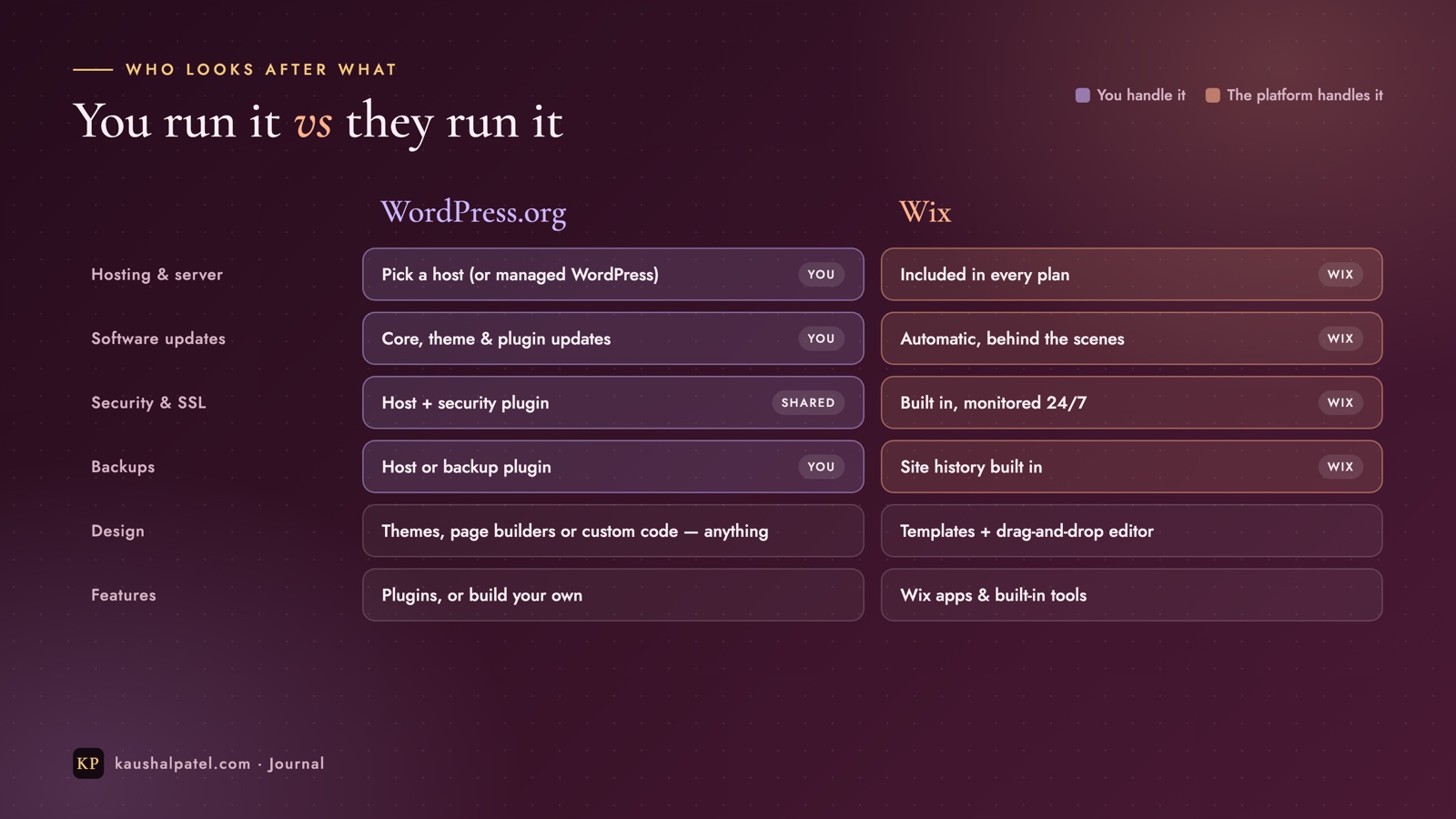
The biggest practical difference isn’t design — it’s responsibility. With WordPress you (or your developer, or a managed host) look after the website. With Wix, Wix does.
With WordPress you run the site; with Wix the platform runs it for you.
That trade-off explains almost everything else in this comparison: WordPress gives you more control because you’re in charge, and Wix is simpler because it isn’t.
Head to head
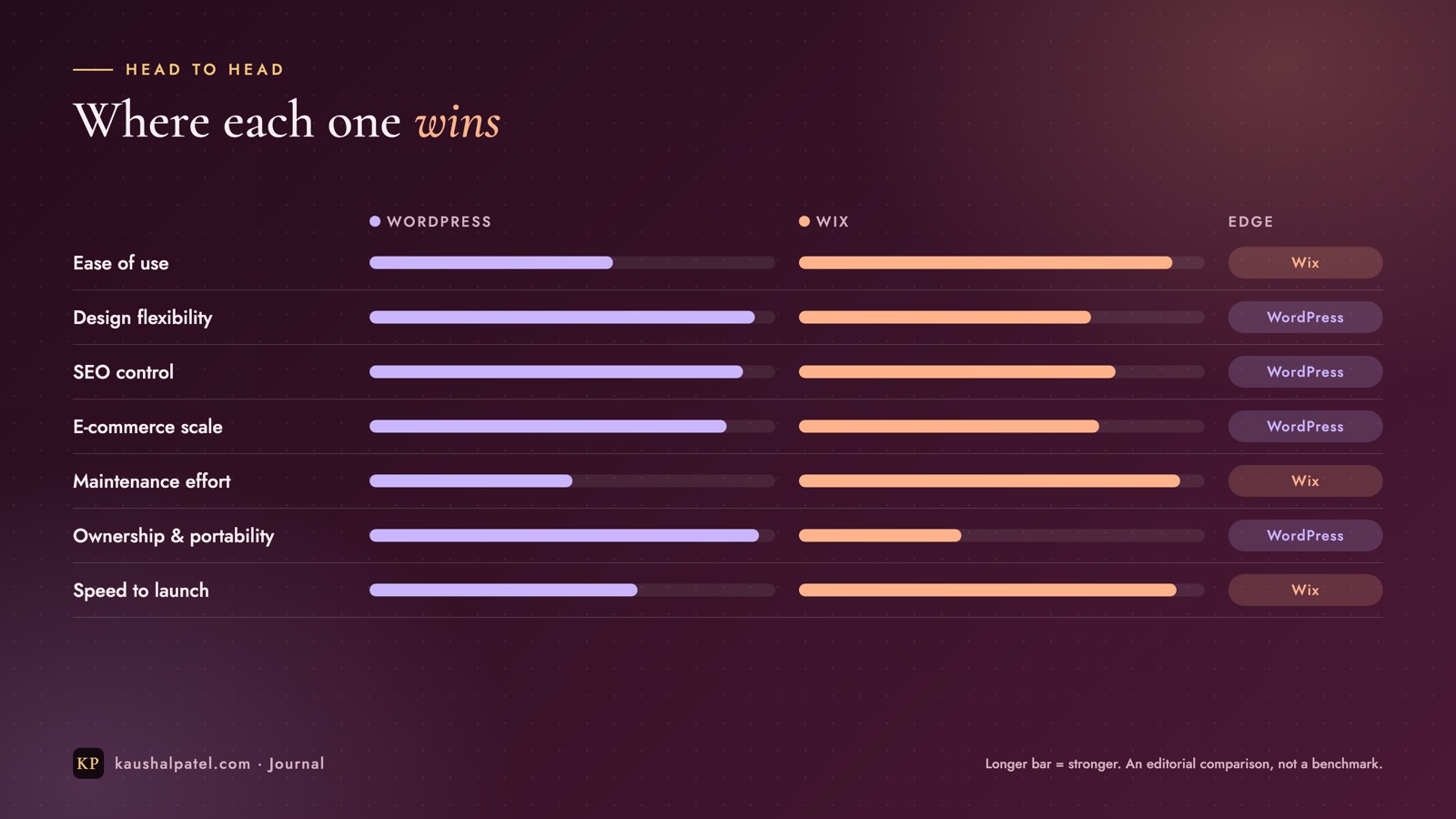
Wix wins on simplicity; WordPress wins on flexibility and ownership. (An editorial comparison, not a benchmark.)
WordPress
Wix
Getting started
Choose a host, install, pick a theme
Sign up, pick a template, start editing
Editing
Block editor (or a page builder)
Drag-and-drop, what you see is what you get
Design freedom
Thousands of themes, or fully custom
Templates you customise within the editor
Features
Plugins for almost anything
Built-in tools plus the Wix App Market
Online shop
WooCommerce (free plugin) and others
Built in, on business plans
Maintenance
Updates, backups and security are your job
Handled by Wix
Ownership
Your files, your database — move any time
Your site lives on Wix
Ease of use
Wix is the clear winner for beginners. Everything is visual: click a heading to edit it, drag an image where you want it, and press Publish. Wix also offers an AI site builder that drafts a first version from a few answers about your business.
WordPress has a learning curve — mostly at the start, while you choose hosting, a theme and a few plugins. Once it’s set up, day-to-day editing in the block editor is straightforward, and many people never touch anything else.
Design and flexibility
Wix templates are polished and the editor gives you pixel-level control over placement. The limits appear as your site grows: in the classic Wix Editor you can’t switch to a different template once your site is live — you redesign within it or start again — and deeper changes depend on what the platform allows. (Developers can add custom code with Velo, Wix’s development platform.)
WordPress has almost no ceiling. You can change themes at any time, use a visual page builder, or have a developer create a completely custom design. If you can imagine it, someone has probably built a plugin for it.
SEO
Both can rank well — good content matters far more than the platform. Wix gives you solid built-in SEO settings: editable titles and descriptions, clean URLs, automatic sitemaps, redirects and structured data for common page types.
WordPress goes further when you need it. With an SEO plugin such as Yoast or Rank Math you get fine-grained control over every page, schema, canonical URLs and indexing, and because you control the hosting you can tune performance — which also affects rankings.
E-commerce
Wix Stores is quick to set up for a small shop: add products, connect payments and you’re selling, on one of the business plans. WordPress with WooCommerce is free to install and scales to large catalogues, subscriptions, bookings, B2B pricing and complex shipping — with more set-up and maintenance in return.
Speed and security
Wix handles hosting, SSL, security monitoring and performance for you, so there’s little to go wrong. A WordPress site is as fast and secure as you make it: good hosting, a lightweight theme, few well-chosen plugins and regular updates make it excellent; neglect makes it slow and vulnerable. Managed WordPress hosting takes much of this work off your plate.
What you actually pay for
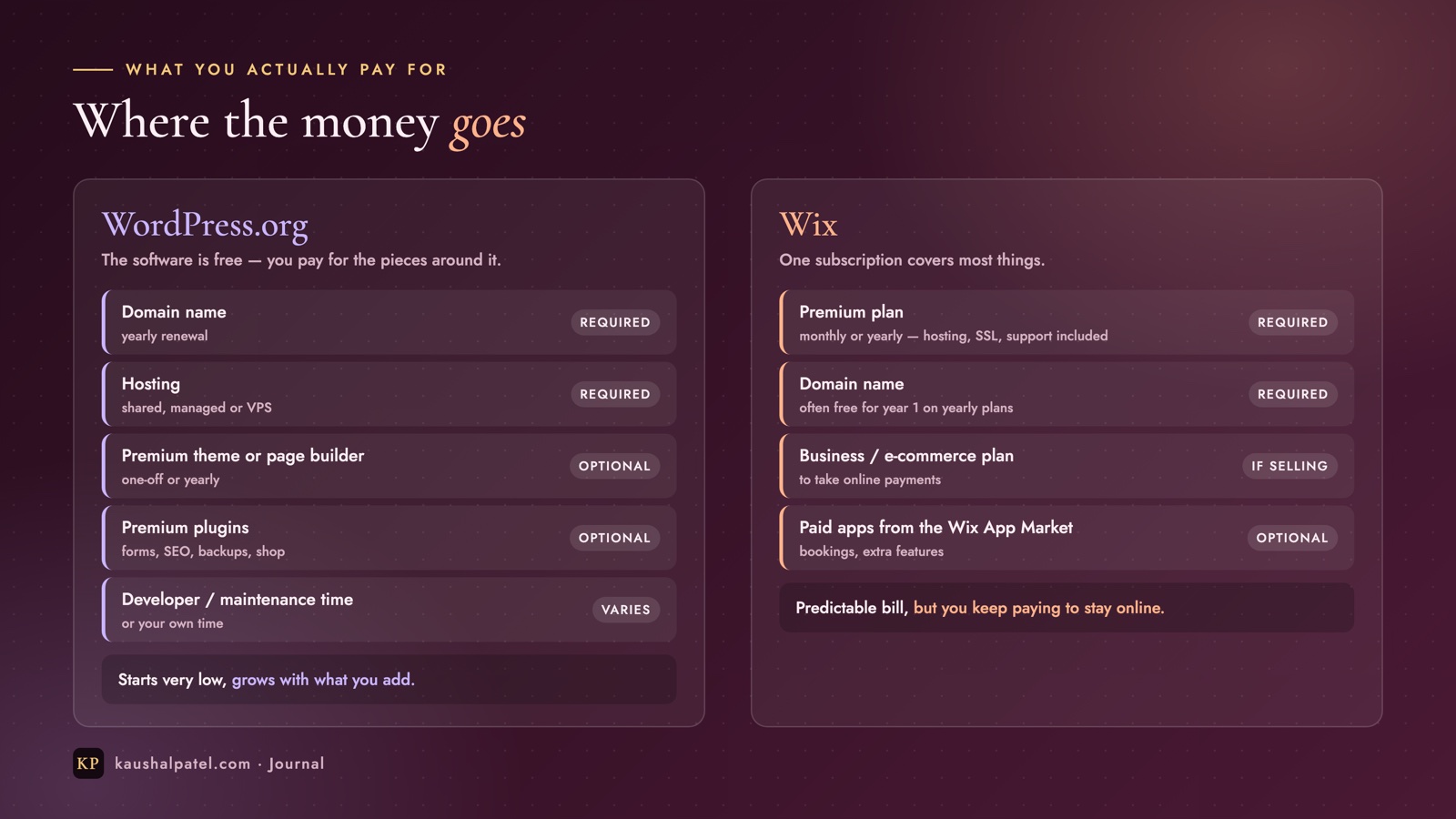
WordPress starts cheap and grows with what you add; Wix is one predictable subscription.
The WordPress software itself is free. You pay for a domain and hosting, and optionally for premium themes, plugins and someone’s time to maintain it. A simple site can be very inexpensive; a busy shop with premium extensions and a developer costs more.
Wix has a free plan, but it shows Wix branding and uses a wixsite.com address. For a custom domain and no ads you need a premium plan, and to accept payments you need a business plan — paid monthly or yearly for as long as the site is online. Prices change often, so always check each platform’s current pricing page.
Ownership and moving later
This is the point most people only think about when it’s too late. A WordPress site is yours: you can download every file and the database, move to another host in an afternoon, or hand it to a new developer. WordPress also has a built-in export tool for your content.
A Wix site runs only on Wix. You can export some data — such as products or contacts — but there’s no way to take the complete site to another platform; moving away means rebuilding the pages elsewhere. That’s perfectly fine for many businesses, but it’s worth knowing up front.
Which should you choose?
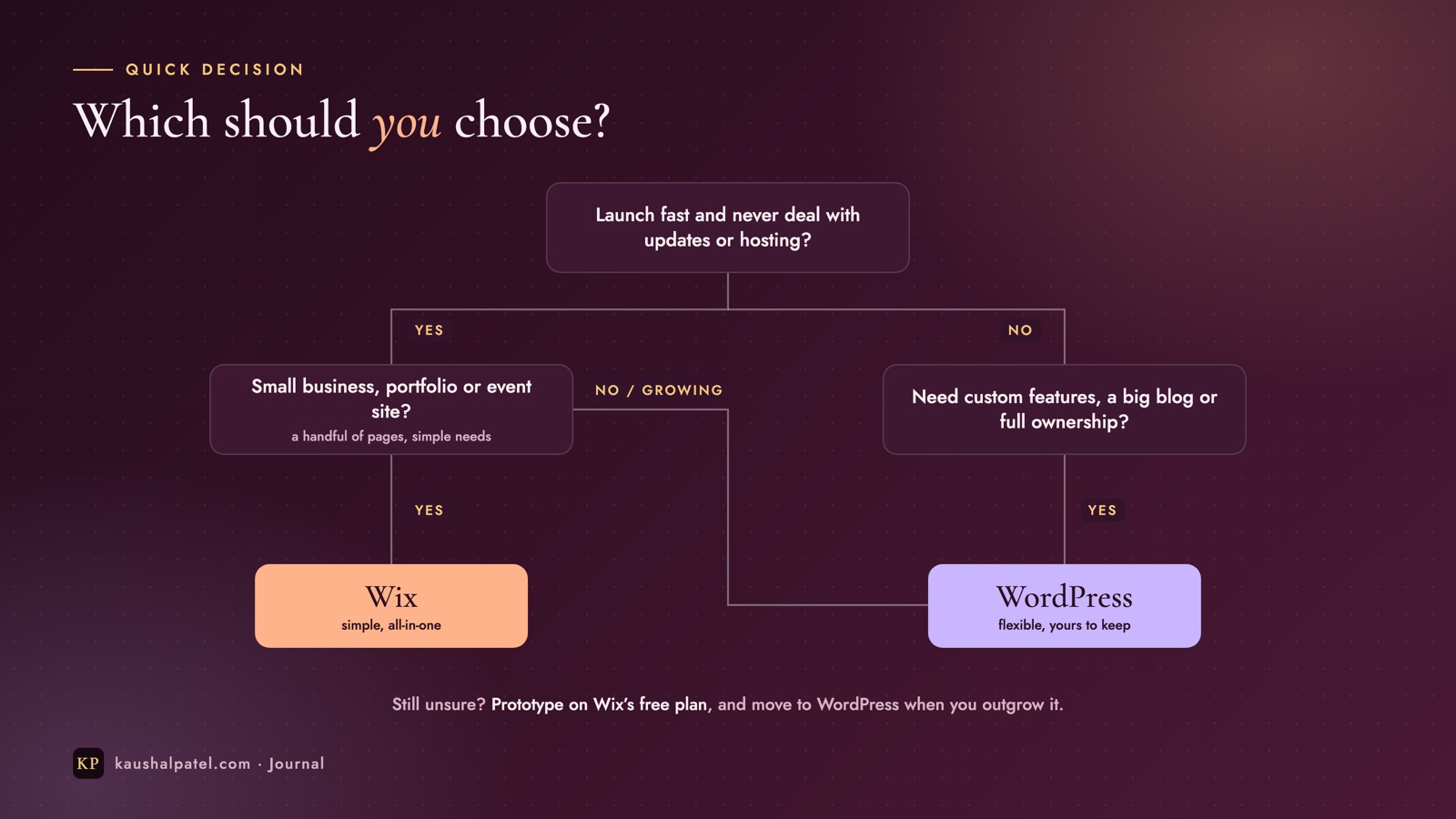
Start from how much you want to manage — and how big the site needs to grow.
Choose Wix if…
You want to launch quickly and design it yourself, visually.
You never want to think about hosting, updates or backups.
It’s a portfolio, local business, restaurant, salon or event site.
A predictable monthly or yearly bill suits you.
Choose WordPress if…
You need custom features, integrations or a unique design.
You’re planning a large blog, a membership site or a growing online shop.
Full ownership and the freedom to move hosts matter to you.
You have a developer — or you’re happy to learn the basics of maintenance.
Frequently asked questions
Is WordPress free?
The WordPress software is free and open source. You still need to pay for a domain and hosting, and you may choose to buy premium themes or plugins.
Is Wix good for SEO?
Yes. Modern Wix sites can rank well, with the essential SEO tools built in. WordPress offers more fine-grained control for complex sites, but for most small business sites the quality of your content matters more than the platform.
Can I move from Wix to WordPress later?
Yes, but not automatically. Pages and design are rebuilt in WordPress, and content such as blog posts can be brought across with import tools or by hand. Plan redirects from your old URLs so you keep your search rankings.
Which is better for an online store?
For a small shop with a simple catalogue, Wix is quicker to set up. For larger catalogues, custom checkout flows or specialised features, WordPress with WooCommerce is more flexible.
The bottom line
There’s no universal winner. Wix is the better choice when simplicity and speed matter most; WordPress is the better choice when flexibility, growth and ownership matter most. Decide how much of the website you want to manage yourself, think about where your business will be in two or three years, and the answer usually becomes clear.
Still not sure which fits your business — or ready to build? Get in touch and I’ll help you choose the right platform.
A plain-English guide to content management systems: how a CMS works, traditional vs headless, popular platforms, and how it helps with updates, teamwork, images and SEO.
Run a Next.js front end and a Node.js Express API on one Ubuntu server: Git, deploy keys, PM2, Nginx routing, free HTTPS with Certbot and a one-command deploy script.
Build a Django REST Framework API and a React front end that uses it: models, serializers, ViewSets, CORS, Vite, fetch, Git and a path to production — every command included.