When to Build Custom vs. Buy Off-the-Shelf: A Founder’s Framework for Choosing Between No-Code/SaaS Tools (Like Shopify or Zoho) and Custom Code
By Kaushal Patel13 min read
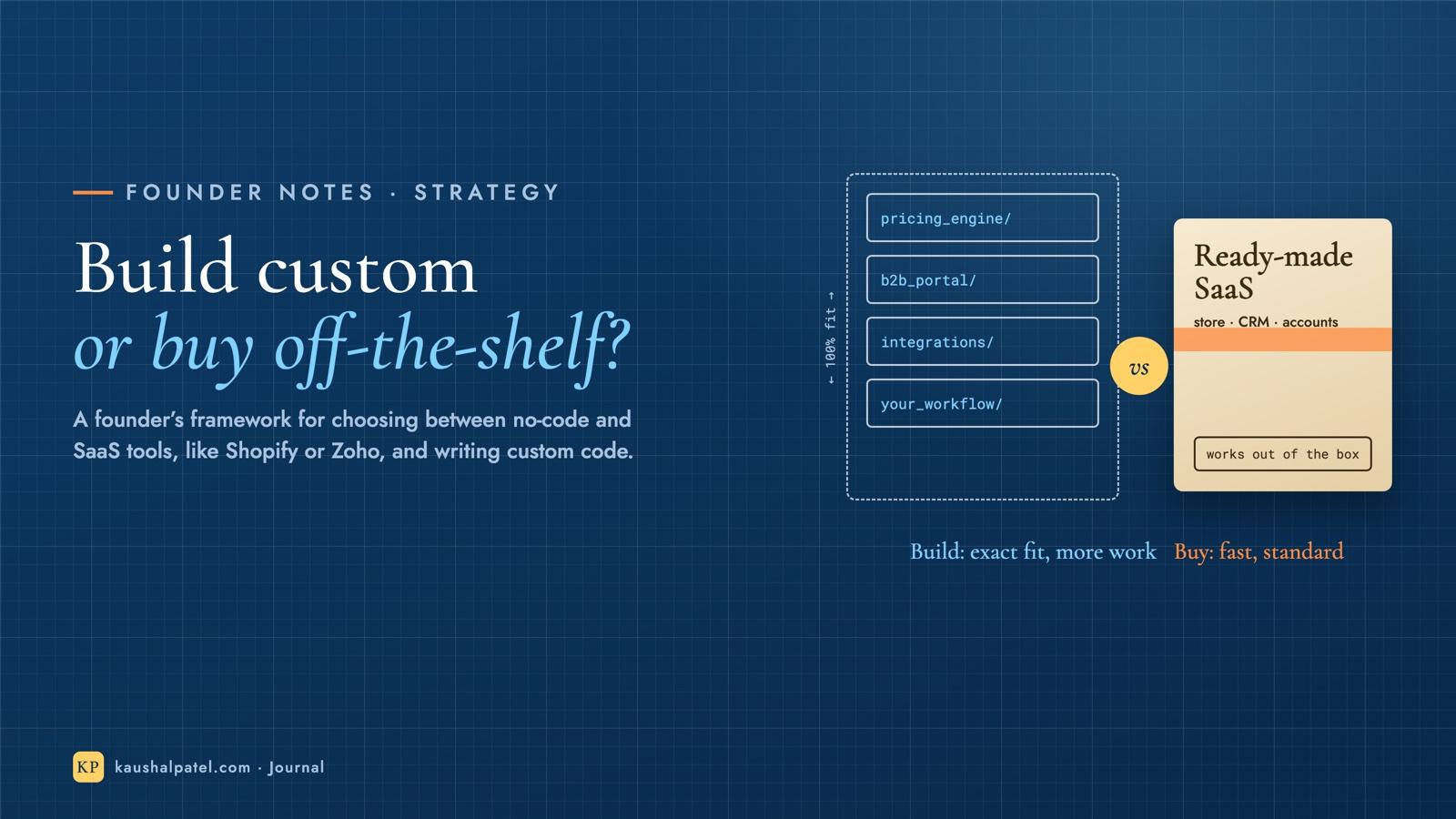
Every founder eventually faces the build vs buy software decision. Should you launch your store on Shopify or build a custom e-commerce site? Run sales on Zoho CRM or write your own? Glue tools together with no-code automations, or hire developers to build exactly what you need?
Choose wrong in one direction and you spend months and lakhs building software that an affordable monthly subscription already did well. Choose wrong in the other and your business slowly bends itself around a tool that was never designed for how you work. This guide gives you a practical build or buy decision framework: when no-code and SaaS tools are the right call, when custom software pays off, and how most growing businesses end up with a smart mix of both.
Build vs buy software: custom vs SaaS at a glance
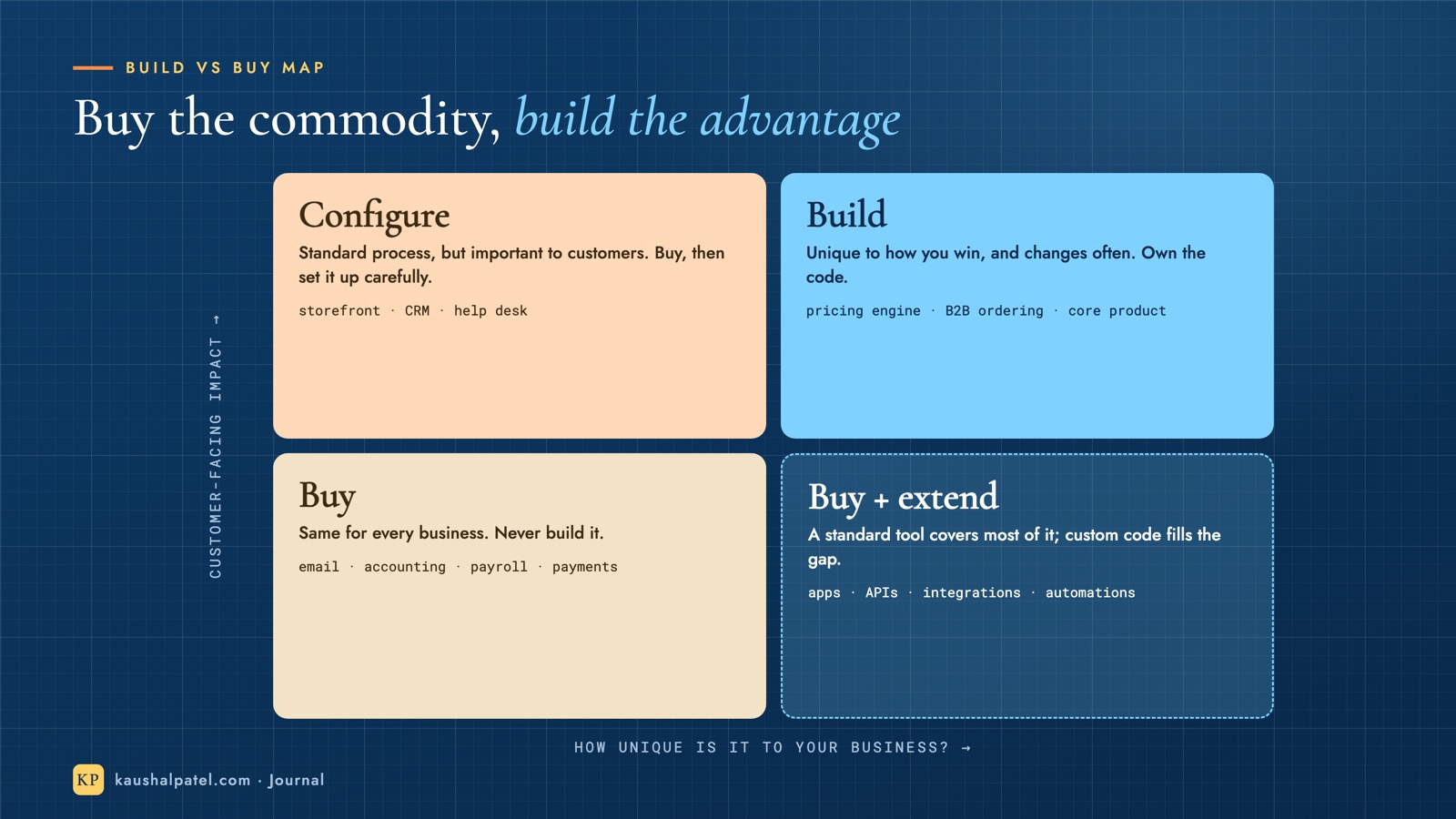
Buy the commodity, build the advantage.
Here’s how custom software vs SaaS compares on the things founders actually care about:
Buy: SaaS and no-code
Build: custom software
Time to launch
Days to weeks
Weeks to months
Upfront cost
Low: a subscription and setup time
High: design, development, testing
Ongoing cost
Grows with users, orders and add-ons
Hosting plus maintenance and updates
Fit to your workflow
Good for standard processes; you adapt to the tool
Exact, because the software adapts to you
Control and data
Limited by the vendor’s features, APIs and export options
Full control of features and data
Maintenance and security
Handled by the vendor
Your responsibility, or your developer’s
Lock-in risk
Vendor pricing, policy and feature changes
Dependence on whoever maintains the code
Competitive edge
None: competitors can buy the same tool
Real, if it encodes how you win
It’s not binary: the build-or-buy spectrum
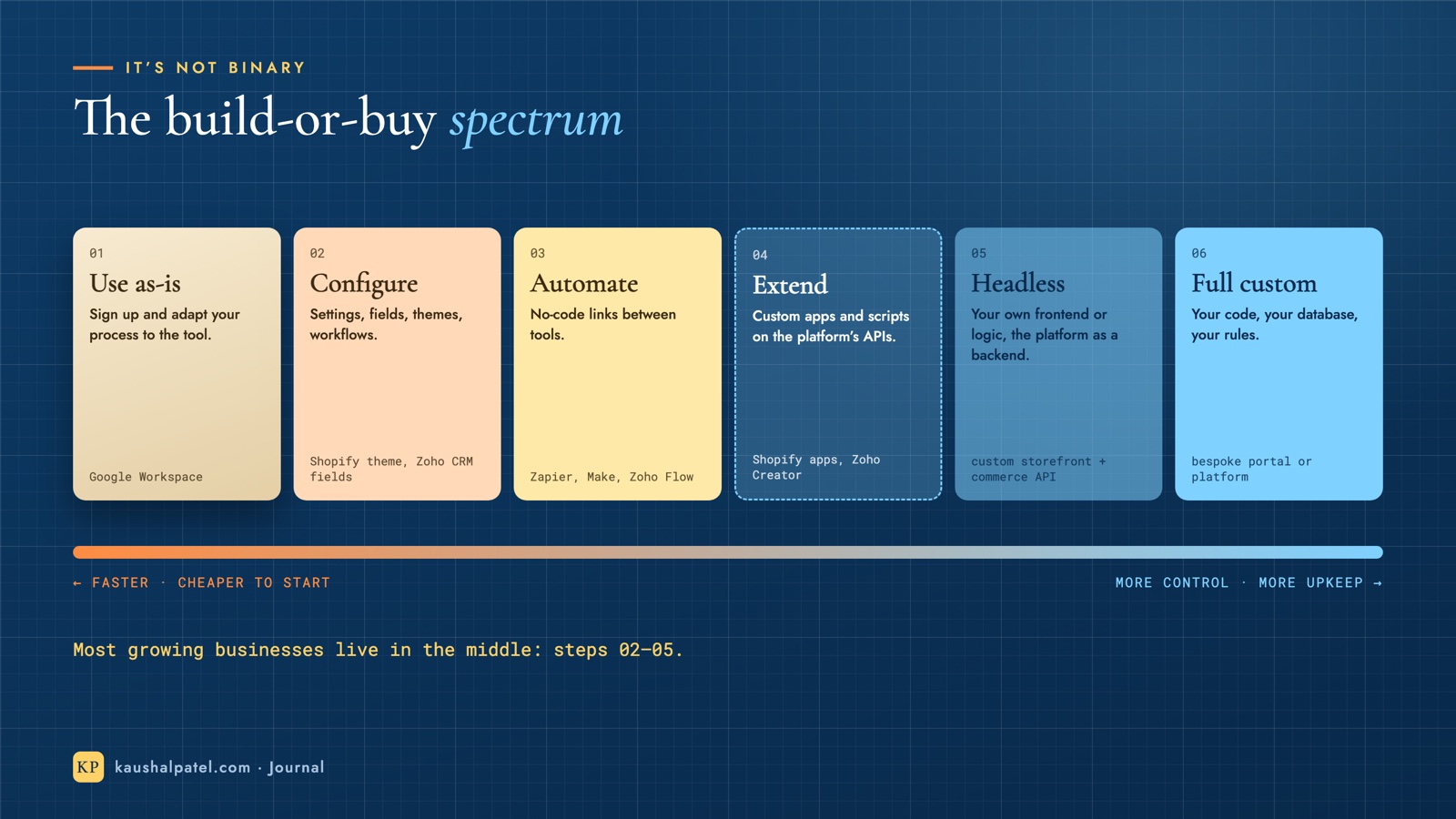
“Build or buy” sounds like two options. In practice there are at least six, and most good decisions sit somewhere in the middle:
Most growing businesses live in the middle of the spectrum.
Use as-is. Sign up and adapt your process to the tool. Ideal for email, documents and payroll.
Configure. Themes, custom fields, workflows and permissions. A well-configured Shopify store or Zoho CRM covers a lot of ground.
Automate with no-code. Connect tools with Zapier, Make or Zoho Flow so data moves without copy-paste.
Extend. Custom apps, scripts and integrations using the platform’s APIs, such as a Shopify app or a Zoho Creator app.
Headless. Keep the platform as the backend (products, checkout, orders) and build your own frontend or logic on top.
Full custom. Your own code and database, built around your exact workflow.
Each step to the right adds control and fit, and also cost, time and maintenance. The skill is moving right only where it creates real value.
When to use no-code and SaaS tools
Buying is the right default far more often than founders (especially technical ones) like to admit. Use off-the-shelf tools when:
The process is standard. Accounting, GST invoicing, payroll, email and payments work the same for almost everyone. There’s no prize for doing them differently.
Speed matters more than fit. You need to start selling or testing demand this month, not next quarter.
You’re still discovering the workflow. Until you’ve run a process by hand for a while, you don’t know what to build. Tools let you learn cheaply.
Compliance and security are heavy. Payments, tax filing and data protection are better left to vendors who specialise in them.
You don’t have engineering capacity. Custom software needs someone to maintain it for years, not just build it once.
Shopify vs custom e-commerce
For most retail and D2C brands, Shopify (or a similar platform) is the right start: hosted checkout, payments, themes, a huge app ecosystem and APIs for when you outgrow the basics. A custom e-commerce build makes sense when your buying journey is genuinely unusual, for example buyer-specific wholesale price lists, credit limits, made-to-order configuration or complex approval flows. Even then, many brands keep Shopify for retail and build only the unusual part alongside it.
Zoho vs a custom CRM or ERP
The Zoho suite (CRM, Books, Inventory, plus Creator for low-code apps) covers a remarkable amount of back-office work for small and mid-sized businesses, and its apps connect to each other. A custom CRM or ERP starts to pay off when your sales or operations process is itself a competitive advantage, or when you’re spending more time fighting the tool’s assumptions than doing the work.
Not sure whether you even need a CMS or a website builder for your marketing site? I compared those options in WordPress vs Wix and What Is a CMS?.
When to build custom software
Custom code earns its cost when the software is the advantage. Build when:
It’s how you win. Your pricing engine, your matching logic, your ordering flow: if customers choose you because of how this works, own it.
Tools cover less than about 80%. And the missing 20% is the part that matters most to your customers or team.
You’re fighting the tool every day. Workarounds, duplicate data entry, spreadsheets on the side and staff who “just know” how to trick the system.
SaaS costs scale badly for you. Per-seat, per-order or per-transaction pricing that grows much faster than your revenue.
You need to own the data and the roadmap. Integrations, reports or rules the vendor doesn’t support and won’t prioritise.
You can maintain it. A developer or partner who will look after it for years, not just launch it.
A real example: wholesale ordering in the textile trade involves buyer-specific rates, catalogue access, order and production status, invoices and transport details. Standard e-commerce tools fight that workflow, so the Mahavir Fashion B2B wholesale portal was built custom. Meanwhile, things like email, accounting and payments stay on off-the-shelf tools, as they should.
Total cost of ownership: compare three years, not one month
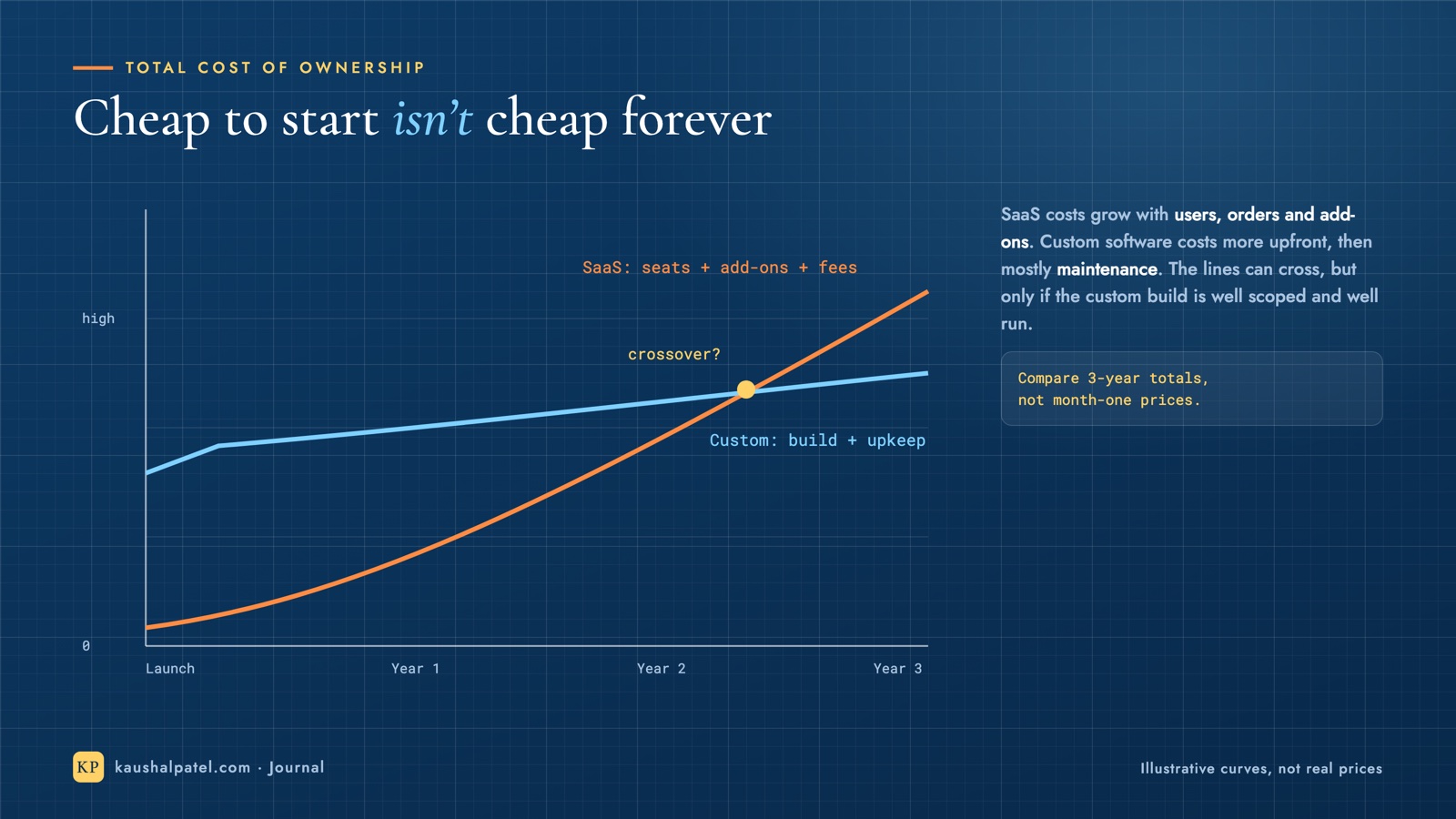
Illustrative curves: the crossover only happens if a custom build is well scoped and well run.
The most common mistake in a build vs buy analysis is comparing a month-one subscription price with a one-off development quote. Compare the full three-year cost of each option, including the costs that don’t appear on the pricing page:
Hidden costs of buying (SaaS)
Hidden costs of building (custom)
Per-seat pricing as the team grows
Ongoing maintenance, updates and bug fixes
Paid apps and add-ons to fill feature gaps
Hosting, monitoring, backups and security
Transaction or payment fees (on some plans, extra fees apply when you use a third-party payment gateway)
Your own time writing specs, testing and managing the project
Plan upgrades to unlock one needed feature
Documentation and onboarding new developers
Staff time on workarounds and duplicate entry
Risk if only one person understands the code
Migration cost if you ever leave
Rebuilding features that SaaS tools give you for free
A common rule of thumb is to budget around 15–20% of the original build cost every year for maintaining custom software. If that number makes the build look unattractive, that’s useful information.
The build or buy decision framework
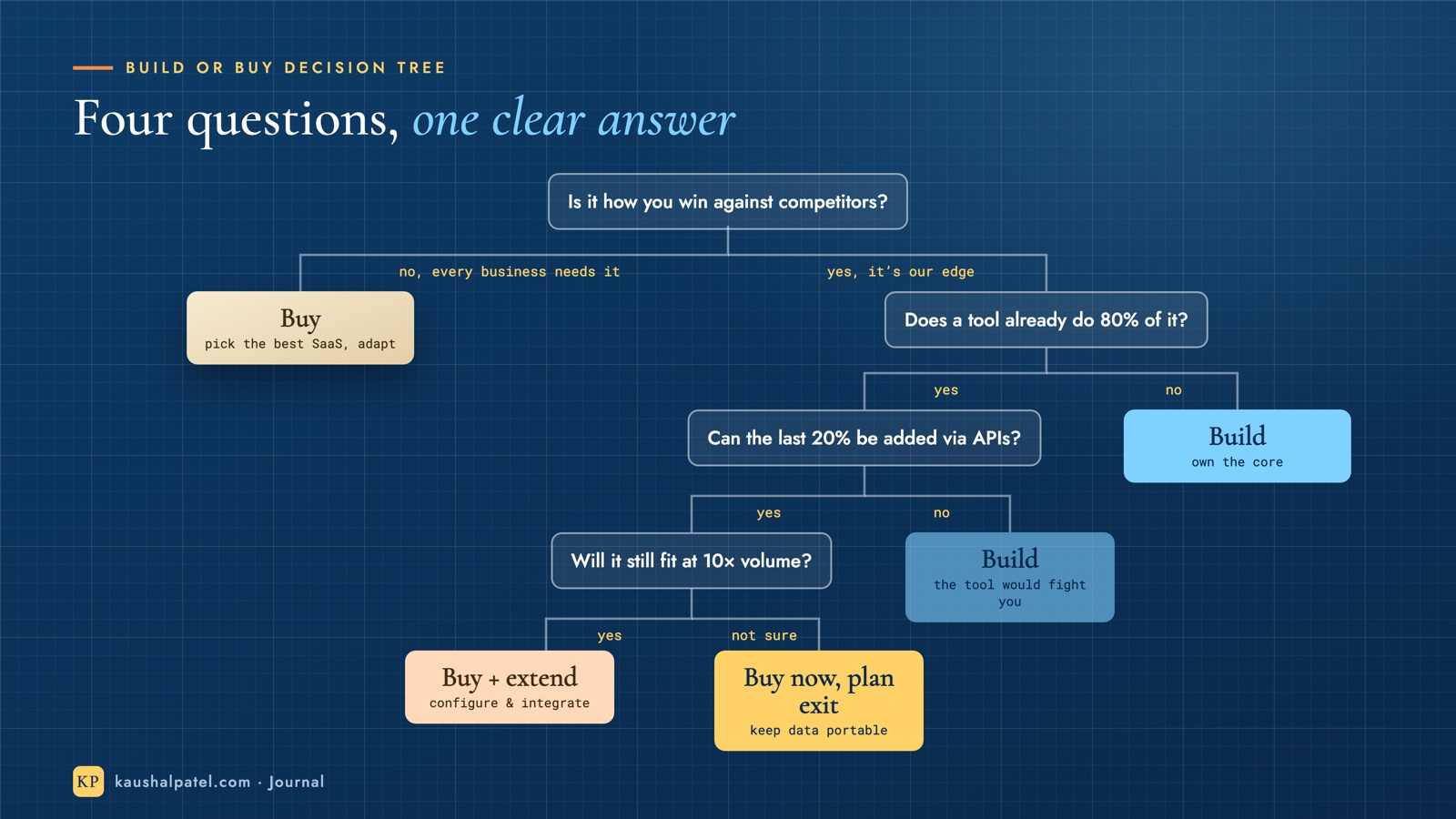
Run any tool or system decision through four questions, in this order:
Four questions, one clear answer.
Is it how you win against competitors? If not, buy the best tool you can afford and adapt your process to it.
Does an existing tool already do about 80% of it? If not, and it matters, build.
Can the missing 20% be added through APIs, apps or automations? If yes, buy and extend. If no, the tool will fight you, so build.
Will it still fit at ten times your current volume? If yes, buy and extend with confidence. If you’re not sure, buy now, but keep your data portable and plan how you would leave.
Score it: a weighted decision matrix
For bigger decisions, put the options side by side and score them. Here’s a worked example for a wholesale business deciding how to take B2B orders online (scores 1–5, higher is better):
Criterion
Weight
Buy: store + B2B apps
Build: custom portal
Hybrid: store + custom B2B layer
Fit to the ordering workflow
30%
2
5
4
Time to launch
20%
5
2
4
Three-year cost
20%
3
3
3
Control and data ownership
15%
2
5
4
Maintenance burden (5 = least)
15%
5
2
3
Weighted score
100%
3.25
3.55
3.65
The scores are illustrative, so your weights and numbers will differ. But the pattern is very common: neither pure option wins, and the hybrid comes out on top. You can copy this template for your own decision:
# Build vs Buy decision: [system name]

## The job to be done
What must this system do, for whom, and how often?

## Is it how we win?
Yes / No, and why.

## Options
1. Buy as-is:        [tool], [plan]
2. Buy + extend:     [tool] + [apps / automations / custom code]
3. Build:            [scope of the custom build]

## 3-year cost (include hidden costs)
| Option | Year 1 | Year 2 | Year 3 | Total |

## Weighted scores (1-5)
| Criterion | Weight | Option 1 | Option 2 | Option 3 |

## Decision and exit plan
Chosen option, the date we'll review it,
and how we'd move our data out if we needed to.
Quick game · Build or buy?
What would you do?
Six real-world situations. Make your call, then tap each card to see the reasoning.
GST invoicing and accounts for a five-person trading company
Buy. Accounting is the same for everyone and full of compliance detail. Use accounting software like Zoho Books or Tally, and connect it to your other systems.
A new D2C clothing brand launching its first online store
Buy and configure. Shopify (or similar) gets you selling in days. Spend the money on products and marketing, not on rebuilding checkout.
A wholesale portal with buyer-specific price lists, credit limits and minimum order quantities
Build, or hybrid. This is where standard storefronts start fighting you. Build the B2B ordering layer, and keep standard tools for retail and accounts.
A CRM for a small sales team following up leads
Buy and configure. Zoho CRM or similar, with your own fields and pipeline stages. Build only if the sales process itself is your product.
Keeping stock in sync across a website, two marketplaces and a warehouse
Buy and extend. Start with an inventory tool or integration app; add a small custom sync service only if your rules are unusual.
The software product you sell to your customers
Build. If it’s your product, it’s your advantage, so own it. Buy everything around it: auth, payments, email, analytics.
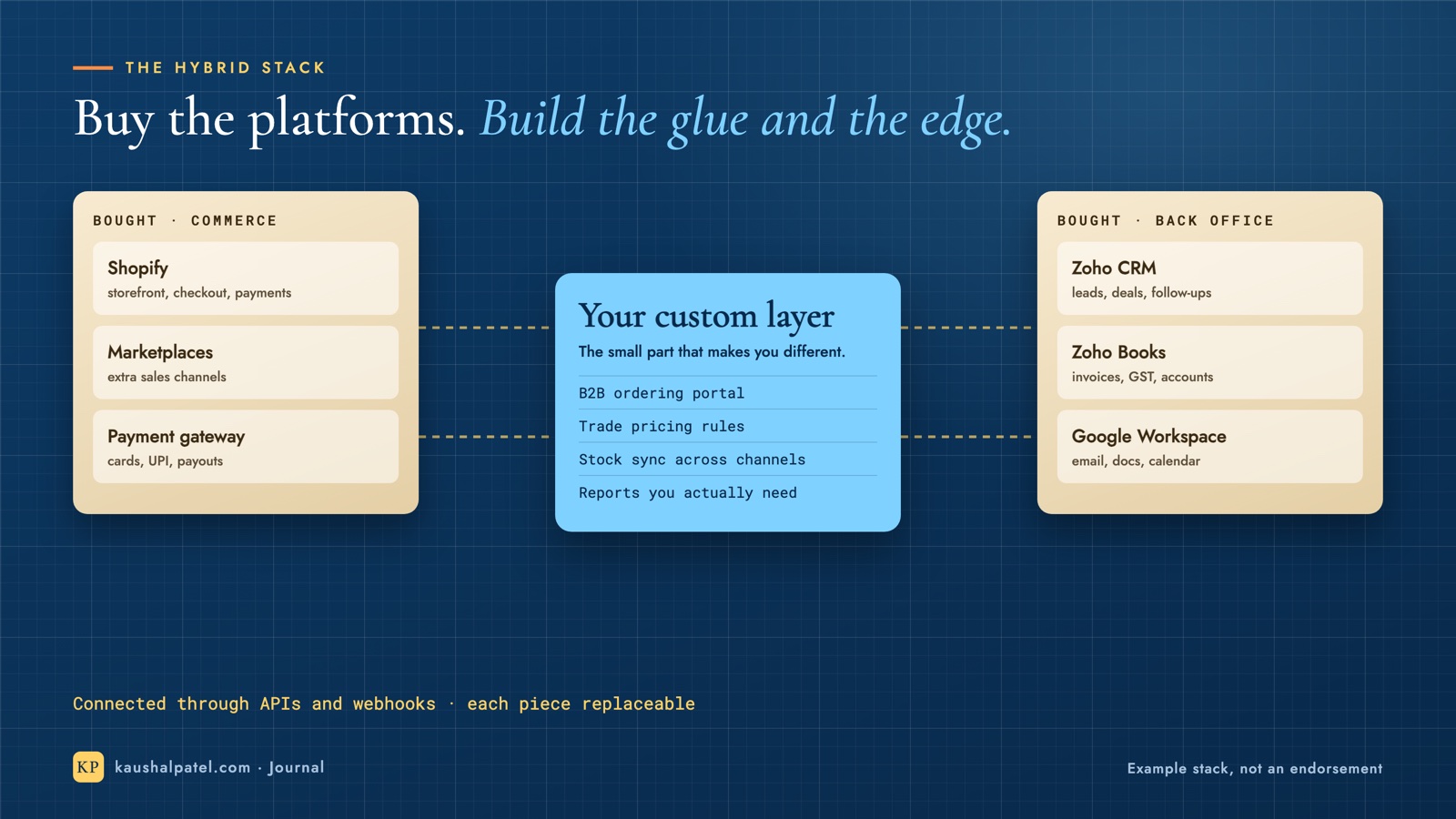
The hybrid approach: buy the platforms, build the glue and the edge
An example hybrid stack, not an endorsement of specific vendors.
For most growing businesses, the best answer to build custom vs buy off-the-shelf is “both, deliberately”. Use proven platforms for storefront, payments, accounts and CRM. Then build a small custom layer for the things that make you different: your B2B ordering flow, your pricing rules, stock sync across channels, and the reports you actually need. Connect everything through APIs and webhooks, so each piece can be replaced without rebuilding the rest.
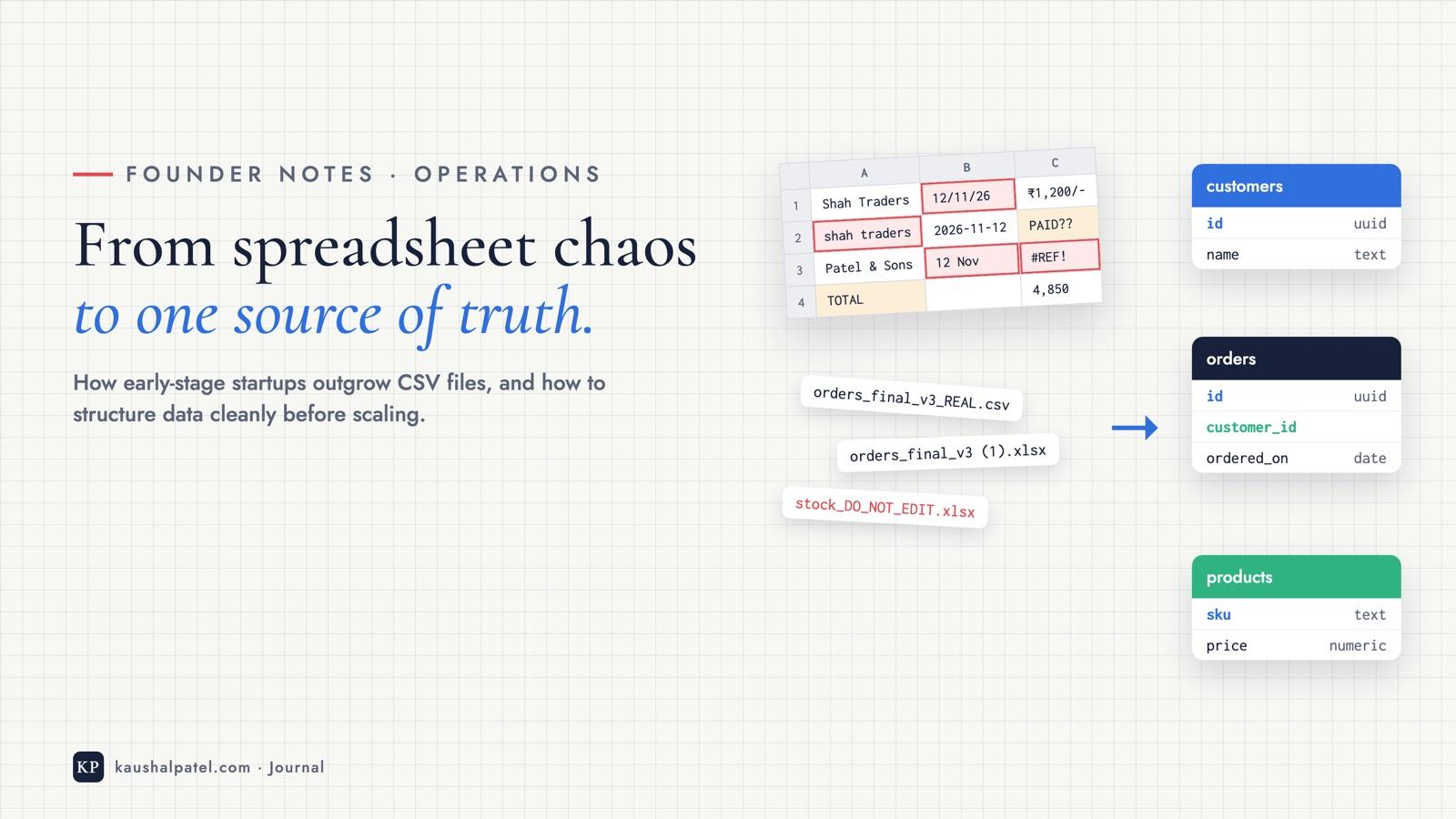
The key is a clear source of truth for each type of data, such as products, orders and customers, so the tools don’t contradict each other. I wrote about structuring that in From Spreadsheet Chaos to Single Source of Truth.
Signs you’ve outgrown your SaaS tools
Symptom
What it’s costing you
Next step
Spreadsheets running alongside the tool
Duplicate entry, errors, no single truth
Automate, or extend with an integration
Paying for many add-ons to patch gaps
Rising costs and fragile connections
Consider a small custom layer instead
Staff following “tricks” to make it work
Training time, mistakes, key-person risk
Map the real workflow; build the part that fights it
Pricing grows faster than revenue
Margin leaking every month
Model the three-year cost of building that piece
Customers ask for things the tool can’t do
Lost deals and a worse experience
Build that feature as your edge
How to build or buy without regret
If you buy
Check data export and APIs before you sign up, because you should always be able to leave.
Model pricing at ten times your current users and orders.
Configure before you customise. Most “missing” features are settings nobody found.
Keep your own copy of important data, such as customers, products and orders.
If you build
Build the smallest core that creates the advantage, and keep buying everything around it.
Budget for maintenance from day one, not just the launch.
Own the code repository, the hosting accounts and the documentation, even if a partner builds it.
Before you decide, check
You know whether this system is part of how you win, or just something every business needs.
You’ve tried configuring and automating existing tools before choosing to build.
You’ve compared three-year costs, including hidden ones, not just month-one prices.
You know who will maintain a custom build for the next few years.
Whatever you choose, your data can be exported and you have an exit plan.
Frequently asked questions
Is it cheaper to build custom software or buy SaaS?
Buying SaaS is almost always cheaper to start. Over several years, custom software can cost less when SaaS pricing grows with your users, orders or add-ons, but only if the custom build is well scoped and maintained. Compare three-year totals, including hidden costs, rather than the first month.
When should a startup build custom software instead of using no-code tools?
When the software is part of your competitive advantage, existing tools cover less than about 80% of what you need, the missing part matters most to customers, and you have someone to maintain it. Until then, no-code and SaaS tools are usually the faster, safer choice.
Should I use Shopify or build a custom e-commerce website?
For most retail and D2C brands, start with Shopify or a similar platform. Consider custom or headless e-commerce when your buying journey is genuinely unusual, such as B2B pricing, credit terms, made-to-order products or complex approvals, and keep standard checkout and payments wherever you can.
Is Zoho good enough, or do we need a custom CRM or ERP?
For many small and mid-sized businesses, Zoho’s apps cover CRM, accounting and inventory well, especially when configured carefully. A custom system makes sense when your workflow is a competitive advantage or when workarounds and add-ons have become more expensive than building the part you need.
What is a hybrid build-and-buy approach?
Using off-the-shelf platforms for commodity functions, such as storefront, payments, accounting and CRM, and building a small custom layer for what makes your business different, connected through APIs. It gives you speed and reliability where they matter and control where it counts.
The bottom line
The build vs buy decision isn’t about which is better in general. It’s about which is better for this part of your business. Buy the commodity, configure what’s standard, automate the gaps, and build only what makes you win. Revisit the decision as you grow: today’s smart subscription can become tomorrow’s bottleneck, and the right time to build is when the tool starts costing you more than it saves.
Weighing up a build-or-buy decision for your business, or need a custom layer on top of Shopify, Zoho or your existing tools? Let’s talk. I help businesses decide what to build, and then build it.
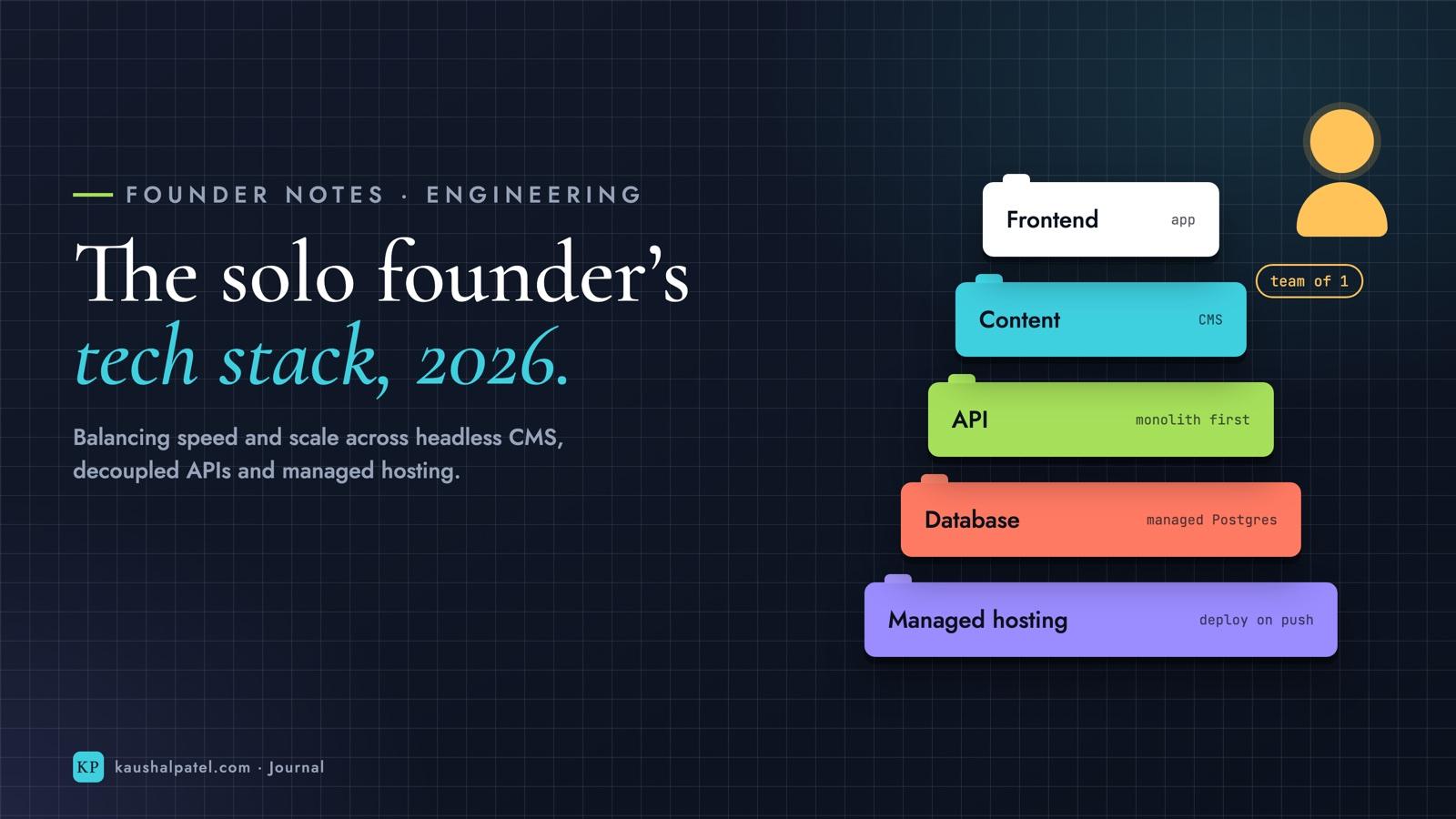
Headless CMS, decoupled APIs or a monolith, managed hosting or a VPS: how to pick a 2026 stack one person can run, with a hosting cost calculator and checklist.
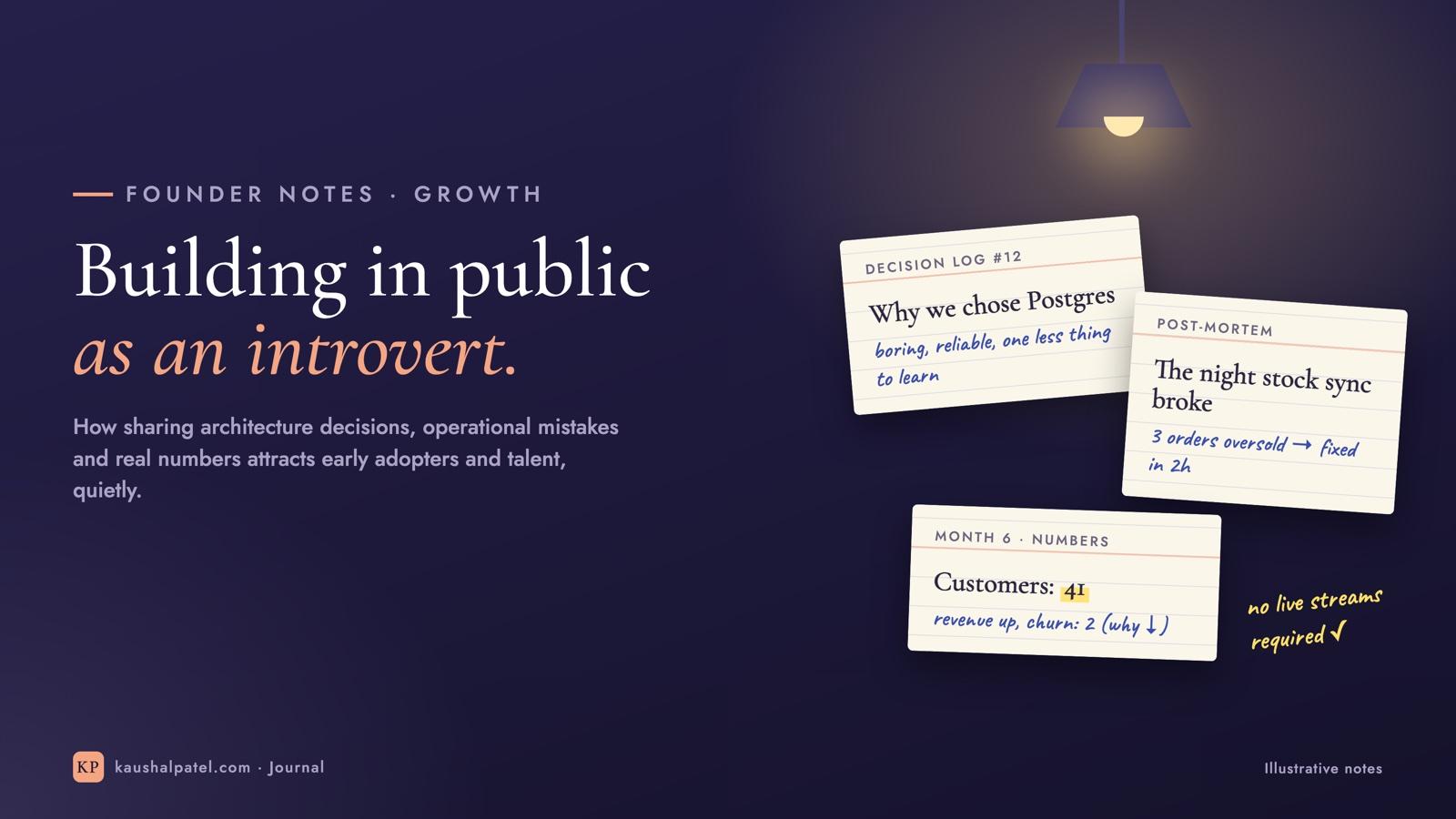
Quiet, written building in public: share architecture decisions, mistakes and real numbers to attract early adopters and talent, with an update builder.