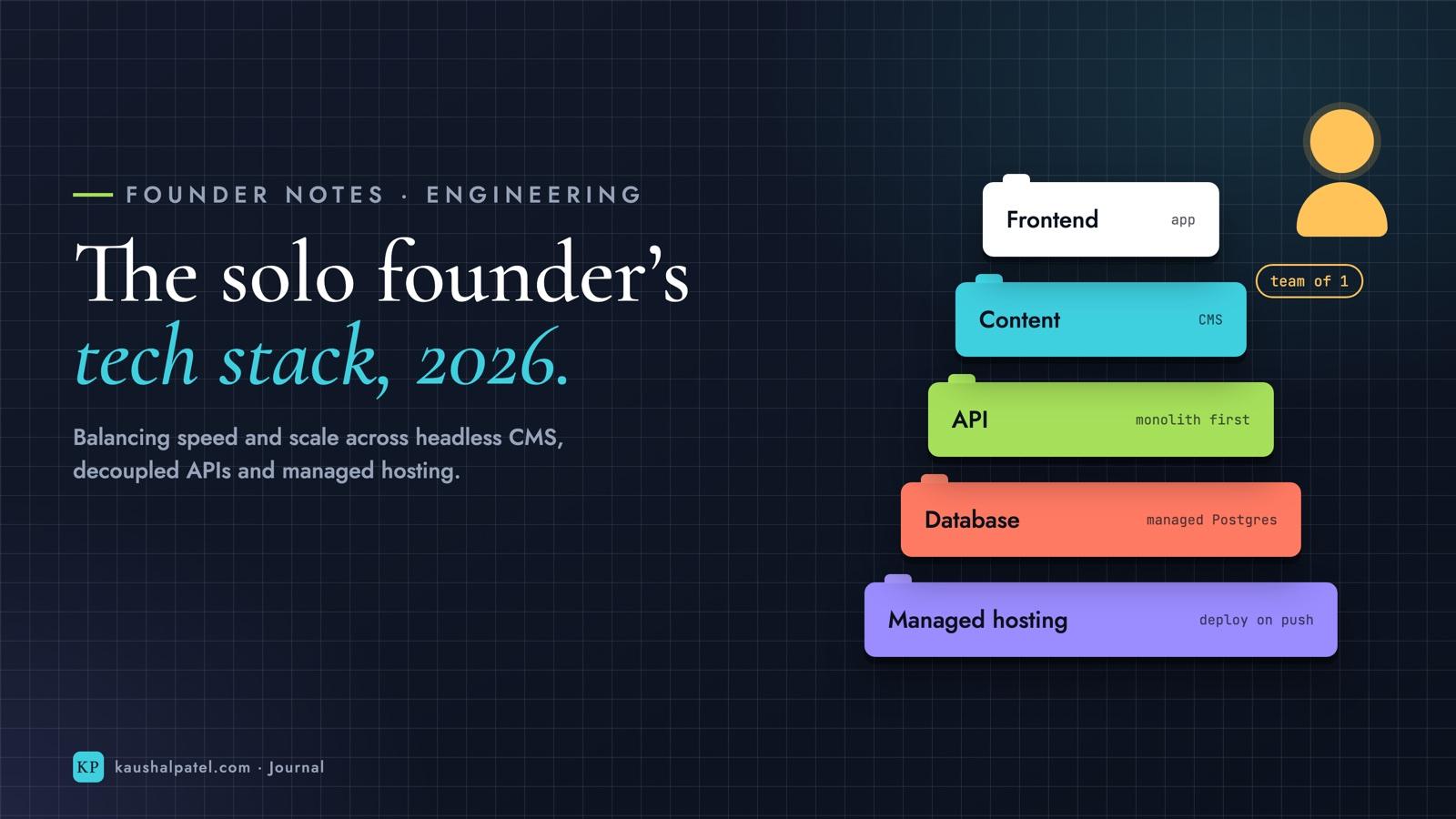
The Solo Founder’s Tech Stack in 2026: Balancing Speed and Scale When Choosing Between Headless CMS Options, Decoupled APIs and Managed Hosting
By Kaushal Patel12 min read
When you’re building alone, your tech stack isn’t just a technical decision. It decides how you spend your scarcest resource: your own hours. Every server you maintain, every service you wire together and every abstraction you add “for scale” is time you’re not spending with customers.
In 2026 the options are better than ever: headless CMSs with excellent editors, full-stack frameworks that handle pages and APIs in one codebase, managed databases with backups built in, and hosting that deploys on every git push. The challenge isn’t finding good tools. It’s not over-building with them.
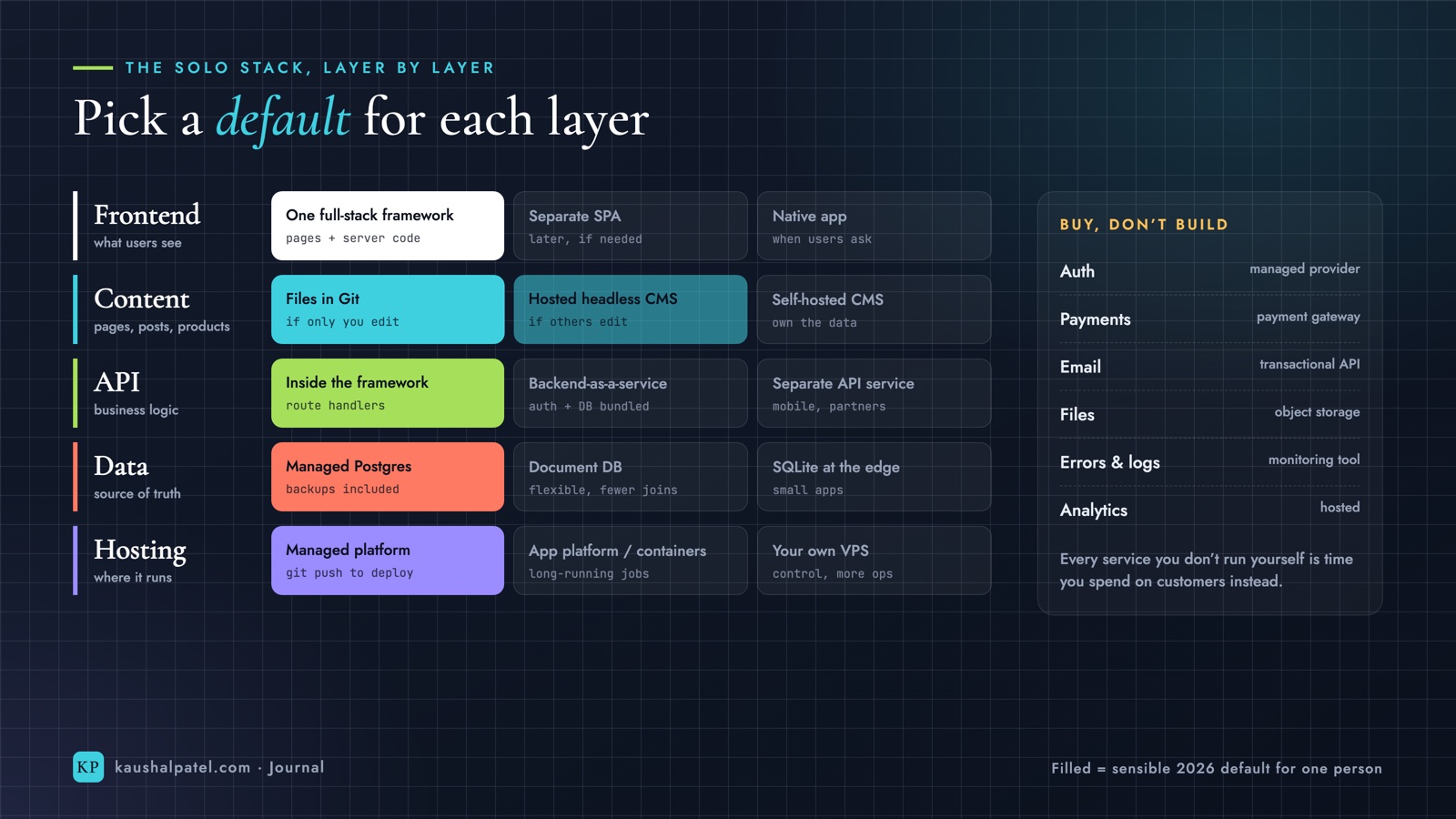
Pick a default for each layer, and buy everything that isn’t your product.
The real constraint: one person’s time
Big companies choose architecture for teams: separate services so separate teams can ship independently. A solo founder has the opposite problem. You need one person to understand, change and fix everything, often late at night. That changes what “good architecture” means:
Fewer moving parts beats theoretical scalability. Each extra service is another thing to deploy, monitor and update.
Boring, popular tools beat clever ones. You’ll find answers, libraries and help faster.
Managed beats self-hosted when your hourly value is higher than the price difference, which it almost always is.
Easy to change beats perfectly designed. Your product will change more than your traffic will.
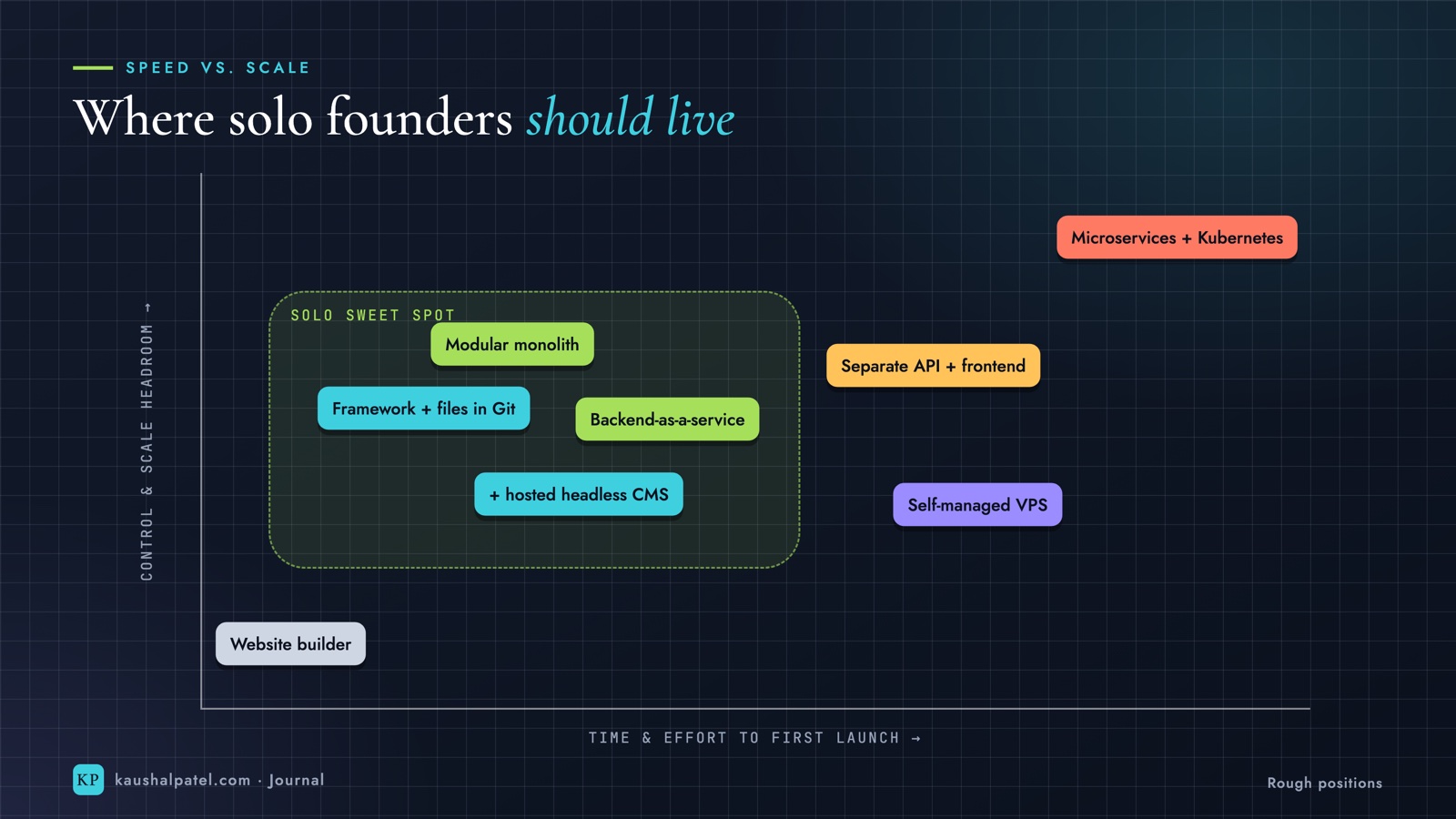
Speed vs. scale: where should you live?
Rough positions: the sweet spot gives you plenty of headroom without slowing your first launch.
The good news is that the sweet spot scales much further than most founders expect. A well-built monolith on managed hosting with a managed database can serve a large number of customers. By the time it truly can’t, you’ll have revenue and probably help.
Content: headless CMS, Git, or something else?
A headless CMS stores content and serves it through an API, so your frontend can display it however it likes. If you’re new to the idea, start with What Is a CMS?. The four realistic options for a solo founder:
Files in Git
Hosted headless CMS
Self-hosted headless CMS
Traditional CMS / builder
Examples
Markdown, MDX, JSON
Sanity, Contentful, Storyblok
Strapi, Payload, Directus
WordPress, Wix, Webflow
Who can edit
Developers
Anyone, with a polished editor
Anyone, with a good editor
Anyone
Setup speed
Minutes
Hours
A day or more
Hours
Ongoing work
None
Very little
Updates, backups, hosting
Plugins, updates (if self-hosted)
Lock-in
None, it’s your files
Medium, export is possible
Low, your database
Medium to high
Best for
Docs, blogs, a founder’s own site
Products where a team edits content
Data ownership, custom workflows
Simple marketing sites
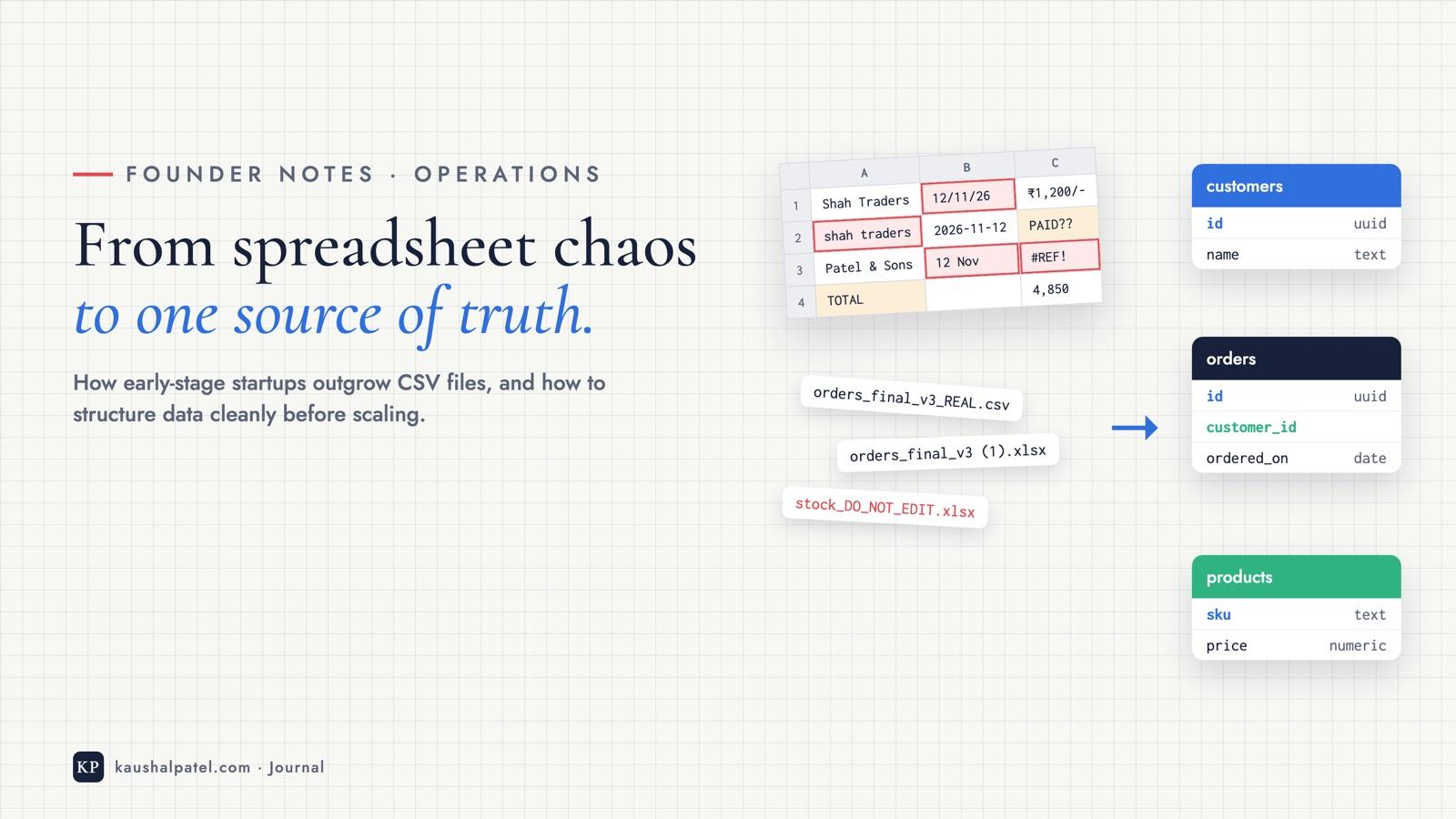
For a real example: this website keeps every post and case study as JSON in the Git repository, rendered by Next.js and deployed on a managed platform. There’s no CMS to log into, update or pay for, because the only editor is me. If a team ever needed to edit it, a hosted headless CMS would slot in behind the same functions. For marketing sites run by non-developers, a traditional CMS or builder is often the better tool; I compared two of them in WordPress vs Wix.
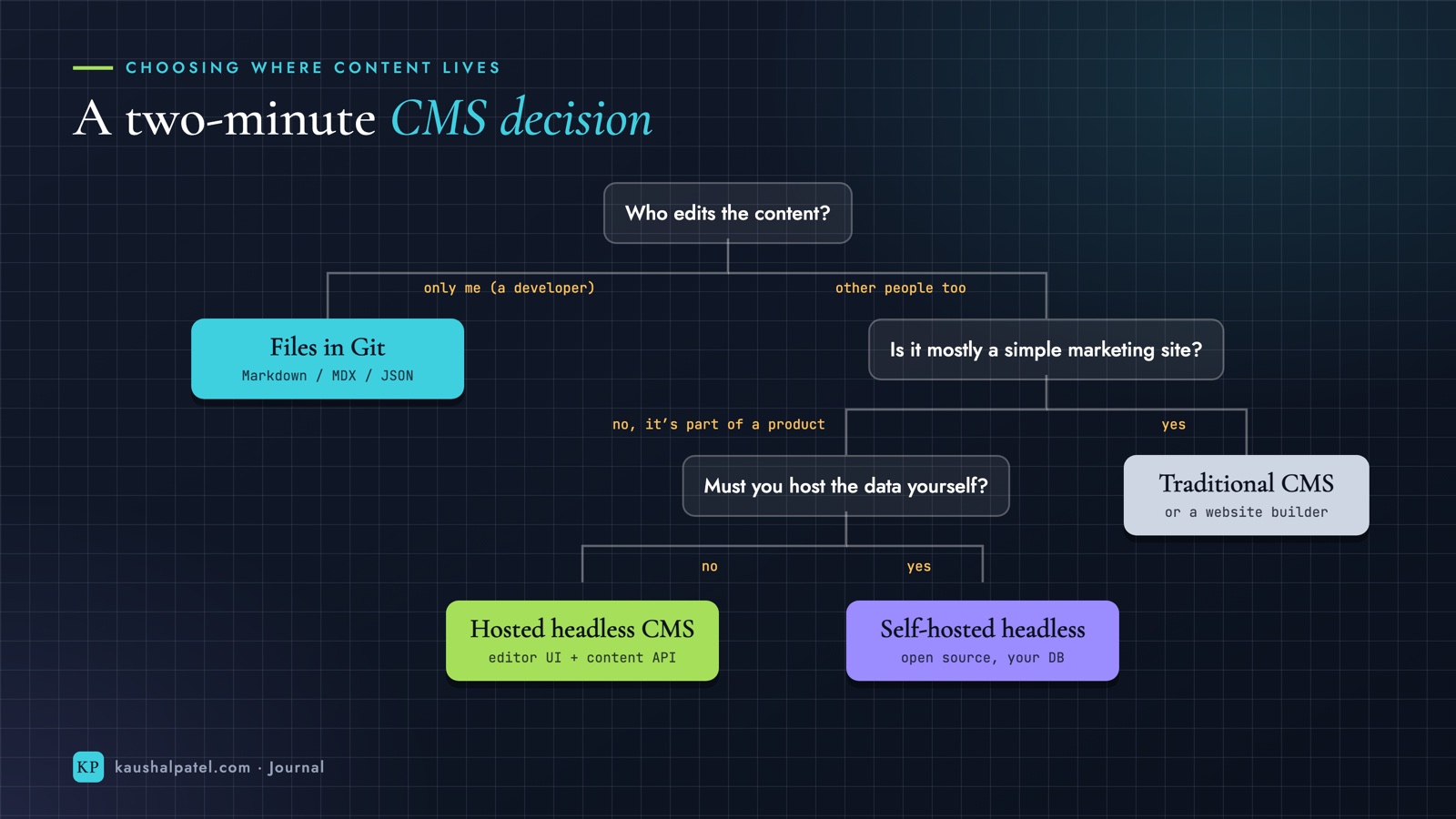
A two-minute CMS decision.
Keep your CMS swappable
Whatever you choose, put all content access behind a few functions in one file. Your pages call getPosts(), not a vendor’s SDK. Moving from JSON files to a headless CMS, or between CMSs, then means changing one file instead of every page:
// lib/content.ts: the only file that knows where content lives
export type Post = { slug: string; title: string; date: string; html: string };

// Today: JSON in the repo
import posts from '@/content/posts.json';
export async function getPosts(): Promise<Post[]> {
  return posts as Post[];
}

// Later: swap the body for a headless CMS. Pages don't change.
// export async function getPosts(): Promise<Post[]> {
//   const res = await fetch(`${process.env.CMS_URL}/posts`, {
//     next: { revalidate: 60 },
//   });
//   return (await res.json()).map(toPost);
// }
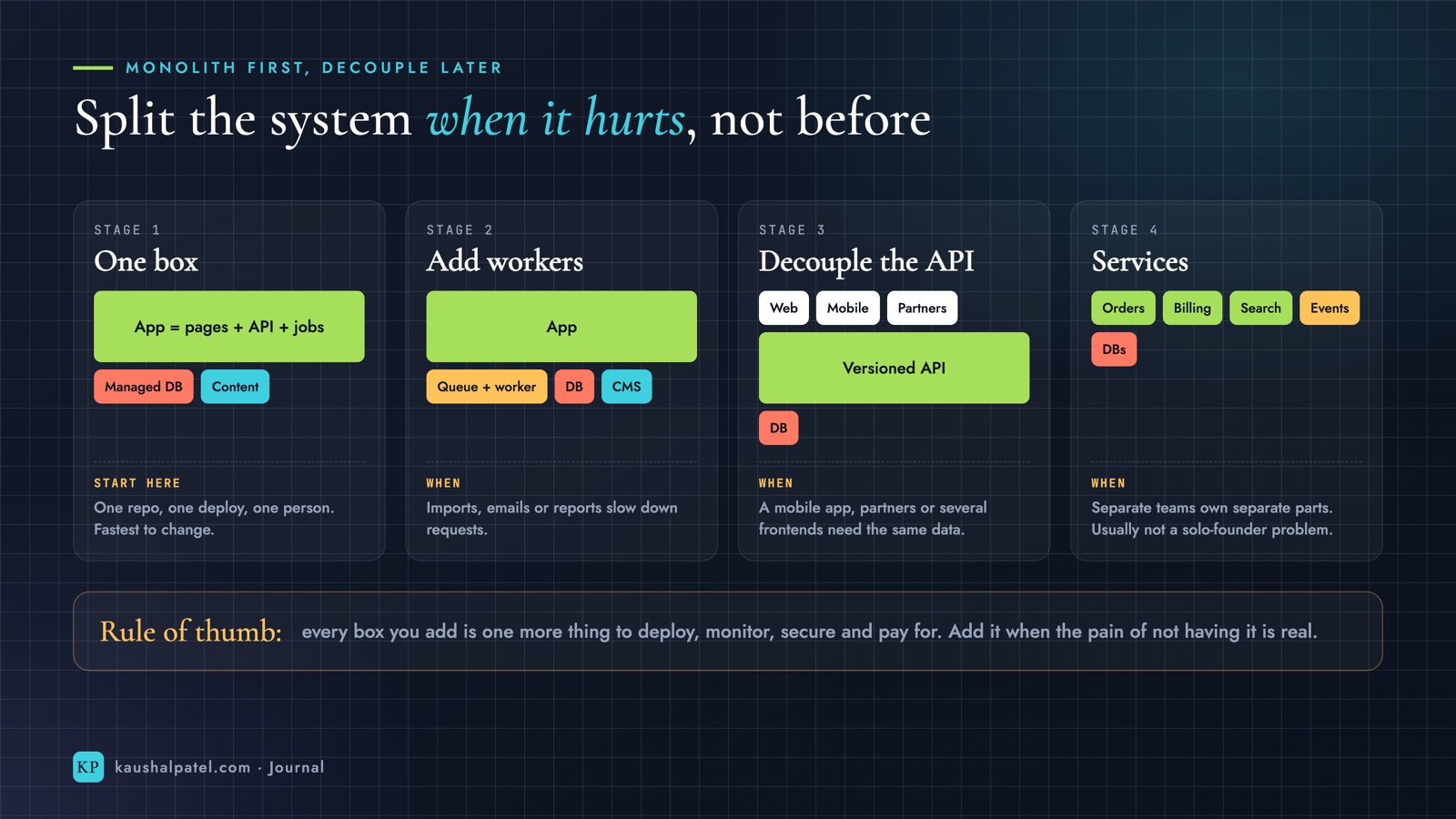
APIs: monolith first, decouple later
“Decoupled” sounds modern, and a separate frontend and backend do have real benefits: independent deploys, one API serving web and mobile, and clear boundaries. But for one person, two codebases means two deploys, two sets of dependencies, CORS, auth across domains, and API versioning, all before your first customer.
Backend option
What it is
Good for
Watch out for
Inside your framework
Route handlers and server functions in the same app as your pages
Most solo products: one repo, one deploy
Keep business logic in plain modules, not inside UI files
Backend-as-a-service
Hosted database, auth, storage and APIs (e.g. Supabase, Firebase)
Moving very fast with standard data needs
Pricing at scale, and logic spread across rules and functions
Separate API service
A standalone backend (e.g. Node/Express, Django, FastAPI) used by one or more frontends
Mobile apps, partner integrations, heavy processing
Two deploys, auth across domains, versioning
Microservices
Many small services, each owning its own data
Several teams working independently
Rarely worth it for one person
A modular monolith gets you most of the benefits of decoupling without the cost: one app, but organised in clear modules (billing, orders, content) that talk through plain functions. If you later need a separate API, you extract a module that already has clean edges. If you do need a separate backend from day one, here’s how I wire one up: Django REST Framework with React.
Split the system when it hurts, not before.
Quick game · Overkill or right-sized?
Would you build it this way?
Five solo founders, five stacks. Make your call, then open each card.
A booking tool for clinics, with no users yet, built as six microservices on Kubernetes.
Overkill. Months of infrastructure before a single booking. One app, one managed database and managed hosting would launch in weeks.
A founder’s personal site and blog with posts in Markdown, deployed on push.
Right-sized. No CMS to maintain, version history for free, and nothing to pay for. Perfect when the only editor is a developer.
A SaaS with a web app and a new mobile app, both duplicating business logic in the frontend.
Time to decouple. Two clients sharing rules is exactly when a single, versioned API pays off.
A marketing site for a café owner, built as a custom React app with a hosted headless CMS.
Probably overkill. A traditional CMS or website builder would let the owner manage everything alone, with no developer needed for updates.
A B2B ordering portal on one framework, managed Postgres and managed hosting, with a queue for nightly stock imports.
Right-sized. A monolith plus one worker for slow jobs is the classic stage-two stack.
Hosting: managed vs. doing it yourself
Running your own server is a great skill. I’ve written a full guide to deploying Next.js and Node.js on your own server. But for a solo founder, the server bill is rarely the real cost. The real cost is your hours: setup, security updates, SSL, backups, monitoring and fixing it when it breaks.
Hosting option
Examples
You manage
Best for
Managed frontend platform
Vercel, Netlify, Cloudflare
Almost nothing: push to deploy, previews, HTTPS
Full-stack framework apps and sites
Managed app platform
Render, Railway, Fly.io
App settings; the platform runs containers
Long-running servers, workers, separate APIs
Your own VPS
DigitalOcean, Hetzner, Lightsail
Everything: OS, security, web server, backups
Full control, steady workloads, learning
Big cloud, assembled
AWS, Google Cloud, Azure
Many services and their configuration
Specific needs, compliance, larger teams
For most framework apps, a managed platform is the fastest start. Here’s my step-by-step guide to deploying Next.js on Vercel. Pair it with a managed database and you have no servers to look after at all.
Interactive · True cost of hosting
What does your stack really cost?
Hosting bills are only half the price. Value your own time honestly, then compare three setups over the first year. Default numbers are illustrative.
Set your hourly value to zero and the VPS wins easily. Set it to what an hour of selling or building is worth to your business, and the picture usually flips. The bar shows each option’s year-one cost relative to the most expensive.
The 2026 solo stack: sensible defaults
Layer
Default
Change it when…
Framework
One full-stack framework (e.g. Next.js) for pages and server code
You need a native mobile app or a very different client
Content
Files in Git; hosted headless CMS if others edit
Non-developers publish daily, or content has complex workflows
API
Inside the app, organised as modules
Mobile apps or partners need a stable, versioned API
Database
Managed Postgres with automatic backups
A specific workload truly needs something else
Background jobs
Scheduled functions, or a simple queue and worker
Jobs run for minutes or need retries at volume
Hosting
Managed platform with deploy-on-push and previews
Costs at scale, long-running processes or compliance
Auth, payments, email
Managed providers
Almost never. These are hard to get right yourself
Monitoring
Hosted error tracking, uptime checks and analytics
You need custom dashboards or alerts
Interactive · Stack check
How much architecture do you actually need?
Answer for your product today, not the one you imagine in three years. Higher scores mean more decoupling is justified.
Keep it in one box: one framework, content in Git or a hosted CMS, managed database and hosting. Ship.
Modular monolith plus a hosted headless CMS, managed Postgres and a simple job queue. Plenty of headroom.
Time to decouple the API: one versioned backend for web, mobile and partners, still on managed hosting.
You need serious architecture, and probably a team. Hire before you build services.
0/18
Answer all six questions to see the stack that fits.
Common solo-founder stack mistakes
Building for imaginary scale. Kubernetes, microservices and multi-region databases before product-market fit. Scale problems are good problems; solve them when you have them.
Rolling your own auth and payments. These are security-critical and full of edge cases. Use proven providers.
Tool hopping. Rewriting in this month’s new framework. Pick popular, stable tools and get good at them.
No backups or monitoring. Managed databases make backups easy, so turn them on and test a restore. Add error tracking on day one.
Vendor sprawl. Twelve services, twelve bills and twelve logins. Consolidate where one tool does the job well enough.
Tying everything to one vendor’s SDK. Keep a thin layer (like lib/content.ts above) between your app and any service you might replace.
Before you add something to your stack, check
It solves a problem you have today, not one you might have next year.
It saves more of your hours than it costs to set up and maintain.
You can explain how to back it up, monitor it and remove it.
It’s popular enough that you’ll find help when it breaks at midnight.
Your code talks to it through one small layer you control.
Frequently asked questions
Is a headless CMS overkill for a small site?
Often, yes. If only developers edit the content, files in Git are simpler and free. If a non-technical person runs a simple marketing site, a traditional CMS or website builder is usually easier. A headless CMS shines when content feeds a custom product or several frontends.
Won’t a monolith become a mess?
Only if it isn’t organised. Group code by feature (orders, billing, content), keep business logic out of UI components, and talk between modules through plain functions. That’s a modular monolith, and it splits cleanly later if you need it to.
Isn’t managed hosting expensive at scale?
It can be, and that’s a good problem to have. When hosting costs start to matter more than your time, move the heavy parts (workers, APIs, databases) to cheaper infrastructure. Because your code is in a monolith with clean modules, that move is manageable.
Should I learn to run my own server anyway?
Yes, it’s a valuable skill and great for side projects, steady workloads and understanding how the web works. Just be honest about whether your business needs you doing it right now.
The bottom line
The best solo-founder stack in 2026 is the one that lets one person ship fast, sleep well and change direction cheaply. Start in one box: one framework, simple content, managed data and managed hosting. Buy what isn’t your product. Keep clean edges in your code, and decouple when a real need, not a fear, tells you to.
Planning a product and want a second opinion on the stack, or someone to build it? Let’s talk.
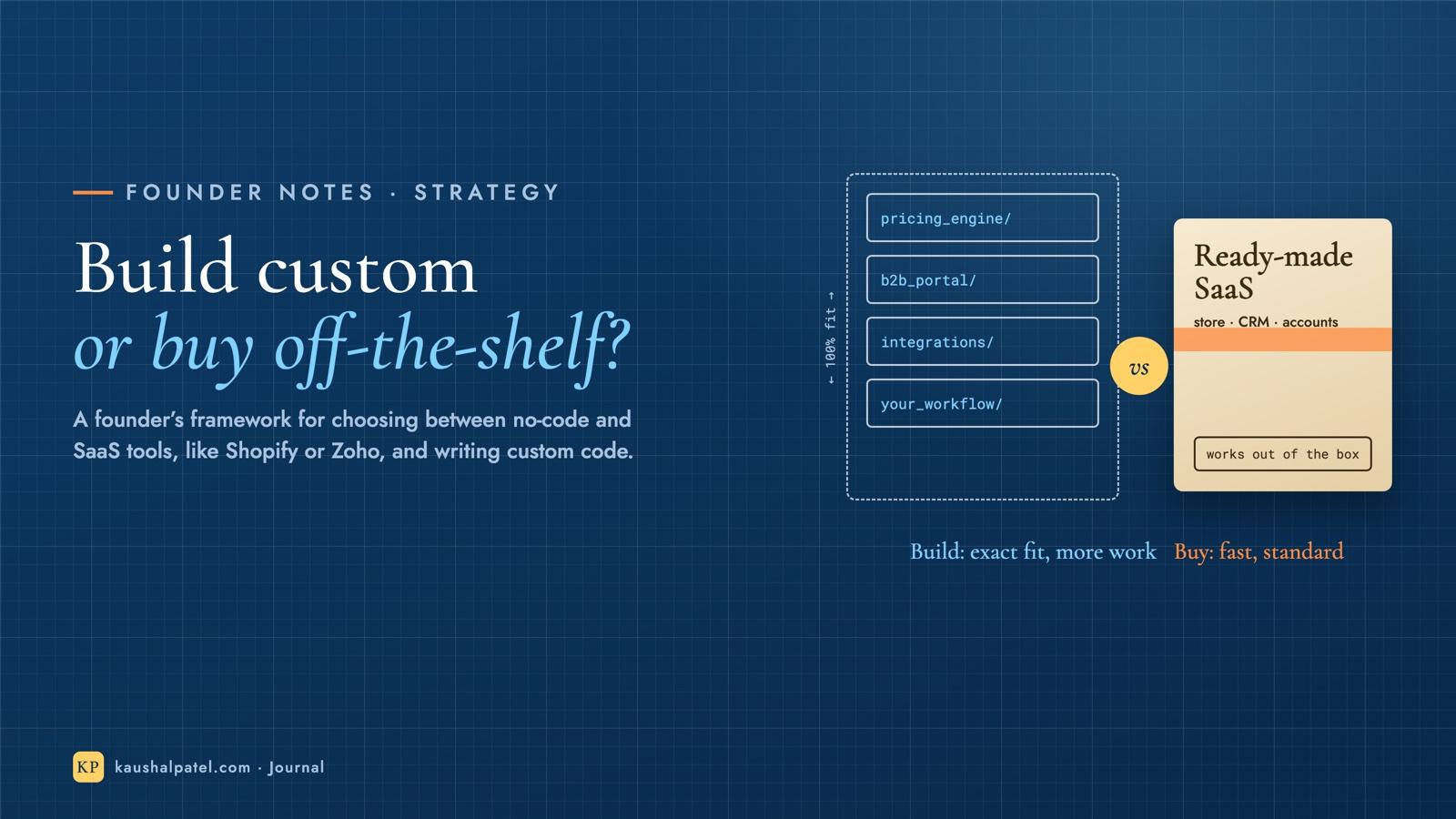
Build vs buy software: when to use no-code and SaaS tools like Shopify or Zoho and when to write custom code, with a decision tree, cost guide and matrix.
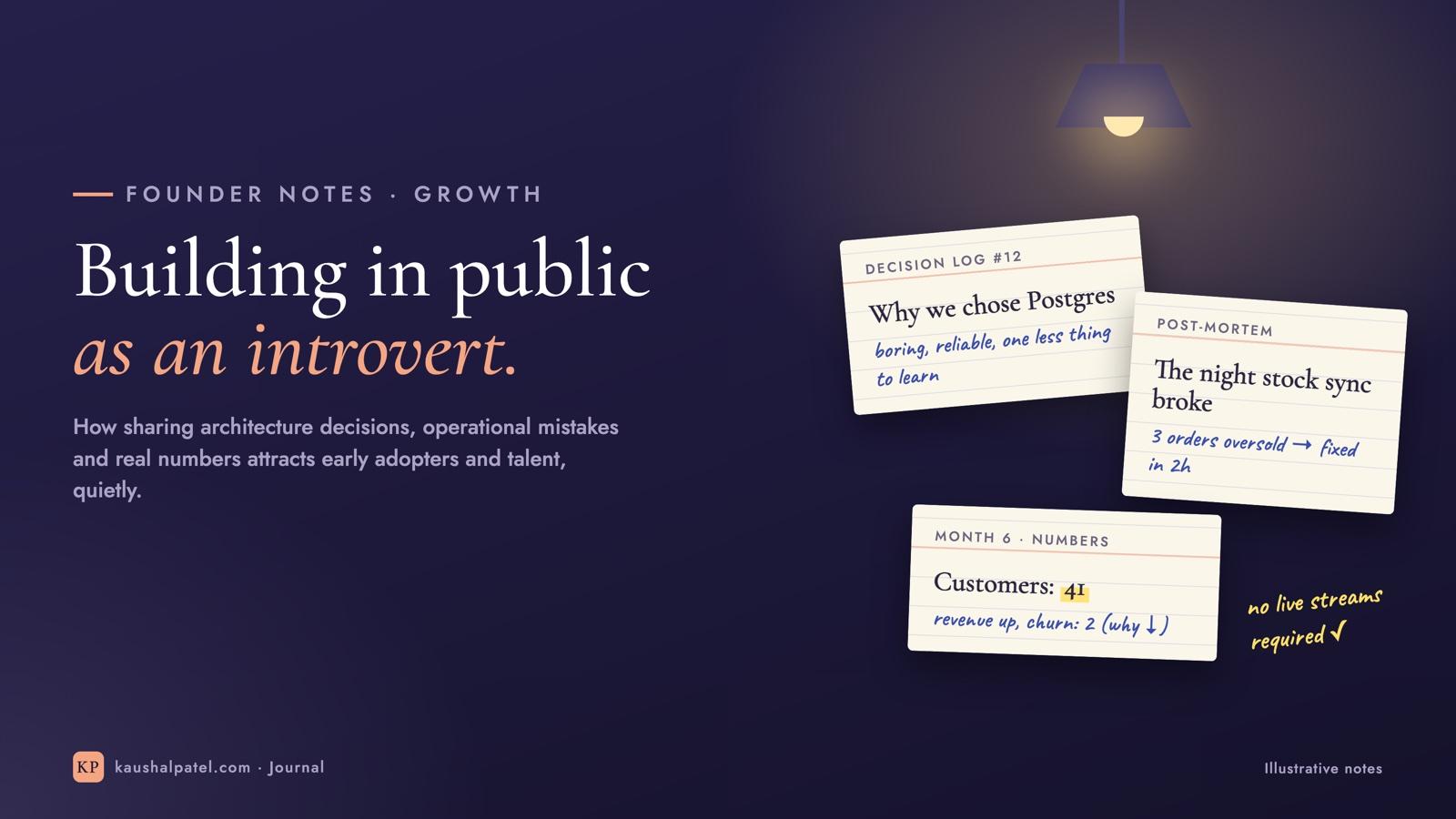
Quiet, written building in public: share architecture decisions, mistakes and real numbers to attract early adopters and talent, with an update builder.