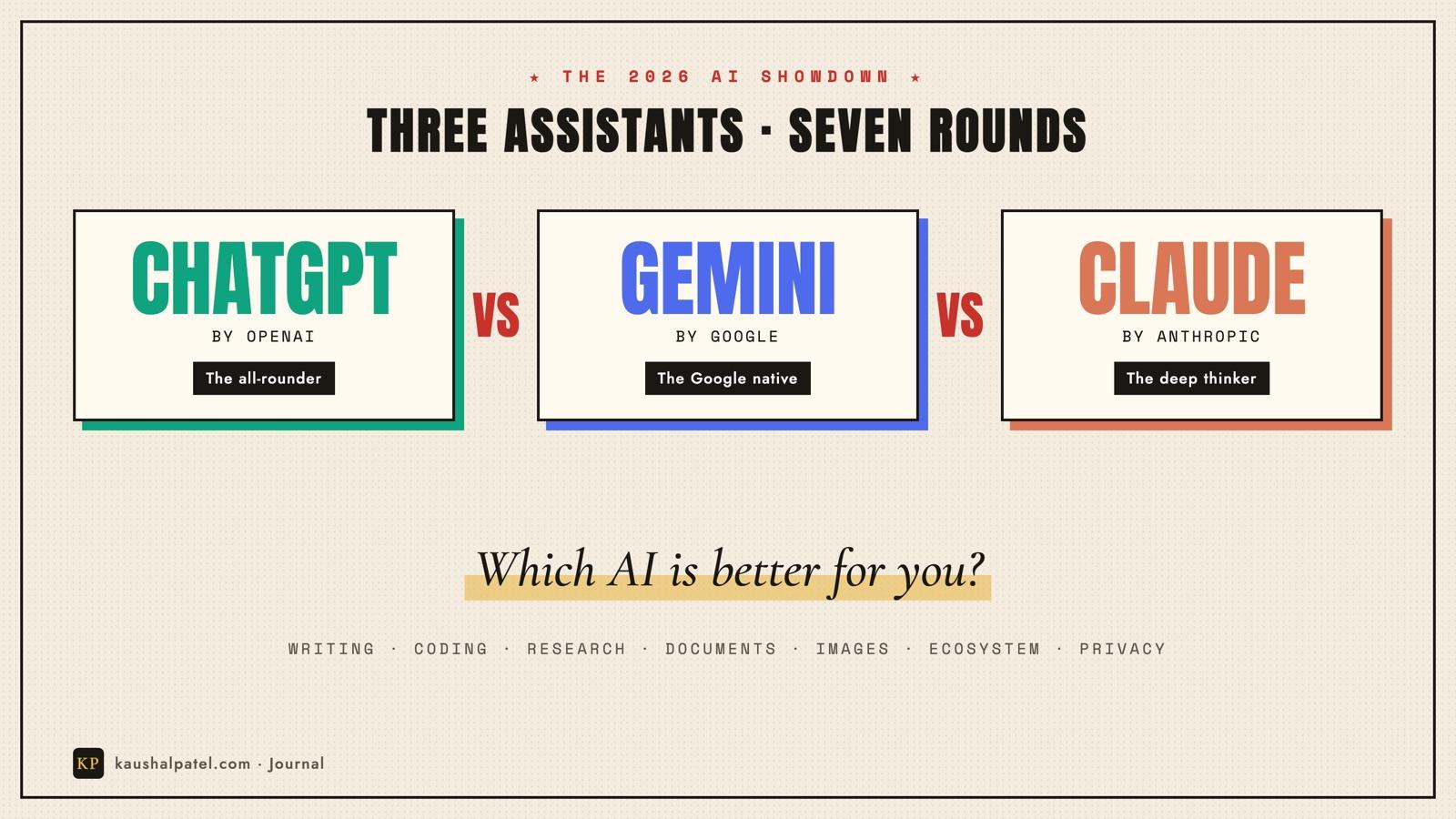
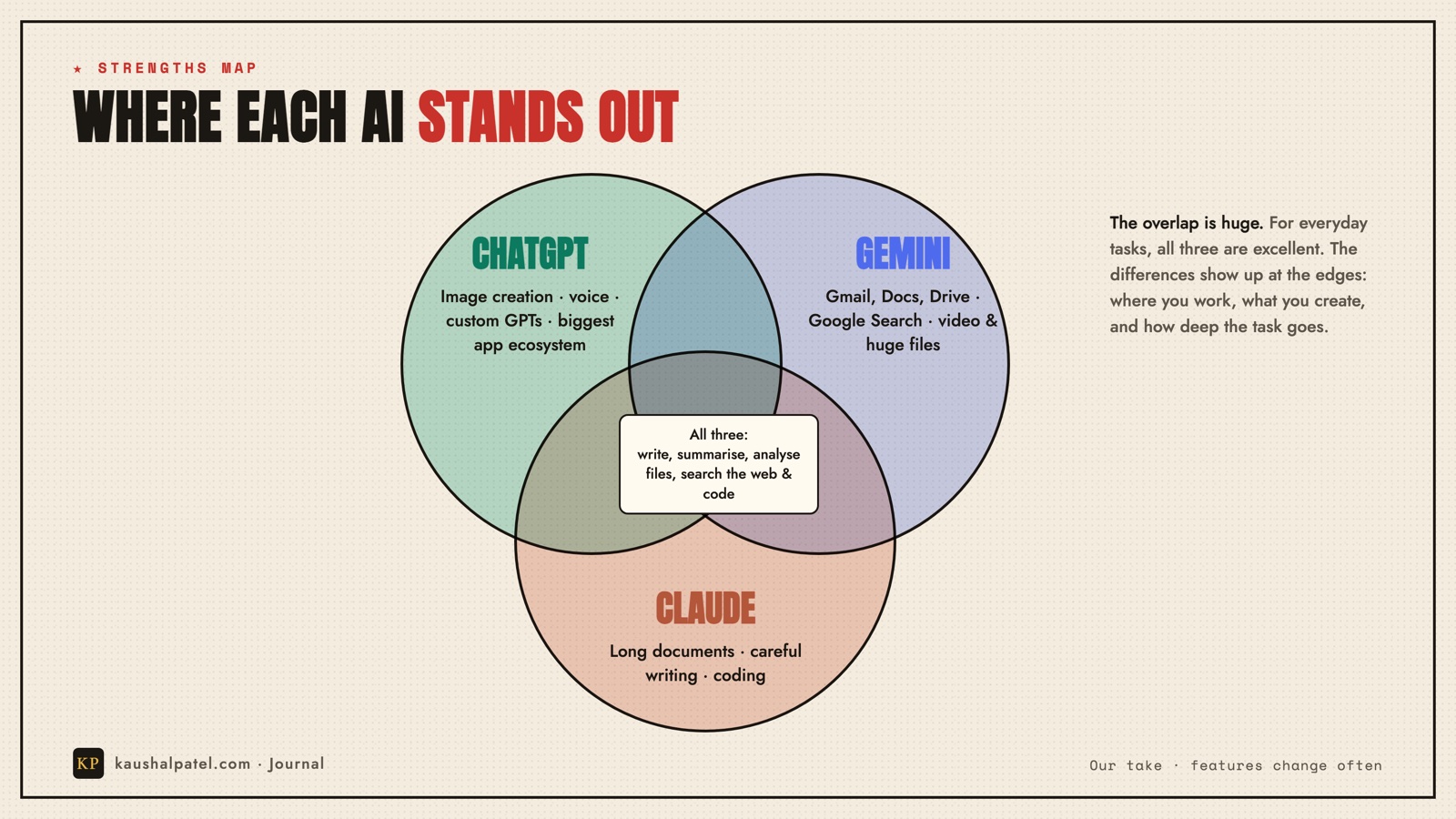
ChatGPT vs Gemini vs Claude is the question almost everyone asks once they start using AI at work. All three are excellent AI assistants. They can write, summarise, analyse files, search the web and help with code. So which AI is better?
The honest answer: it depends on what you do and where you work. This comparison puts OpenAI’s ChatGPT, Google’s Gemini and Anthropic’s Claude through seven rounds (writing, coding, research, long documents, images, ecosystem and privacy) and ends with a simple way to decide, plus a three-prompt test you can run yourself in ten minutes.
The overlap is huge. The differences show up at the edges.
Gmail, Docs & Drive integration, Google Search grounding, Gems
Projects, Artifacts, large context, Claude Code
Works best with
Its own apps and connectors
Google apps, Android and Chrome
Its own apps, connectors and developer tools
Image generation
Yes, built in
Yes, built in
Not a core feature
Free plan
Yes, with limits
Yes, with limits
Yes, with limits
Business plans
Yes
Yes (via Google Workspace)
Yes
Watch out for
Confident mistakes; verify facts
Best features tied to Google’s ecosystem
Fewer creative-media features
AI products update almost monthly. This comparison reflects features available at the time of writing, so check each product’s current plans and limits before you buy.
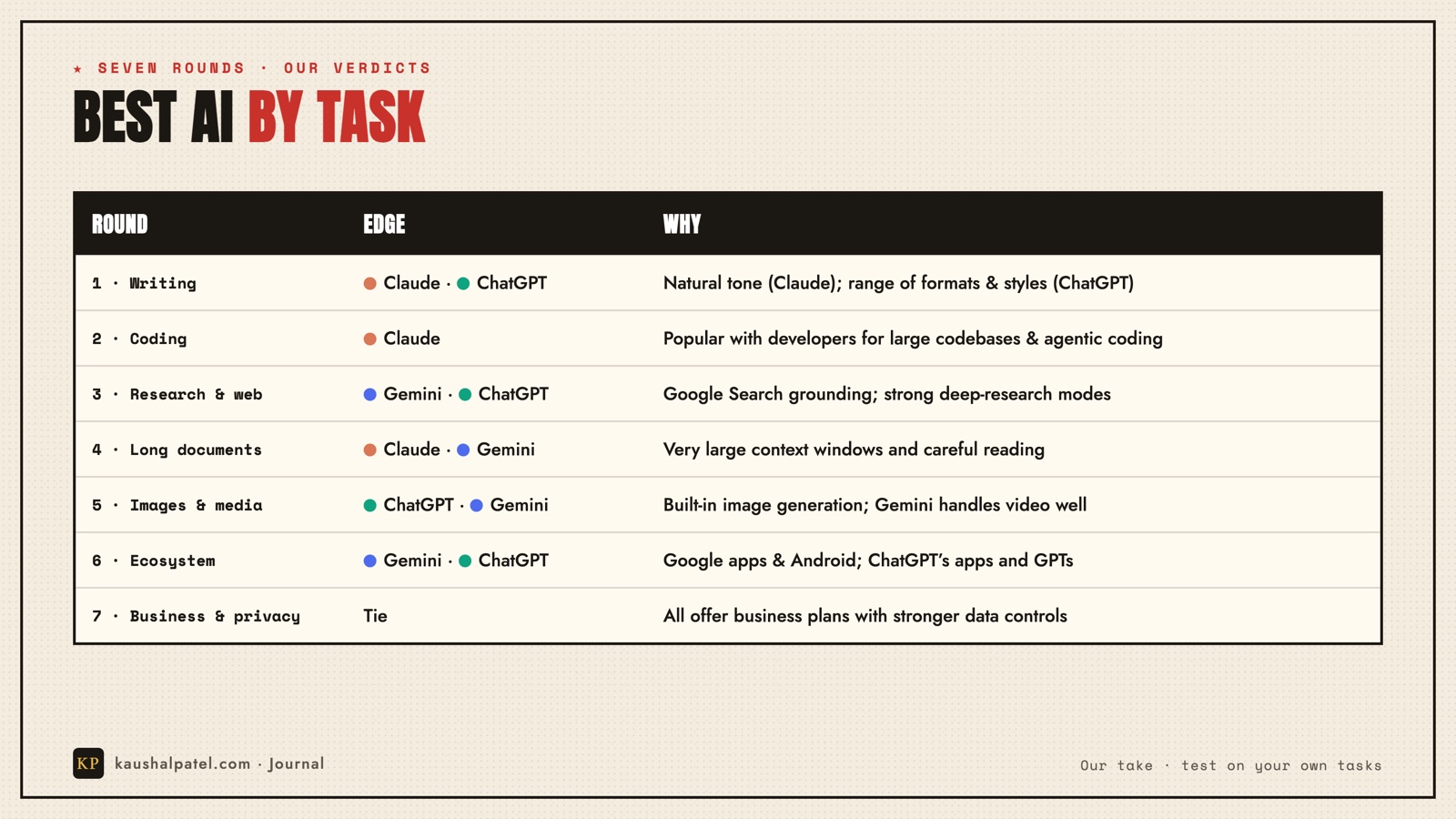
Seven rounds: which AI is better at what?
Our verdicts by task. Test them on your own work before you decide.
Round 1: Writing. Best AI for writing?
All three write well. Claude is often preferred for a natural, less “AI-sounding” tone and for following detailed style instructions, which makes it a favourite for reports, proposals and long-form content. ChatGPT is extremely versatile across formats, from social posts and scripts to emails and brainstorming, and adapts quickly to feedback. Gemini shines when the writing happens inside Gmail or Google Docs.
Edge: Claude and ChatGPT, closely matched. Pick based on which one’s drafts you edit less.
Round 2: Coding. Best AI for coding?
All three companies now offer serious coding tools: OpenAI’s Codex, Google’s Gemini Code Assist and Gemini CLI, and Anthropic’s Claude Code. Claude has become especially popular with developers for working across large codebases and for agentic coding, where the AI plans and edits several files. ChatGPT is excellent for explaining code, debugging and quick scripts. Gemini fits teams already on Google Cloud and Android.
Edge: Claude for large, multi-file work; all three are strong for everyday snippets. (For the rest of a solo developer’s toolkit, see The Solo Founder’s Tech Stack in 2026.)
Round 3: Research and web search
Gemini benefits from Google Search grounding and is fast for current facts. ChatGPT offers web search and deep research modes that produce long, sourced reports. Claude also searches the web and has a research mode. For any of them, open the sources before relying on an answer.
Edge: Gemini and ChatGPT, with Claude close behind.
Round 4: Long documents and files
Uploading a 100-page report, a contract or a large spreadsheet? Claude and Gemini both handle very large inputs and are good at careful, structured reading. Claude is known for staying faithful to the document, and Gemini for handling huge files and video. ChatGPT analyses files well too, and is particularly handy for crunching data in spreadsheets.
Edge: Claude and Gemini for very long documents.
Round 5: Images, voice and media
ChatGPT and Gemini both generate and edit images directly in the chat, and their companies offer video generation tools too (OpenAI’s Sora and Google’s Veo). All three can understand images you upload and offer voice conversations in their mobile apps. Image generation isn’t a core part of Claude’s experience, which is focused on text, analysis and code.
Edge: ChatGPT and Gemini.
Round 6: Ecosystem and integrations
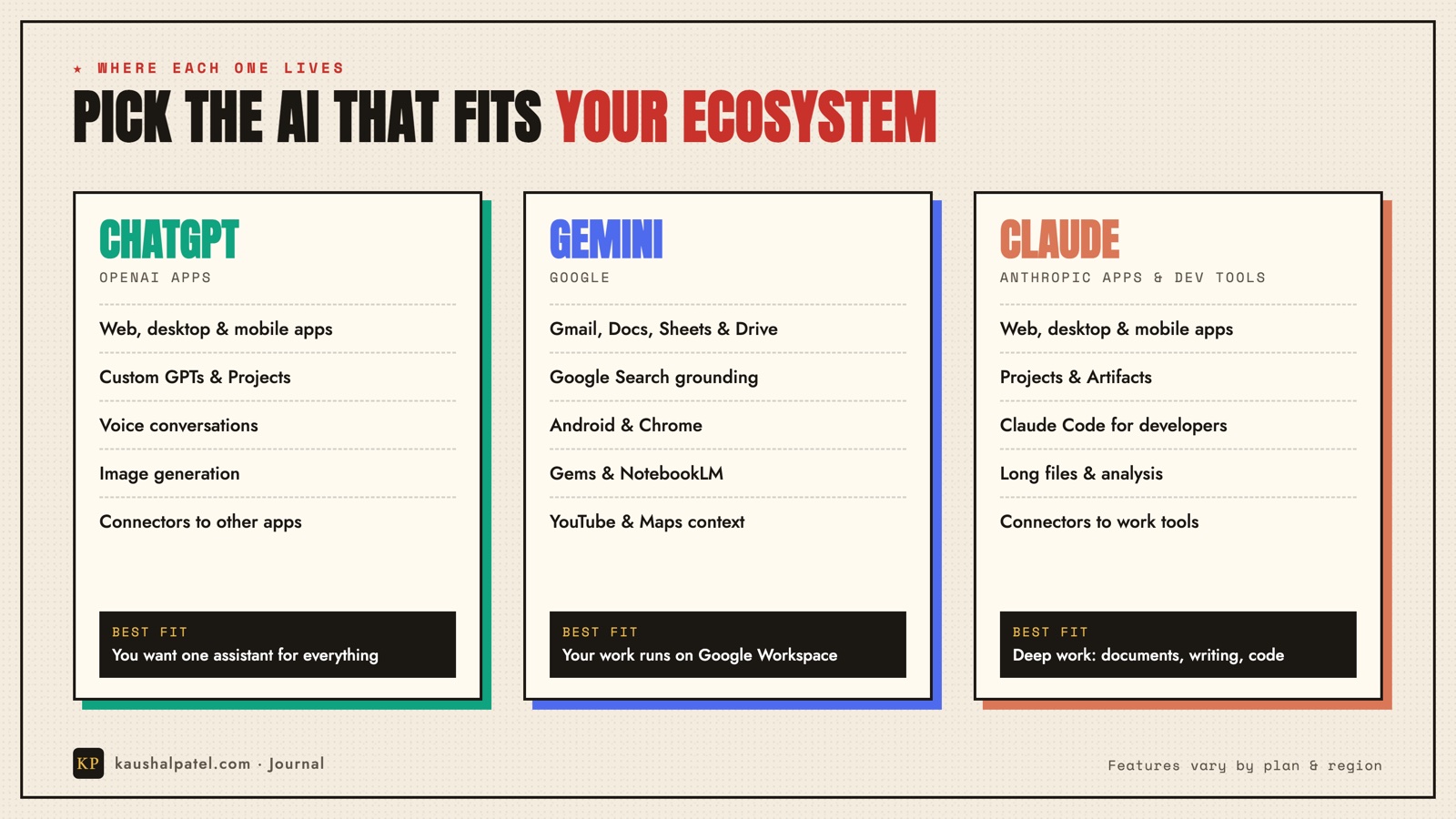
The best AI assistant is often the one that lives where you already work.
Gemini is unbeatable if you live in Google’s world: Gmail, Docs, Sheets, Drive, Android and Chrome. ChatGPT has the largest ecosystem of its own, with custom GPTs, connectors and apps on every platform. Claude connects to common work tools and is deeply integrated into developer workflows.
Edge: Gemini for Google users, ChatGPT for everyone else.
Round 7: Business use and privacy
All three offer business and enterprise plans with admin controls and stronger data protections than personal accounts. Consumer plans differ in how conversations may be used to improve models, and those settings change, so review each tool’s data settings before using it for work. For businesses, the right choice usually follows the stack you already pay for: Google Workspace, Microsoft 365 or neither.
Edge: tie. Choose based on your existing tools and your company’s policies. The same logic applies to any software decision: see Build vs Buy: Custom Software vs SaaS.
ChatGPT vs Claude
If you’re choosing between just these two general assistants: ChatGPT is the broader all-rounder, with images, voice, GPTs and a huge user community. Claude is the specialist for deep work: long documents, nuanced writing and complex code. Many professionals keep one as their main assistant and the other for second opinions.
Gemini vs ChatGPT
Gemini wins when your day runs on Google: summarising Gmail threads, drafting in Docs, working with Drive files and using Google Search. ChatGPT wins on its own ecosystem and creative tools. If you pay for Google Workspace, try Gemini first. It may already be included in your plan.
Claude vs Gemini
Both handle very long inputs well. Claude is often preferred for writing quality and coding; Gemini for Google integration, current information and multimedia, including video.
Which AI should you use?
A quick way to choose your main AI assistant.
Quick game · ChatGPT, Gemini or Claude?
Which AI would you pick?
Six people, six jobs. Make your call, then tap to see ours.
A marketing manager who needs captions, campaign ideas and quick social graphics every day.
ChatGPT. Strong all-round writing plus built-in image generation in one place.
An operations lead whose entire team runs on Gmail, Google Sheets and Drive.
Gemini. AI inside the tools they already use, with no copy-pasting between apps.
A lawyer reviewing long contracts and drafting careful summaries.
Claude (or Gemini). Both handle long documents well, and Claude is often preferred for careful, faithful summaries. A qualified person should still check the result.
A developer refactoring a large codebase across many files.
Claude, often via Claude Code. That said, all three companies offer capable coding tools, so try them on a real task.
A student researching a current topic and needing sources.
Gemini or ChatGPT with web search or deep research, then open and read the sources.
A founder who wants one assistant for everything, on phone and laptop.
ChatGPT or Claude. Run the three-prompt bake-off below and keep whichever needs less editing.
Run your own test: the 3-prompt bake-off
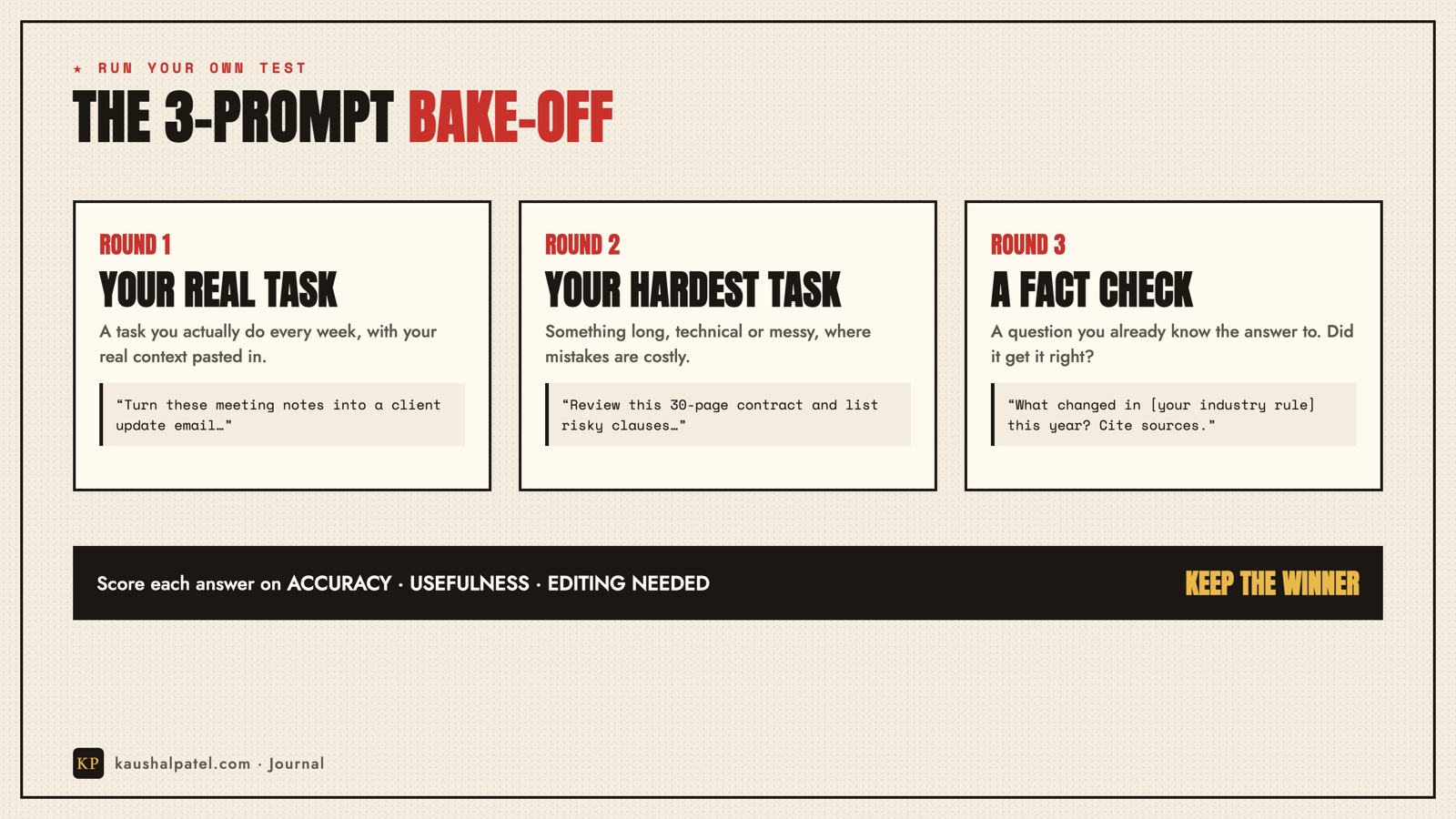
Online rankings change every few months and rarely match your work. A better way to choose is to give the same three prompts to each AI and compare the answers side by side:
Ten minutes of testing beats hours of reading reviews.
Copy these prompts, fill in the brackets, and paste the same version into ChatGPT, Gemini and Claude:
ROUND 1 · YOUR REAL TASK
Here are my notes from today's client meeting: [paste notes].
Write a short, friendly follow-up email to [client name] that
confirms the decisions, lists next steps with owners and dates,
and asks for the one missing piece of information.
ROUND 2 · YOUR HARDEST TASK
Read the attached document [upload file]. Summarise it in
10 bullet points, list the 5 biggest risks or open questions,
and quote the exact sentences each point is based on.
ROUND 3 · A FACT CHECK
[Ask a question about your industry that you already know the
answer to.] Give a short answer, explain how confident you are,
and list the sources you used.
Score each answer from 1 to 5 on accuracy, usefulness and how much editing it needs. The highest total is your best AI, for your work.
Should you use more than one AI?
Many power users do. A common setup is one main assistant for daily work, the AI built into your workspace (Gemini in Google Workspace or Copilot in Microsoft 365) for email and documents, and a second assistant for a quick second opinion on important answers. For more tools by job (meeting notes, research, automation and design), see Top 10 AI Tools That Can Increase Your Productivity.
Frequently asked questions
Which AI is better: ChatGPT, Gemini or Claude?
There’s no single winner. ChatGPT is the best all-rounder, with images, voice and a large ecosystem. Gemini is best for people who work in Google Workspace. Claude is best for long documents, careful writing and coding. For everyday tasks, all three are excellent.
Is Claude better than ChatGPT for coding?
Many developers prefer Claude for working across large codebases and for agentic coding with Claude Code. ChatGPT and OpenAI’s Codex are also very capable, especially for explaining and debugging code. Try both on a real task from your project.
Is Gemini better than ChatGPT?
Gemini is better if your work happens in Gmail, Google Docs, Sheets and Drive, because it works inside those apps. ChatGPT is better as a standalone all-round assistant with a bigger ecosystem of its own.
Which is the best free AI chatbot?
ChatGPT, Gemini and Claude all have free plans with usage limits. The best free AI chatbot is the one that performs best on your own tasks, so run the three-prompt bake-off above using the free plans before you pay for anything.
Which AI is the most accurate?
All three can make mistakes, especially with recent events, niche facts and numbers. Accuracy improves when you give clear context, ask for sources, and ask the AI to say when it’s unsure. Always verify anything important.
Can I use ChatGPT, Gemini and Claude together?
Yes. Many people use one as their main assistant and another for second opinions or specific tasks, such as Gemini inside Gmail and Claude for long documents.
The verdict
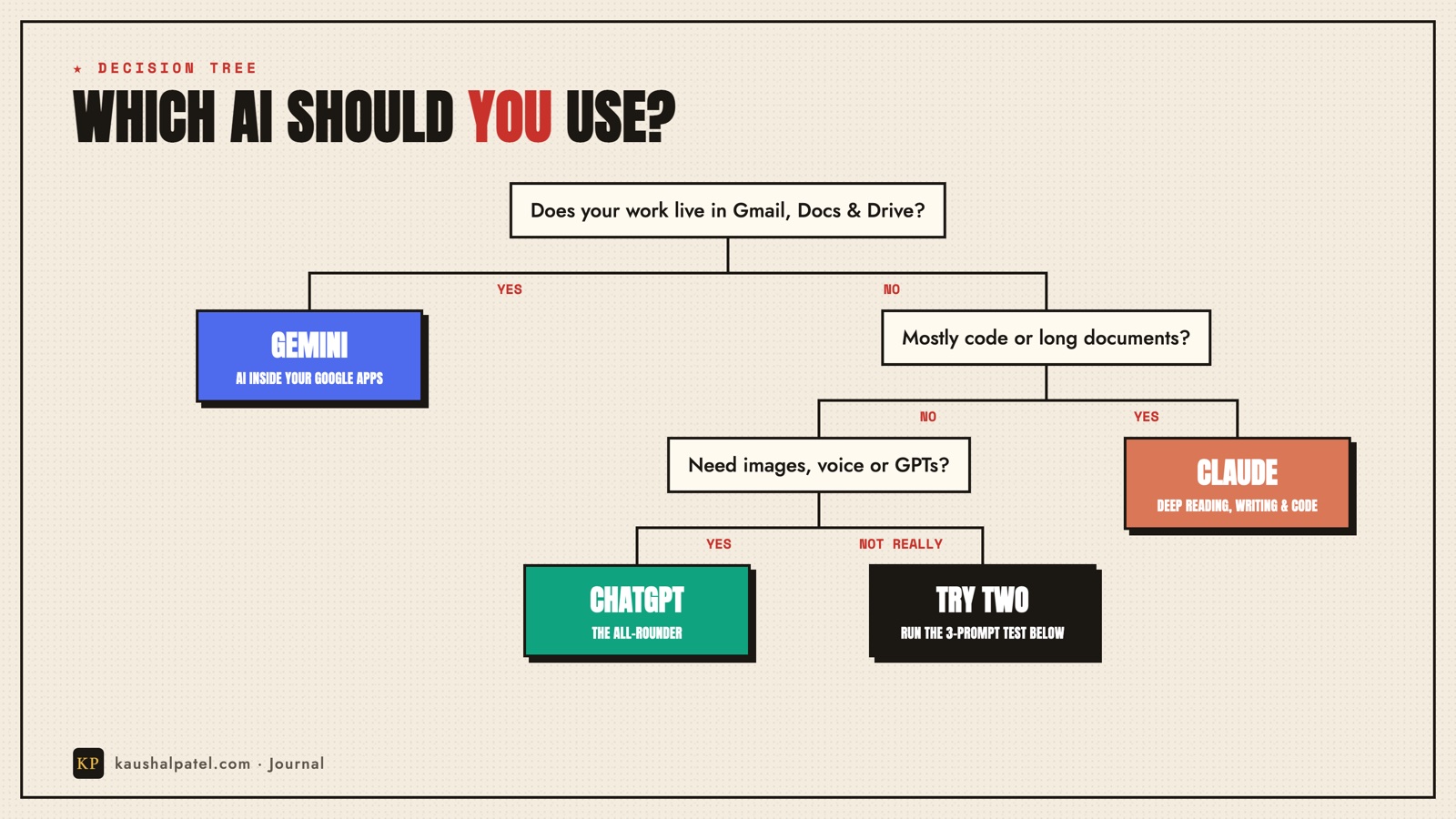
In the ChatGPT vs Gemini vs Claude showdown, every assistant wins a few rounds. ChatGPT is the versatile all-rounder, Gemini is the natural choice for Google users, and Claude is the specialist for deep writing, long documents and code. Use the decision tree to pick a starting point, run the three-prompt bake-off on your real work, and keep the AI that saves you the most editing time.
Want to go further than chat, with AI built into your business workflows, customer portals or internal tools? Let’s talk. I build custom software that puts these models to work.
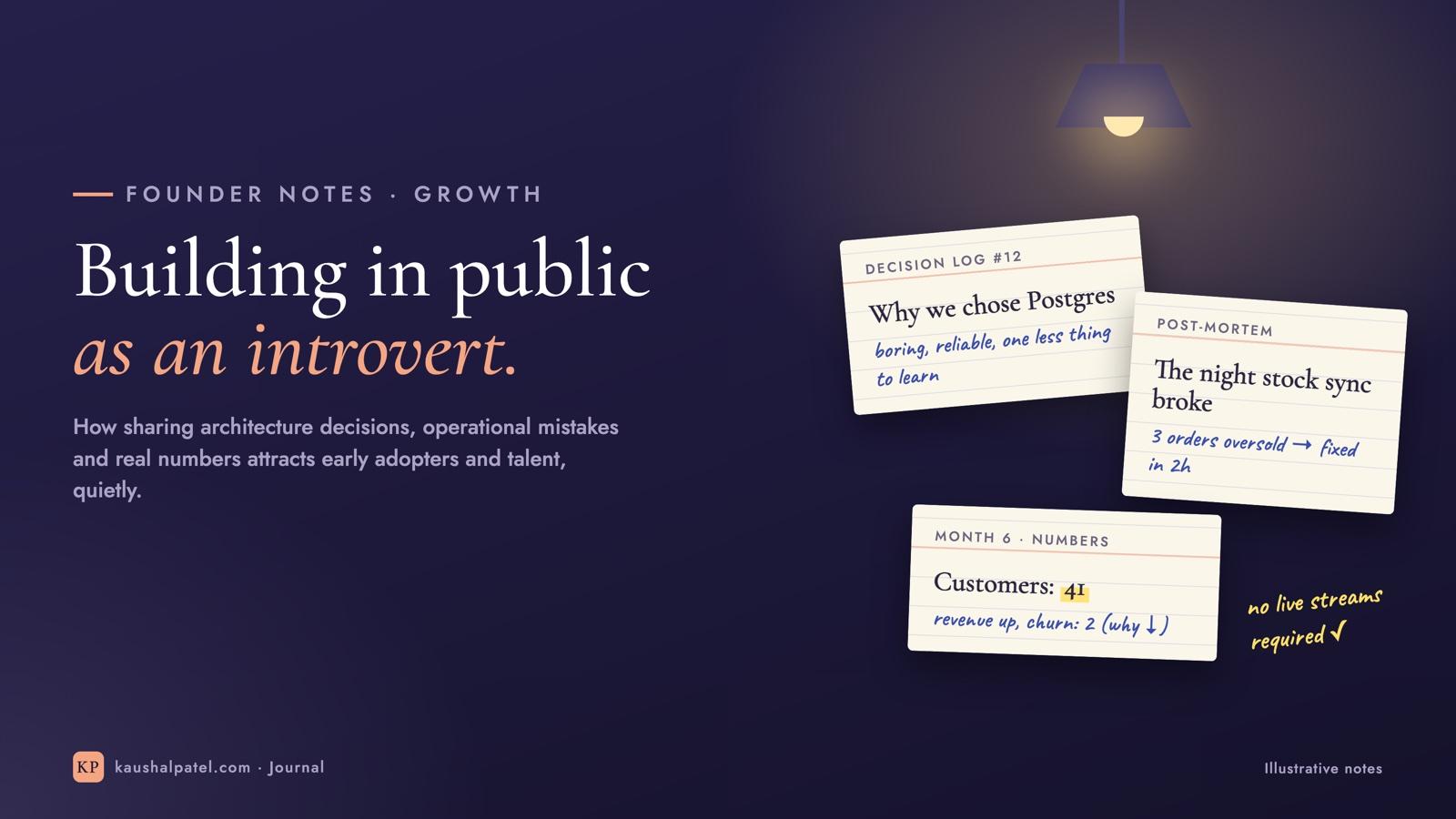
Quiet, written building in public: share architecture decisions, mistakes and real numbers to attract early adopters and talent, with an update builder.
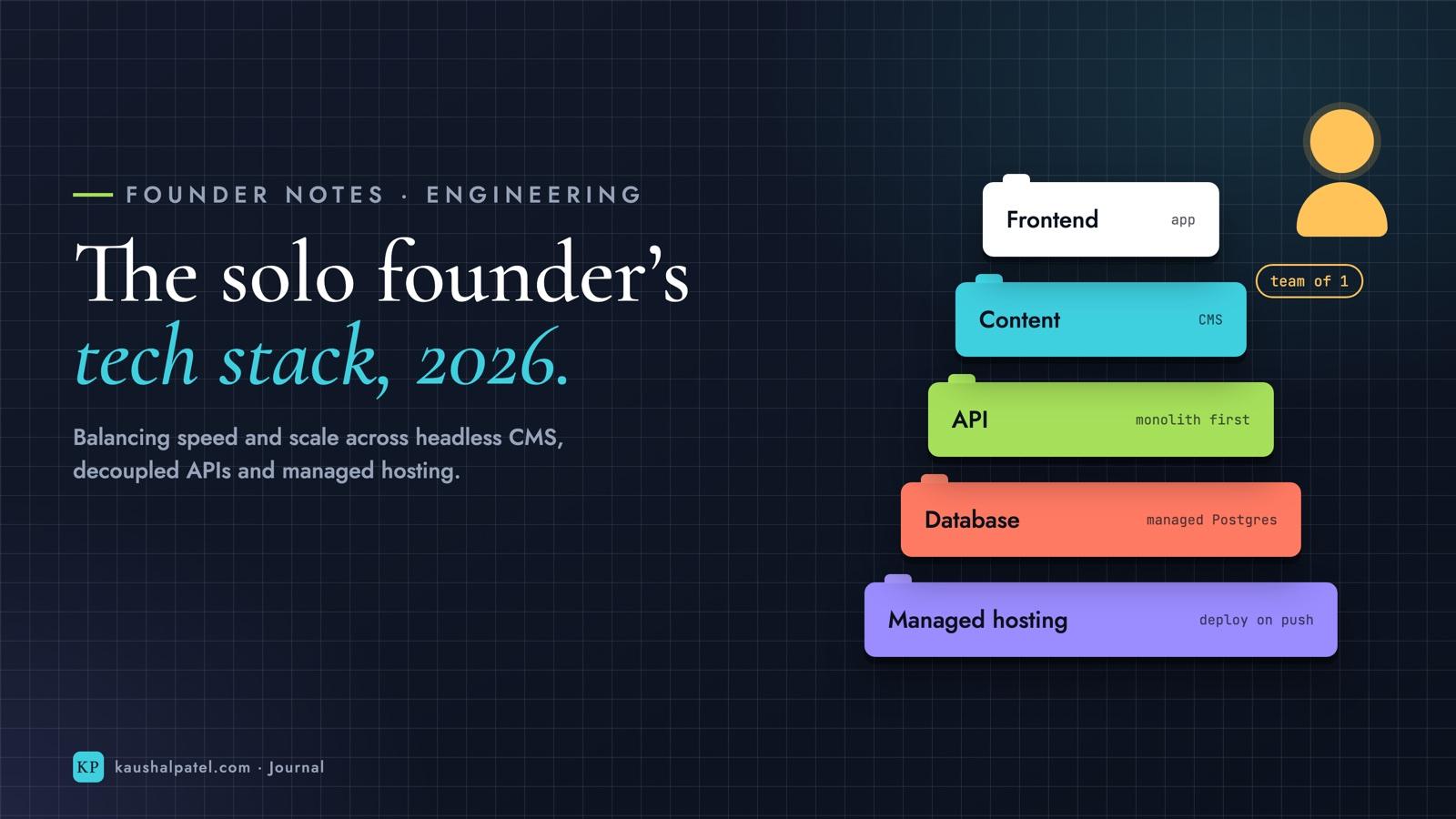
Headless CMS, decoupled APIs or a monolith, managed hosting or a VPS: how to pick a 2026 stack one person can run, with a hosting cost calculator and checklist.
Marketplace fees, ad spend and D2C acquisition: how to see your true profit per order in every channel, with a margin calculator, break-even ROAS and a roadmap.