How Blockchain Technology Works Beyond Cryptocurrency
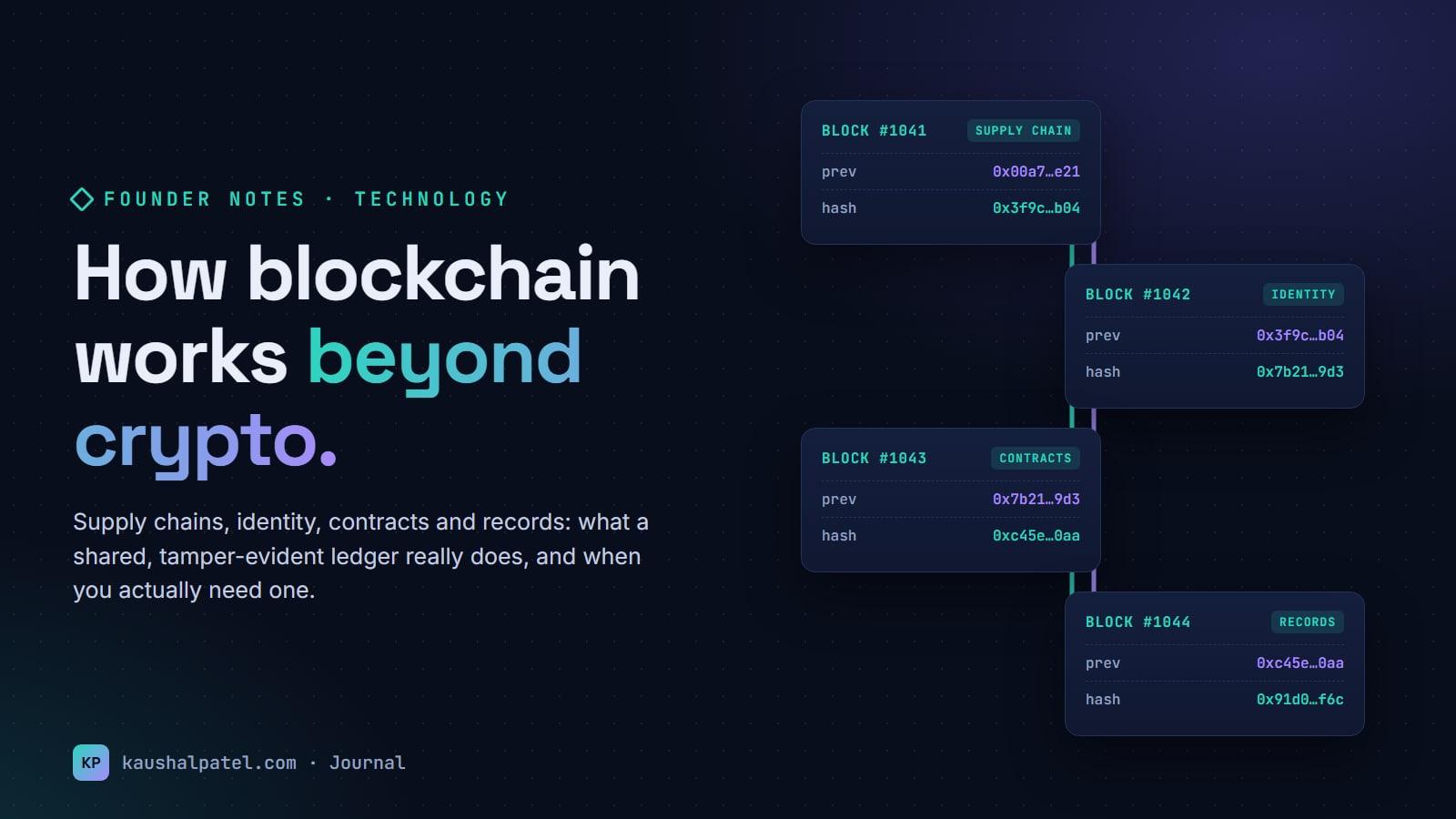
How blockchain technology works beyond cryptocurrency: blocks, hashes and consensus, 8 real use cases, smart contracts, limits, and when you need one.
18 min read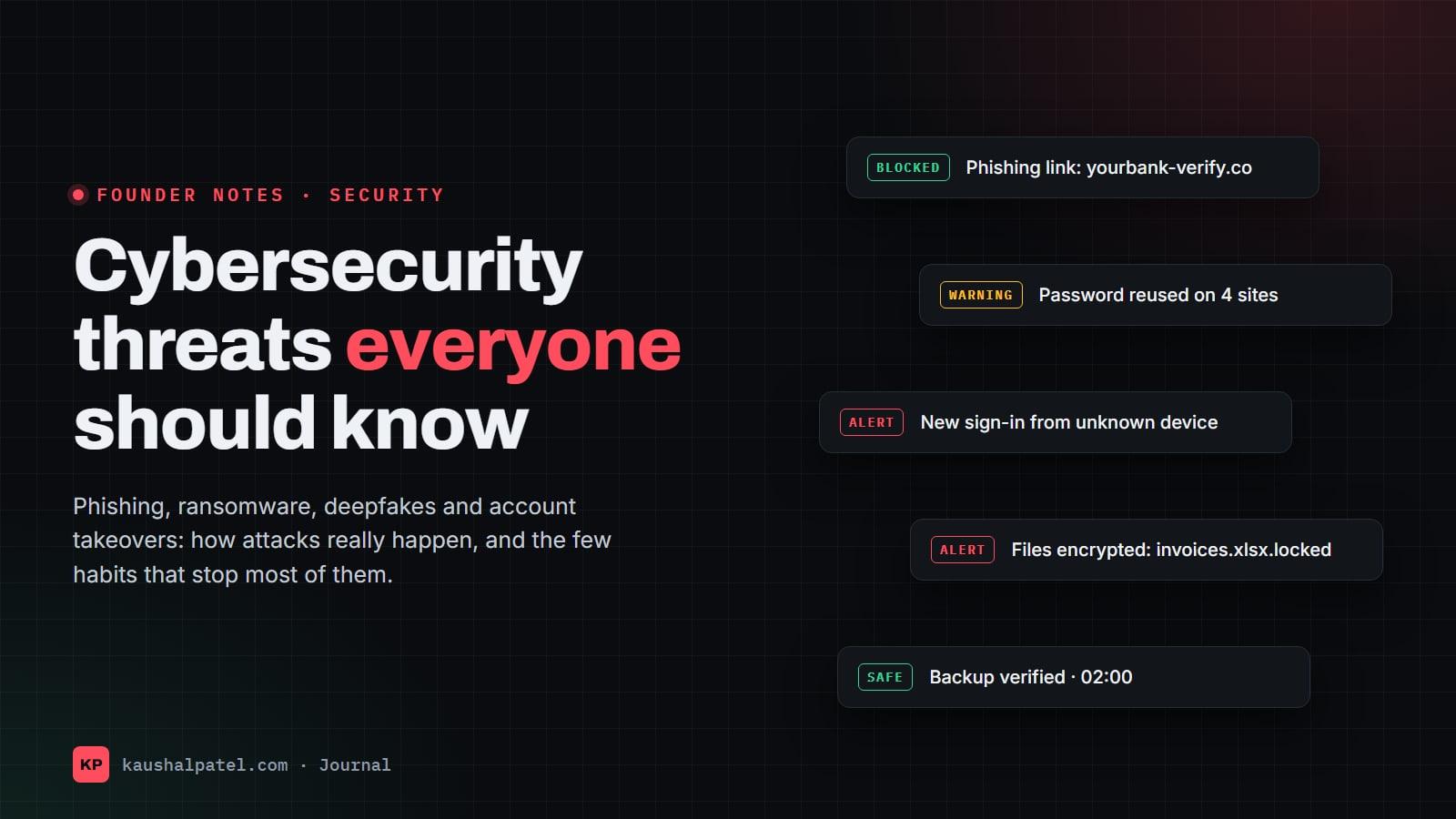
Most cyber attacks don’t look like hacker movies. There’s no green code raining down a screen. There’s an email from “your bank”, a text about an undelivered parcel, a call from someone claiming to be the police, or a password you reused on a shopping site that got breached three years ago.
That’s good news, because it means a handful of habits protects you from most of what’s out there. This guide covers the cybersecurity threats everyone should know about in 2026: phishing, password attacks, malware, ransomware, social engineering, deepfake scams, fake websites and QR codes, public Wi-Fi risks, unpatched software, SIM swaps, data breaches and insider mistakes. For each one you’ll see what it looks like, the warning signs and the single best defence. Animated examples, comparison tables, a myth-or-fact game and a copy-ready security checklist are included along the way.
It’s tempting to think “I’m not important enough to be hacked”. But most attacks aren’t personal. They’re automated and run at enormous scale: bots try leaked passwords on thousands of sites, and scam messages go out by the million. Attackers don’t need to pick you. They only need you to respond.
The numbers show how big the problem is. The FBI’s Internet Crime Complaint Center (IC3) received more than 850,000 complaints in 2024, with reported losses of over $16 billion, and phishing and spoofing were again the most reported type of crime. Verizon’s 2025 Data Breach Investigations Report found that the human element, such as someone clicking a malicious link, falling for a scam or making a mistake, was involved in around 60% of breaches.
In other words, people are the main target, which also makes people the strongest defence.
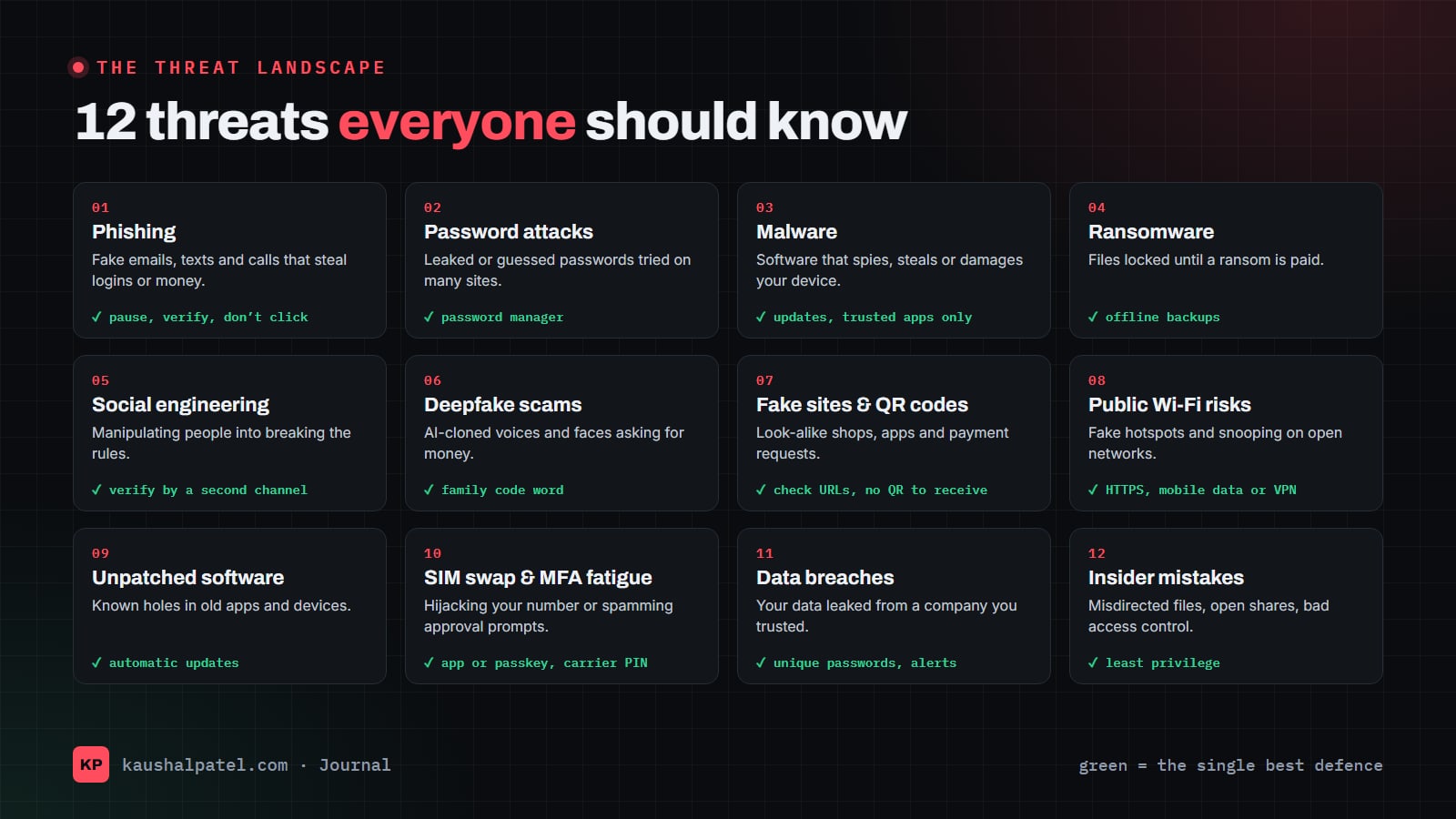
| Threat | How it reaches you | Warning signs | Best defence |
|---|---|---|---|
| Phishing | Email, SMS, WhatsApp, phone calls | Urgency, odd sender, unexpected links | Pause and verify through another channel |
| Password attacks | Leaked passwords tried on other sites | “New sign-in” alerts you don’t recognise | Password manager, unique passwords |
| Malware | Pirated software, fake apps, attachments | Slow device, pop-ups, unknown apps | Official app stores, automatic updates |
| Ransomware | Phishing, exposed remote access, unpatched systems | Files renamed and unreadable, ransom note | Offline backups, updates, MFA |
| Social engineering | Calls and messages from “trusted” people | Secrecy, authority, pressure to act now | Verify using a number you already have |
| Deepfake scams | Cloned voices, fake video calls | Emergency plus a money request | Family or company code word, call back |
| Fake sites and QR codes | Ads, search results, posters, messages | Misspelt URLs, deals too good to be true | Type addresses yourself, never scan to receive money |
| Public Wi-Fi risks | Open or fake hotspots | Network names that look official | Mobile data, HTTPS sites, trusted VPN |
| Unpatched software | Known flaws in old apps and devices | “Update available” notices ignored | Turn on automatic updates |
| SIM swap and MFA fatigue | Your phone number or repeated login prompts | Sudden loss of signal, prompts you didn’t trigger | Authenticator app or passkey, carrier PIN |
| Data breaches | A company you use gets hacked | Breach notification emails | Unique passwords, change and monitor |
| Insider mistakes | Wrong recipient, open file shares | Files shared with “anyone with the link” | Least privilege, regular access reviews |
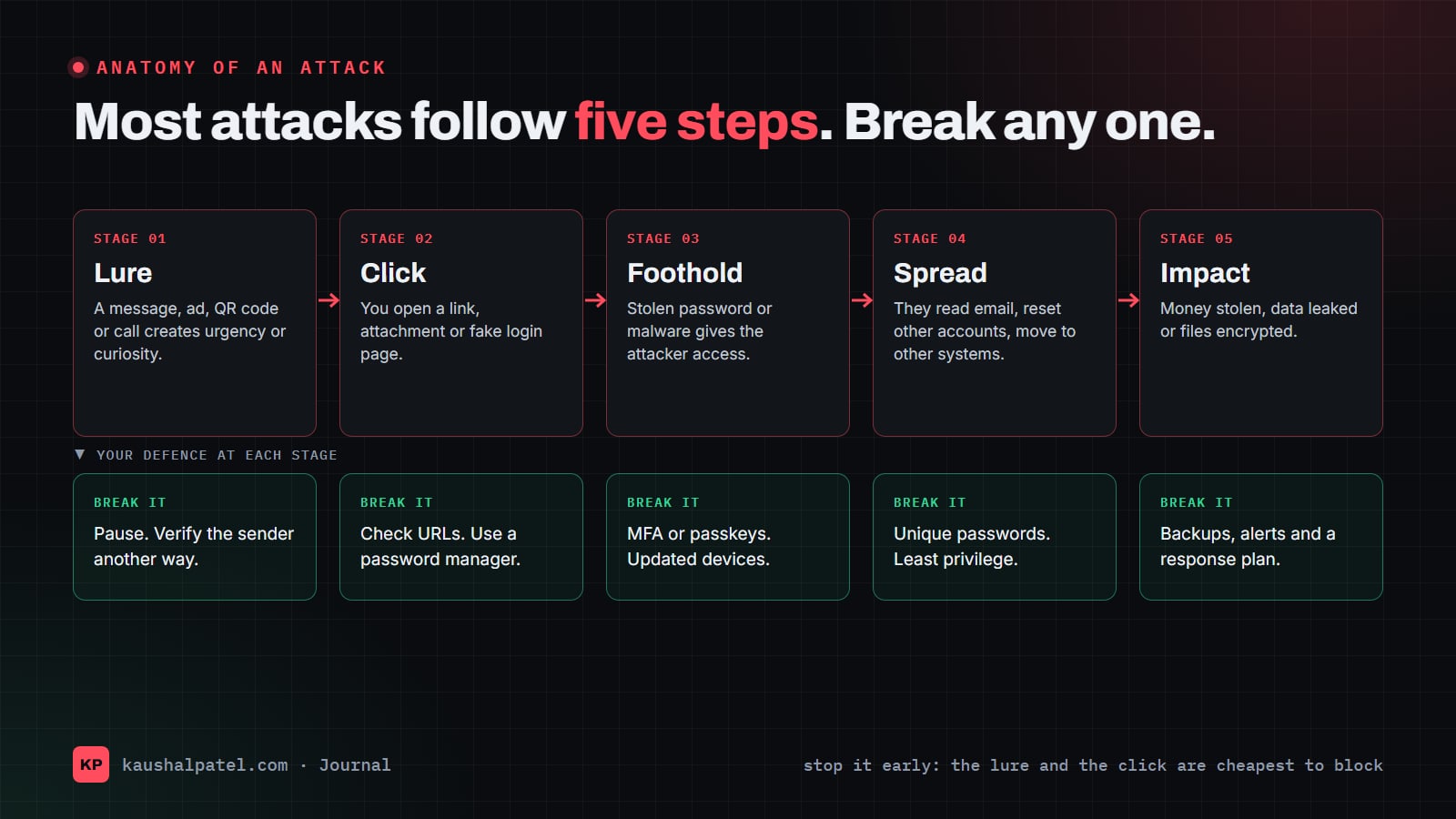
Whether the target is a student, a shop owner or a large company, most attacks follow the same chain. A lure gets your attention. You click or reply. The attacker gets a foothold through a stolen password or malware, spreads to other accounts or systems, and then causes the impact: stolen money, leaked data or encrypted files.
The earlier you break the chain, the cheaper it is. Spotting a lure costs you five seconds. Recovering from ransomware can cost weeks.
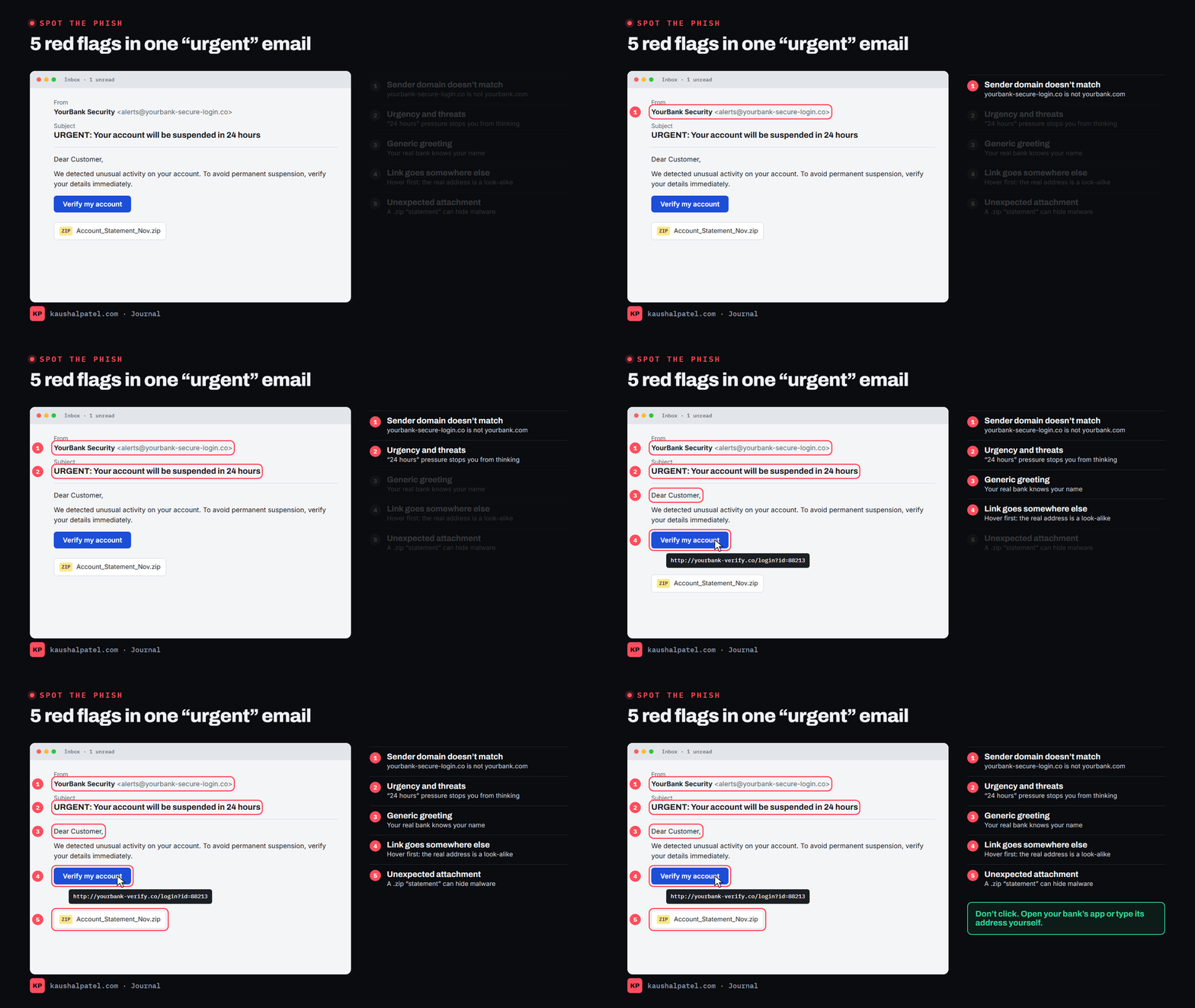
Phishing is a fake message designed to make you click a link, open an attachment, share a code or send money. It arrives by email (phishing), SMS (smishing), phone call (vishing), WhatsApp, social media and even QR codes (quishing). It’s the most common way attacks begin, because it’s cheap and it works.
Today’s phishing is harder to spot. AI tools write fluent, error-free messages in any language, so “look for spelling mistakes” is no longer reliable advice. Look instead for the pattern:
Best defence: never act from the message itself. Open the official app or type the website address yourself, or call a number you already have. A password manager helps too: it won’t autofill your password on a look-alike site, which is a useful warning sign.
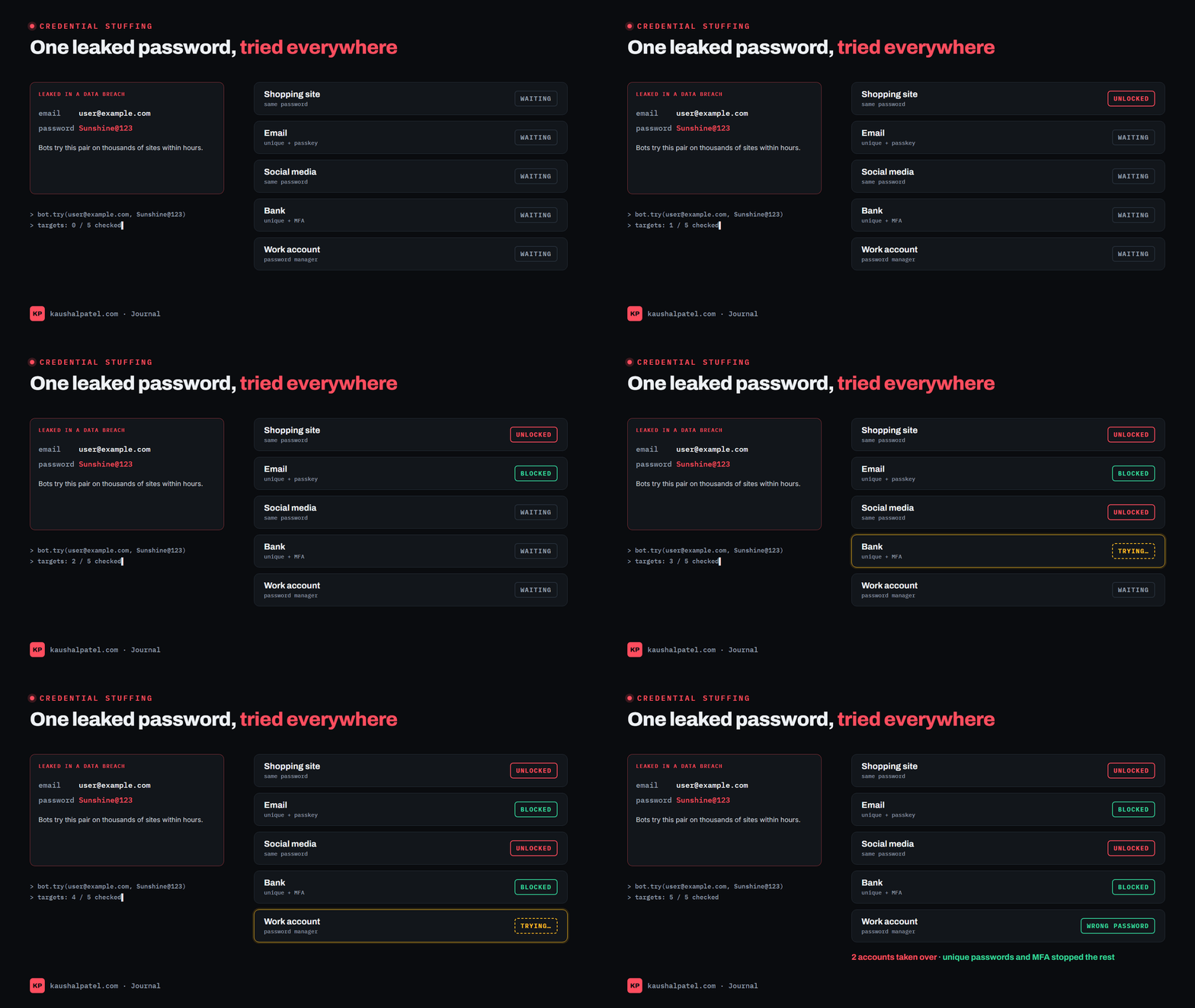
When a website is breached, its users’ emails and passwords often end up on criminal markets. Bots then try those same pairs on email, banking, shopping and social sites, a technique called credential stuffing. If you reused the password, those accounts fall too. Verizon’s 2025 report found that stolen credentials were the most common way attackers got into organisations.
Best defence: a different password for every account, which is only realistic with a password manager. Use long passphrases, such as four or five random words, for the few passwords you must remember. Then add multi-factor authentication or switch to passkeys wherever they’re offered.
Malware is any software built to harm you: spyware that records what you type, banking trojans that steal logins, info-stealers that grab saved passwords and browser cookies, and adware that floods you with pop-ups. It usually arrives through pirated software, “cracked” games, fake apps, malicious attachments or links to download an “update”.
Best defence: install apps only from official stores and well-known vendors, keep your operating system and browser updated, leave the built-in protection (such as Microsoft Defender or Google Play Protect) switched on, and be very wary of any app that asks for accessibility or screen-sharing permissions.
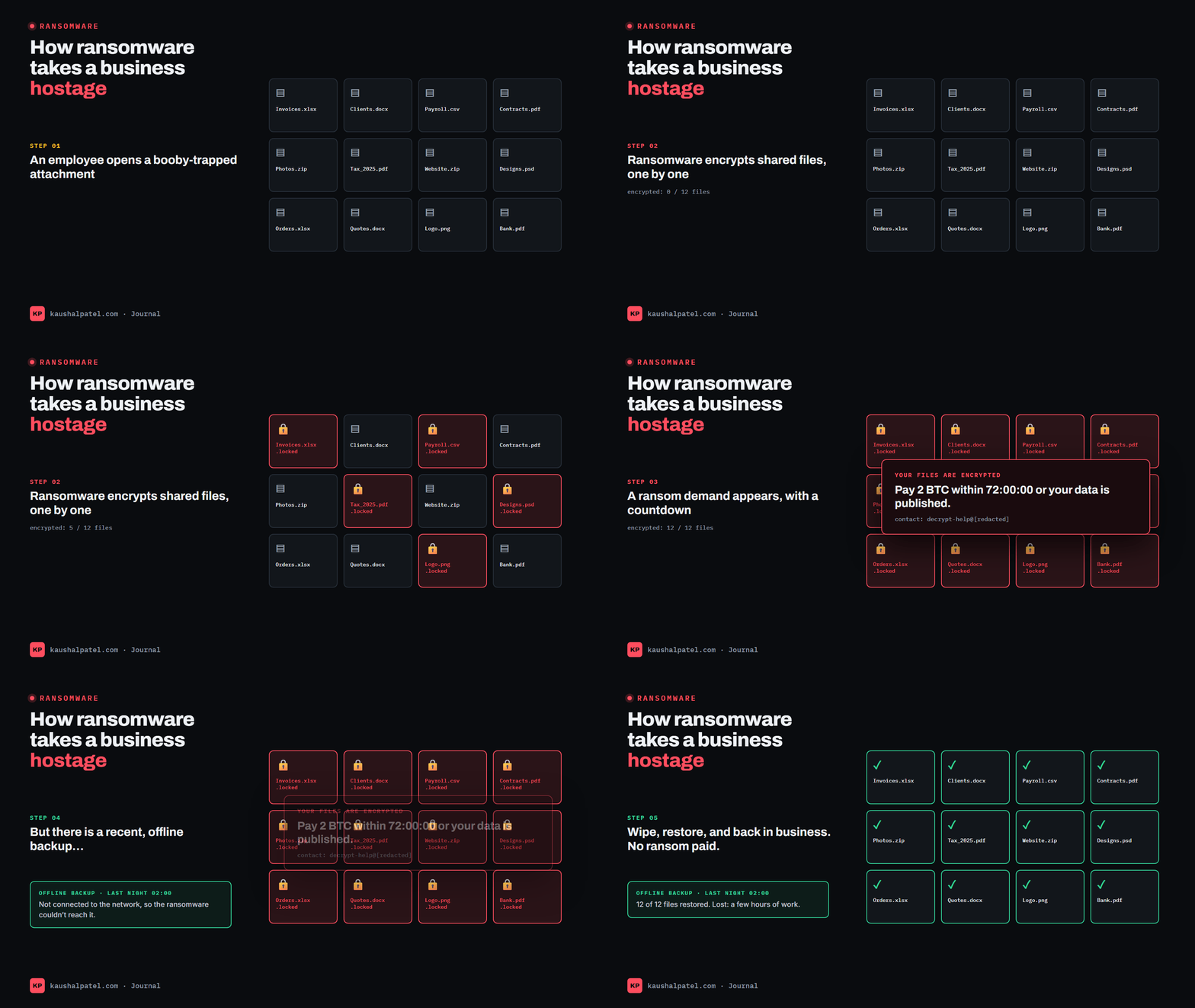
Ransomware encrypts your files and demands payment, usually in cryptocurrency, for the key. Many gangs now also steal data first and threaten to publish it, so-called “double extortion”. Small and medium-sized businesses are frequent victims because they often have weaker defences and can’t afford long downtime. Verizon’s 2025 report found ransomware in 44% of the breaches it analysed.
Paying is no guarantee: you may not get working keys, your data may still be leaked, and you mark yourself as a target that pays.
Best defence: follow the 3-2-1 backup rule: three copies of important data, on two different types of storage, with one kept offline or offsite, and test that you can actually restore them. Combine that with automatic updates, MFA on email and remote access, and limited admin rights.
Social engineering means manipulating people rather than hacking computers. The attacker pretends to be someone you trust or fear: your boss asking for an urgent payment, IT support asking for a code, a courier, a bank officer or a government official. In India, “digital arrest” scams, where fraudsters pose as police or investigators on video calls and pressure victims to transfer money, became so widespread that authorities have repeatedly warned there is no such thing as a “digital arrest”.
For businesses, a common version is business email compromise (BEC): a fake or hijacked email asks the accounts team to change a supplier’s bank details or pay an “urgent” invoice.
Best defence: verify through a second, trusted channel. Call the person on a number you already have, not the one in the message. In a company, make it a rule that bank detail changes and unusual payments always need a call-back and a second approval.
AI can now clone a voice from a few seconds of audio and create convincing fake video. Scammers use this to impersonate family members in “emergencies” or executives on video calls. In one widely reported case in early 2024, an employee of the engineering firm Arup in Hong Kong transferred about US$25 million after a video conference in which the “colleagues” were deepfakes.
Best defence: agree on a code word with your family, and a verification step at work, for any request involving money or secrets. If something feels off, hang up and call back on a known number. Real emergencies survive a two-minute check. Read more about where AI is heading in how AI is changing the future of technology.
Scammers build look-alike shopping sites with incredible discounts, fake customer-care numbers that rank in search results, fake investment and trading apps, and malicious ads (“malvertising”) that appear above real results. QR codes add another trick: a sticker over a real parking-meter code, or a “scan to receive your refund” message.
Best defence: type important addresses yourself or use bookmarks, get customer-care numbers from the official website or app, and remember the golden rule of digital payments: you never need to scan a QR code or enter your UPI PIN to receive money.
Open Wi-Fi in cafés, airports and hotels is convenient but risky. Attackers can set up a fake hotspot with an official-sounding name (“Airport_Free_WiFi”) and watch or tamper with traffic. HTTPS, now used by most websites, protects much of what you send, but fake hotspots can still push you to phishing pages or capture data from apps that aren’t well secured.
Best defence: use mobile data or your phone’s hotspot for banking and work, check that you’re on the official network, avoid installing anything a captive portal asks you to, and use a reputable VPN if you rely on public Wi-Fi often.
Software updates aren’t only about new features. Many fix security holes that attackers already know about. Old phones, routers, CCTV cameras and laptops that no longer receive updates stay vulnerable forever. Exploiting known vulnerabilities is one of the most common ways into organisations.
Best defence: turn on automatic updates for your operating system, browser and apps, restart when asked, and replace devices once they stop receiving security updates. If you run a website or server, patching is part of the job. See deploying Next.js and Node.js on your own server for a practical setup.
In a SIM swap, a criminal convinces or bribes a mobile operator to move your number to their SIM, then receives your SMS codes and resets your accounts. A sudden loss of mobile signal is a warning sign. In MFA fatigue attacks, someone who already has your password floods you with login approval prompts, hoping you’ll tap “Approve” to make them stop.
Best defence: prefer an authenticator app, passkeys or a hardware security key over SMS codes, ask your mobile operator about extra account protection, and never approve a login you didn’t start. An unexpected prompt means your password is known, so change it.
| Sign-in protection | Stops password reuse attacks? | Stops phishing pages? | Stops SIM swaps? |
|---|---|---|---|
| Password only | No | No | Not applicable |
| SMS or email code | Yes | No: codes can be phished | No (SMS) |
| Authenticator app code | Yes | No: codes can be phished | Yes |
| Push approval with number matching | Yes | Partly | Yes |
| Passkey or hardware security key | Yes | Yes: tied to the real website | Yes |
Any second factor is far better than none. Passkeys and security keys are the strongest because they only work on the genuine website, which is why security agencies such as the US Cybersecurity and Infrastructure Security Agency (CISA) recommend “phishing-resistant” MFA.
Sometimes the breach isn’t your fault: a retailer, hospital, telecom company or app you use gets hacked and your details leak. Criminals then use that data for targeted phishing, credential stuffing, fake loan applications or SIM swaps.
Best defence: unique passwords limit the damage to one account. Change the affected password, watch for follow-up phishing that quotes your real details, monitor your bank statements and credit report, and share as little personal data with apps and websites as you can.
Not every incident comes from outside. An employee emails a spreadsheet to the wrong person, a file is shared with “anyone with the link”, an ex-employee still has access to the company drive, or someone with more permissions than they need makes a costly mistake. Occasionally, an insider acts maliciously.
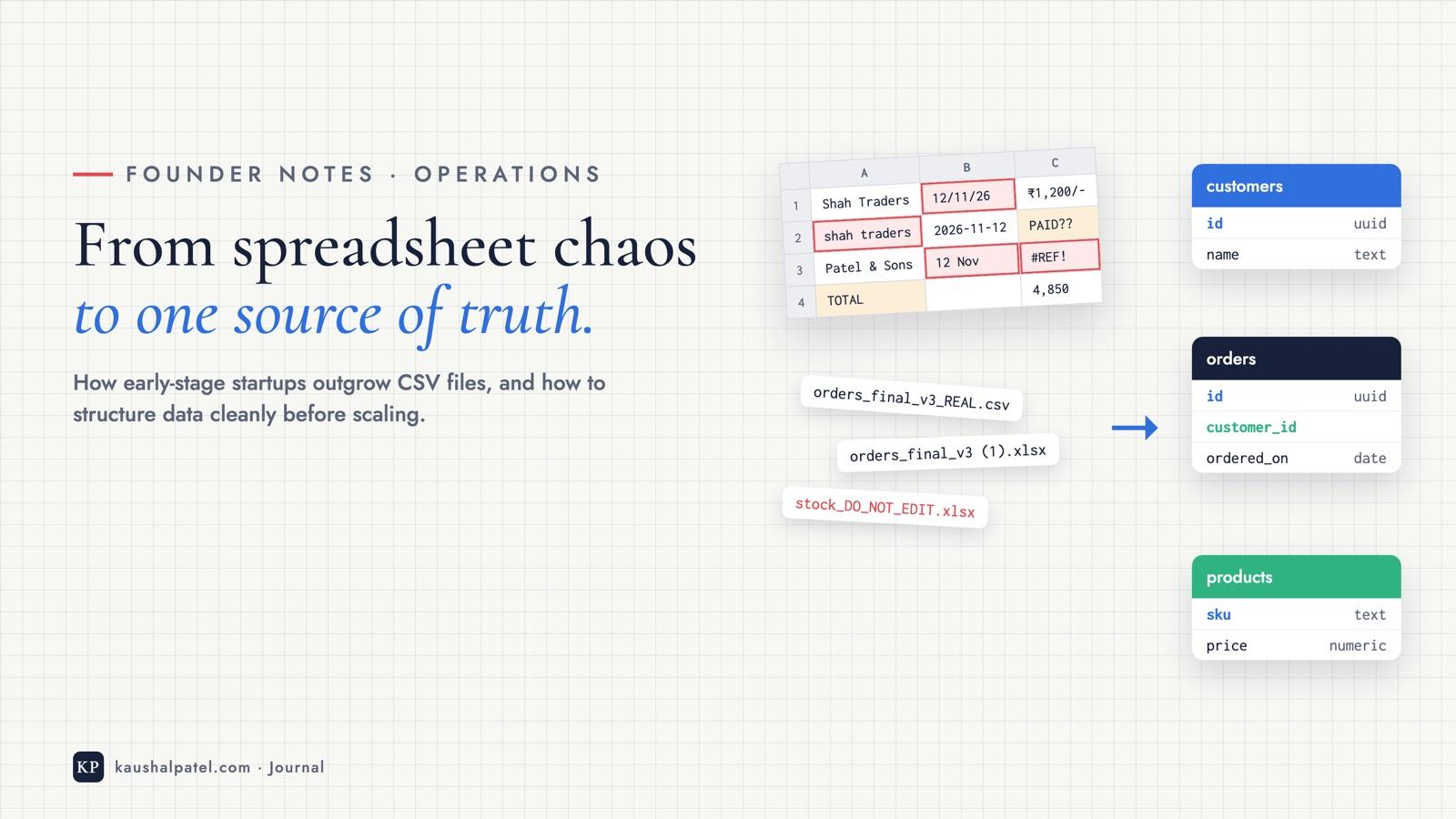
Best defence: give people only the access they need (least privilege), remove access the day someone leaves, review shared links regularly, and build a culture where people report mistakes immediately without fear. A quick report can stop a small slip from becoming a breach. Centralising data in one well-controlled system, rather than scattered spreadsheets, helps a lot. See from spreadsheet chaos to a single source of truth.
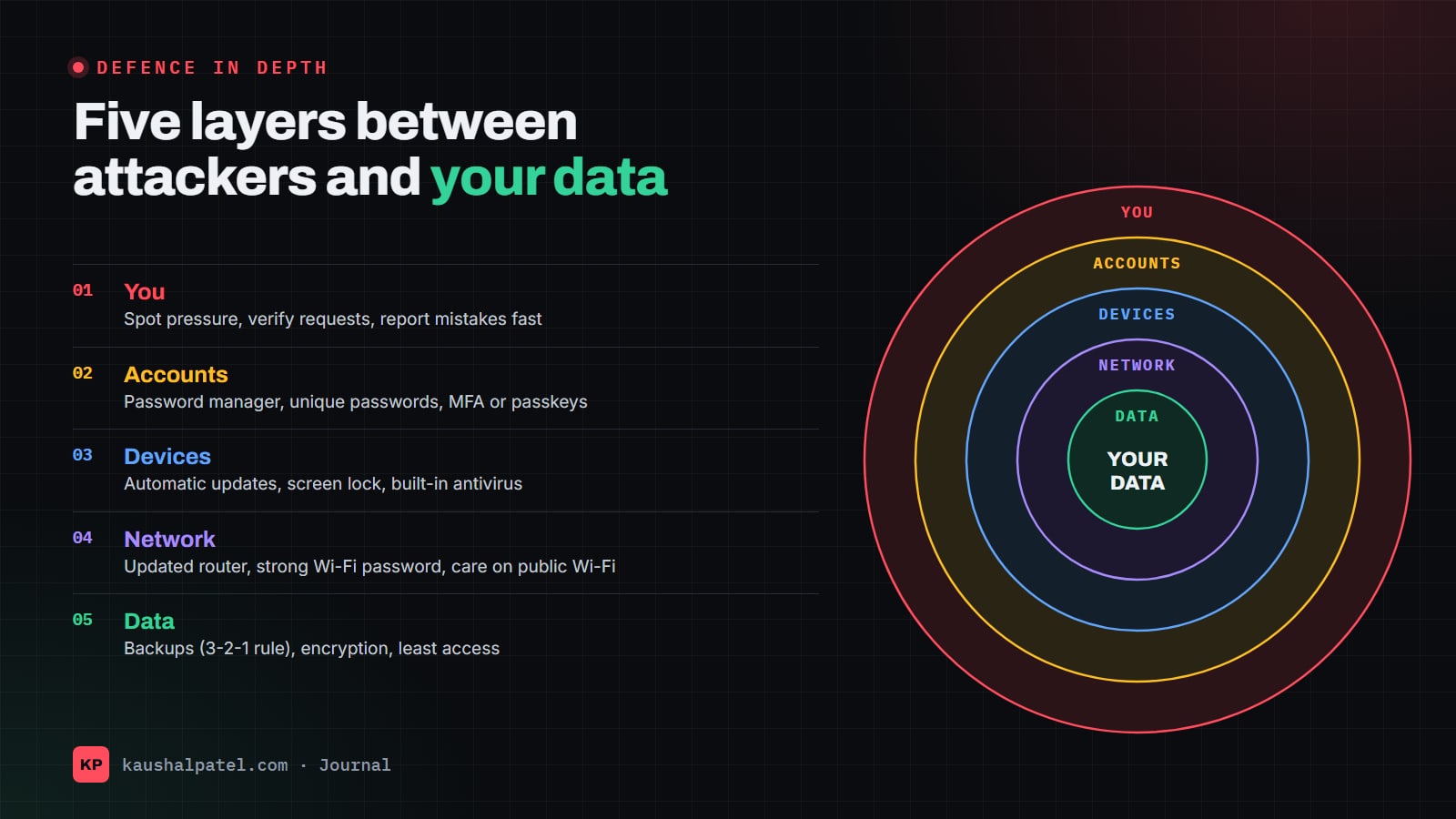
Security professionals call it defence in depth: if one layer fails, the next one catches the attack. A phishing link you click (layer one fails) is stopped by a passkey (layer two). Malware that slips past an outdated app (layer three fails) can’t hold you to ransom because of an offline backup (layer five).
You don’t need to be technical to be well protected. Work through this list once, and you’ll be safer than most people online:
When an unexpected request arrives, use a simple script before you act:
STOP · VERIFY · REPORT

1. STOP    Is someone rushing me, scaring me or asking for secrecy?
           Am I being asked to click, pay, install or share a code?

2. VERIFY  Contact them through a channel I already trust:
           the official app, a saved number, or in person.
           Never use the link or number in the message.

3. REPORT  Scam? Report it and block the sender.
           Already clicked or paid? Act now (see the next section).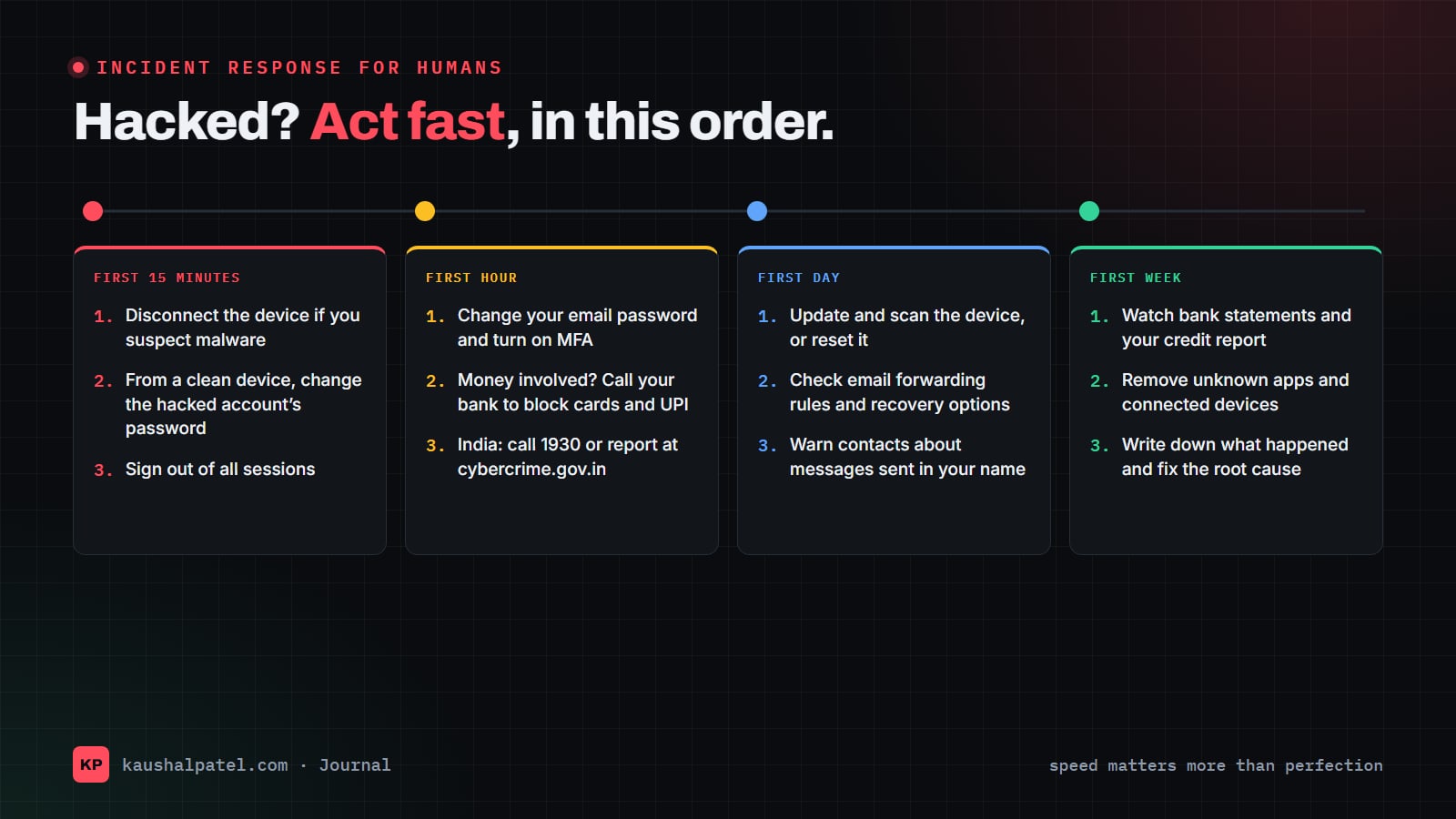
Everyone can be fooled, including security experts. What matters is how fast you respond. Don’t let embarrassment slow you down:
Small businesses face the same threats, with more at stake: customer data, payroll and supplier payments. You don’t need a big security team to get the basics right:
| Control | Why it matters | Effort |
|---|---|---|
| MFA on email, banking and admin accounts | Blocks most account takeovers | Low |
| Company password manager | Ends shared and reused passwords | Low |
| Automatic updates and supported devices | Closes known security holes | Low |
| 3-2-1 backups, tested quarterly | Recover from ransomware or mistakes | Medium |
| Payment verification rule | Stops invoice fraud and bank detail change scams | Low |
| Least-privilege access and offboarding | Limits damage from mistakes and ex-employees | Medium |
| Short, regular security awareness sessions | Helps people recognise phishing and pressure | Low |
| Simple incident response plan | Everyone knows who to call and what to do | Low |
If you’re choosing new tools, security should be part of the decision. Check whether a product supports MFA, single sign-on, access roles and data export. That’s one more factor in building custom software vs buying SaaS.
The most common threats are phishing and other scam messages, stolen or reused passwords, malware, ransomware, social engineering, fake websites and apps, unpatched software, and data breaches at companies you use. AI-powered deepfake scams are growing quickly.
For most people, phishing and scams are the biggest threat, because they trick you into handing over passwords, one-time codes or money directly. Combined with reused passwords, they are behind a large share of account takeovers.
Pause and verify unexpected requests through a trusted channel, use a password manager with unique passwords, turn on MFA or passkeys, keep devices updated automatically, back up important data, and install apps only from official sources.
Social engineering is the broad practice of manipulating people into breaking security rules. Phishing is one form of it, delivered through messages such as emails, texts or calls, usually containing a malicious link or request.
Yes. Passkeys can’t be reused across sites, can’t be guessed and are tied to the genuine website, so they resist phishing far better than passwords, even when combined with SMS codes.
Authorities generally advise against paying. Payment doesn’t guarantee you’ll get your data back or that it won’t be leaked, and it funds further attacks. Tested offline backups are the best way to avoid ever facing that choice.
Call the National Cyber Crime Helpline on 1930 or file a complaint at cybercrime.gov.in. If money was involved, also contact your bank immediately so it can try to block the transaction.
Cybersecurity threats keep evolving, from simple phishing emails to AI-cloned voices, but they keep exploiting the same things: urgency, trust and reused passwords. You don’t need to understand every attack to defend against them. Pause before you act, verify through a channel you trust, use unique passwords with MFA or passkeys, keep your devices updated and keep backups that attackers can’t reach. Those few habits turn you from an easy target into a hard one, and most attackers simply move on.
Want a security review of your website, app or business systems? Let’s talk.

Entrepreneur · Business Owner · IT Consultant — writing about startups, AI and building products.
Keep reading
How blockchain technology works beyond cryptocurrency: blocks, hashes and consensus, 8 real use cases, smart contracts, limits, and when you need one.
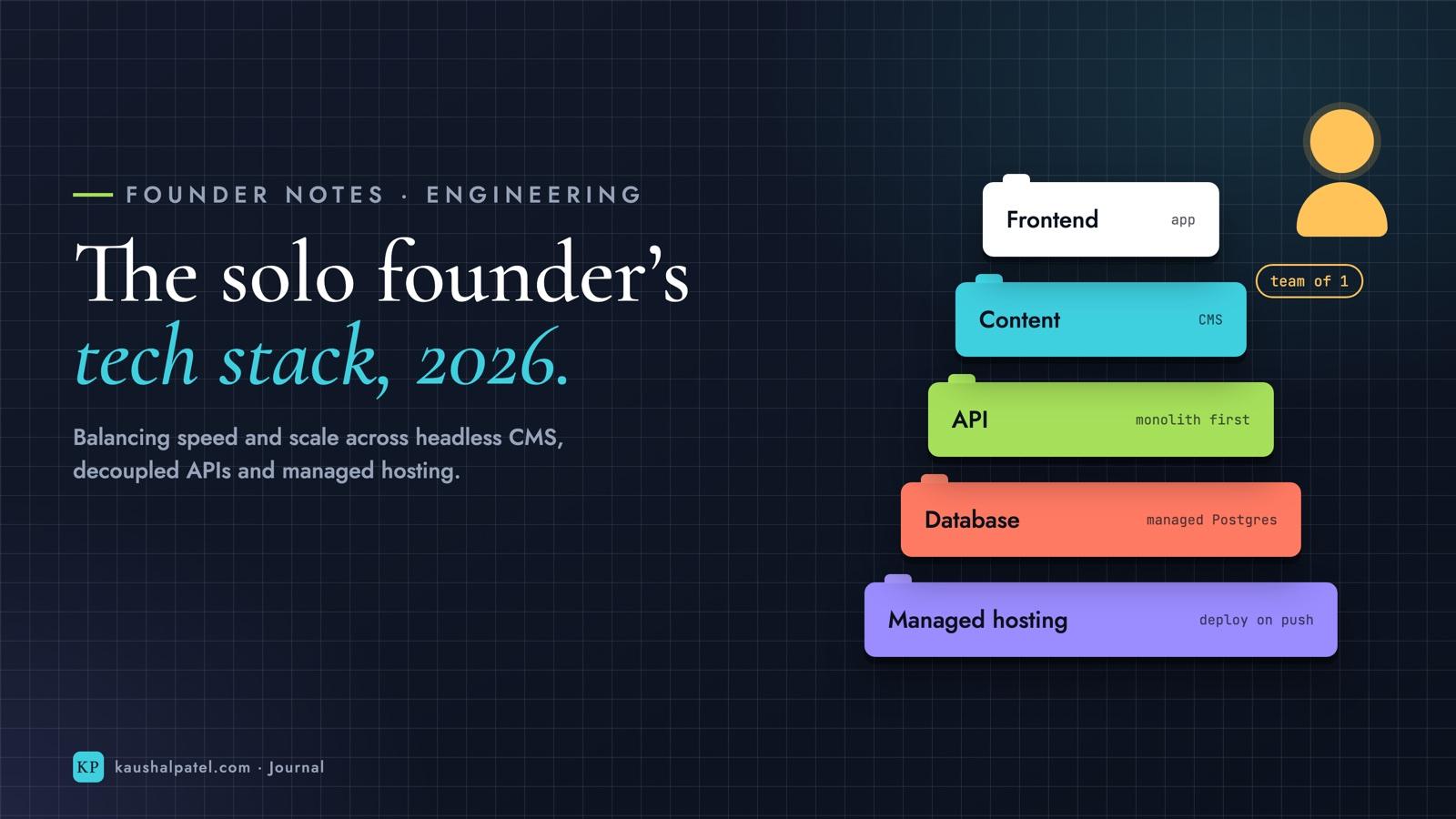
18 min readHeadless CMS, decoupled APIs or a monolith, managed hosting or a VPS: how to pick a 2026 stack one person can run, with a hosting cost calculator and checklist.
12 min readSigns you’ve outgrown spreadsheets, six rules for clean data, a five-table starting schema with SQL, and a safe five-step migration from CSV files.
14 min read