How AI Is Changing Digital Marketing
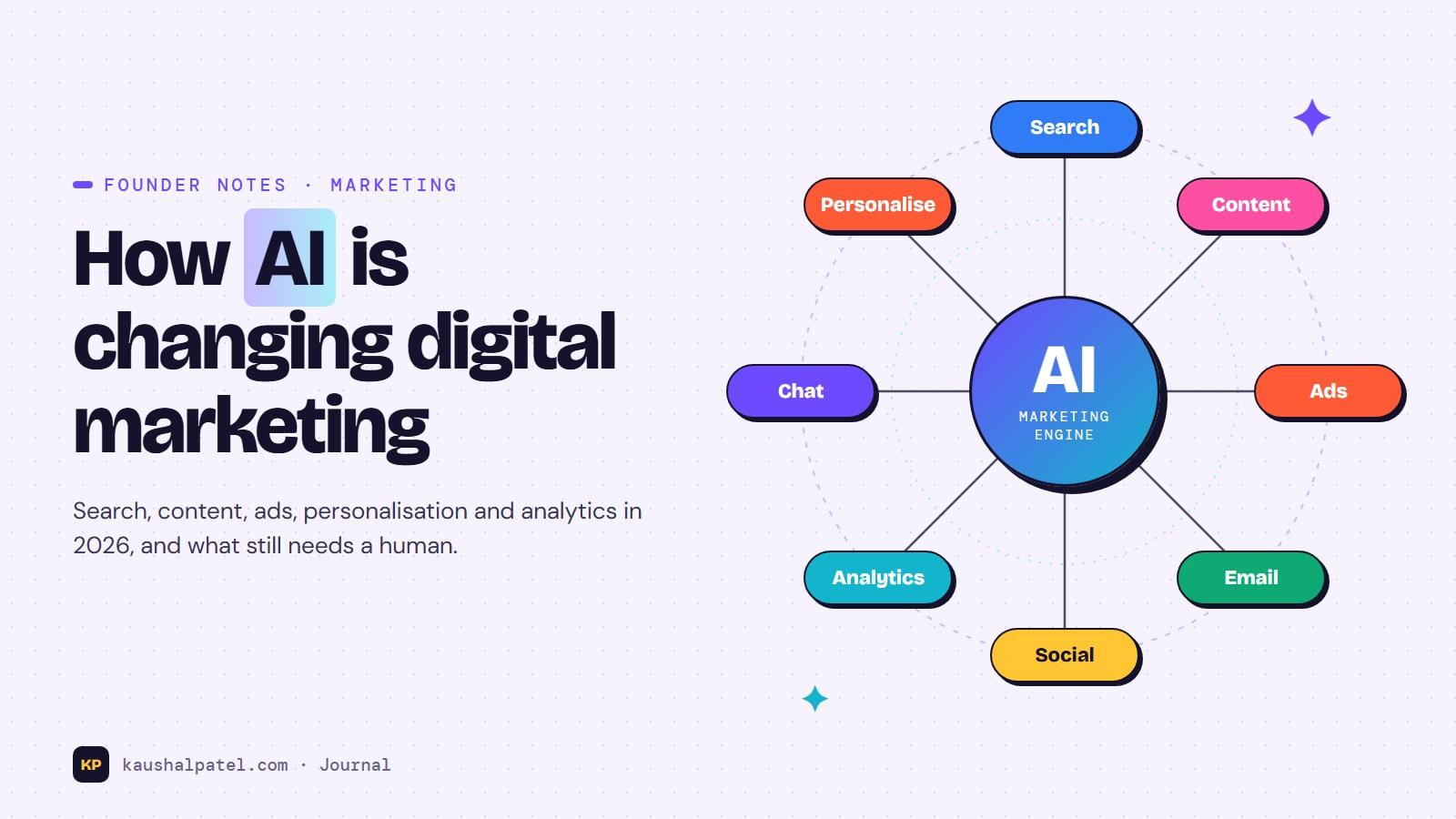
How AI is changing digital marketing in 2026: AI search and GEO, content, personalisation, ads, analytics and chatbots, plus tools, risks and a 90-day plan.
16 min read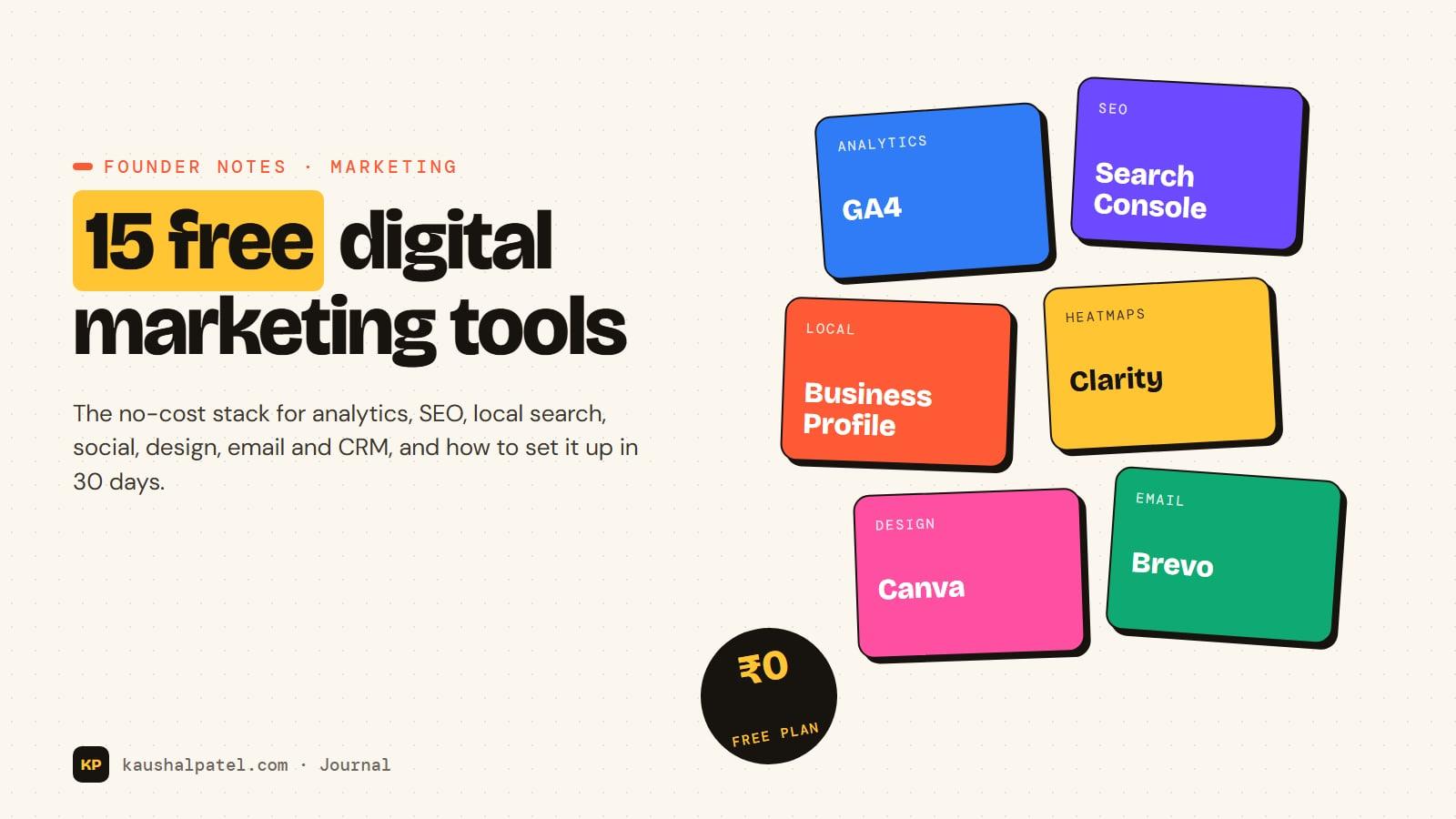
You don’t need a big budget to market a business well. Some of the most useful digital marketing tools in the world are completely free: the same analytics, SEO and local search tools that large companies rely on every day. The hard part isn’t paying for them. It’s knowing which ones matter and setting them up properly.
This guide covers 15 free digital marketing tools every business should use in 2026, grouped by the job they do: analytics and tracking, SEO and research, local and social, content and design, and email and CRM. For each tool you’ll see what it does, who it’s best for and a quick tip to get more from it. You’ll also find a comparison table, animated examples, a 30-day setup plan and a ready-to-copy UTM tracking template. I use several of these tools on this website, including Google Analytics, Microsoft Clarity and Bing’s IndexNow, so the advice comes from real setup, not just a feature list.
Paid marketing software is powerful, but most small businesses aren’t held back by a lack of features. They’re held back by not knowing where visitors come from, which pages convert, what people search for and whether customers come back. The free tools in this list answer exactly those questions.
Starting free has another advantage: you learn what you actually need. When you eventually outgrow a free plan, you’ll know which feature you’re paying for and why, the same thinking behind building custom software vs buying SaaS.
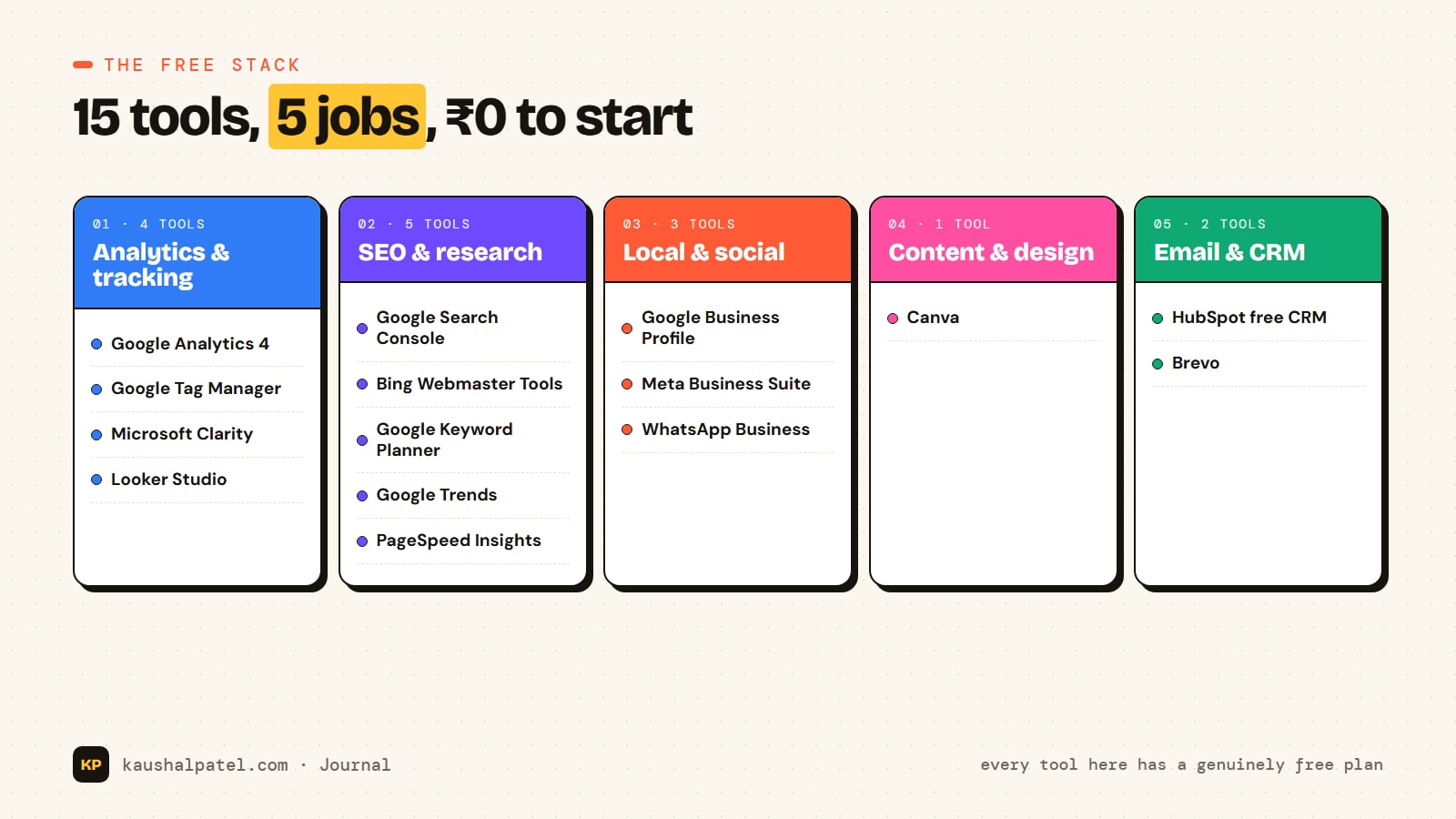
| # | Tool | Category | What you use it for | Pricing |
|---|---|---|---|---|
| 1 | Google Analytics 4 | Analytics | Traffic, user behaviour and conversions | Free |
| 2 | Google Search Console | SEO | Search queries, rankings, indexing and errors | Free |
| 3 | Google Business Profile | Local SEO | Appear on Google Maps and local results | Free |
| 4 | Google Tag Manager | Tracking | Manage tracking codes without editing your site | Free |
| 5 | Microsoft Clarity | Behaviour analytics | Heatmaps, session recordings, rage clicks | Free |
| 6 | Looker Studio | Reporting | Dashboards combining several data sources | Free |
| 7 | Bing Webmaster Tools | SEO | Bing search performance, IndexNow, site scans | Free |
| 8 | Google Keyword Planner | Keyword research | Keyword ideas and search volume ranges | Free with a Google Ads account |
| 9 | Google Trends | Research | Seasonality and rising topics | Free |
| 10 | PageSpeed Insights | Technical SEO | Page speed and Core Web Vitals | Free |
| 11 | Canva | Design | Social posts, ads, banners and presentations | Free plan |
| 12 | Meta Business Suite | Social media | Schedule and manage Facebook and Instagram | Free |
| 13 | WhatsApp Business | Messaging | Catalogue, quick replies and customer chats | Free app |
| 14 | HubSpot free CRM | CRM | Contacts, deals and customer history | Free plan |
| 15 | Brevo | Email marketing | Newsletters and automated emails | Free plan |
Free plans and their limits change from time to time. Check the current terms before you build a process around a specific limit.
Google Analytics 4 is the standard free web analytics tool. It shows how many people visit your website, where they come from (search, social, ads, email, referrals), which pages they view and which actions they take, such as purchases, sign-ups, calls or WhatsApp clicks.
Best for: every business with a website. Quick tip: the default reports only become useful once you mark your important actions as key events. Decide on your three or four most valuable actions first, then track them.
Google Tag Manager lets you add and manage tracking codes (“tags”) for GA4, Clarity, Meta and others from one dashboard, without asking a developer to edit your website each time. It also makes tracking button clicks, scroll depth and outbound links much easier.
Best for: anyone who runs more than one tracking tool. Quick tip: use Preview mode to test every new tag before publishing, and give tags clear names, such as “GA4 – event – whatsapp_click”.
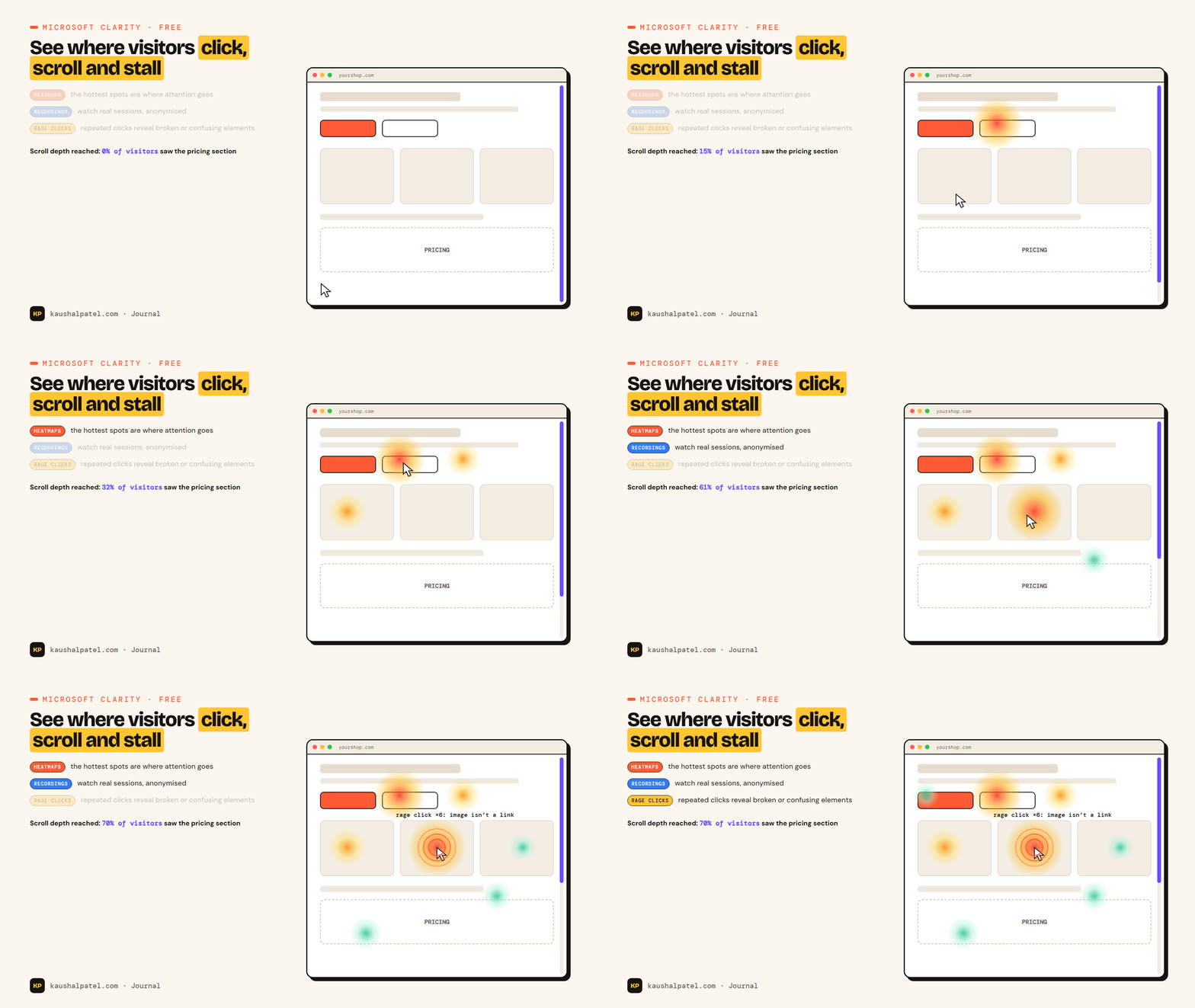
Microsoft Clarity is a free behaviour analytics tool that records anonymised visitor sessions and creates heatmaps of where people click and how far they scroll. It also highlights “rage clicks” (repeated clicking on something that doesn’t respond) and “dead clicks”, which often reveal confusing design.
Best for: improving landing pages, product pages and checkout flows. Quick tip: connect Clarity to GA4, then filter recordings to visitors who left without converting. Ten recordings usually teach you more than a month of charts. I use Clarity on this site for exactly that reason.
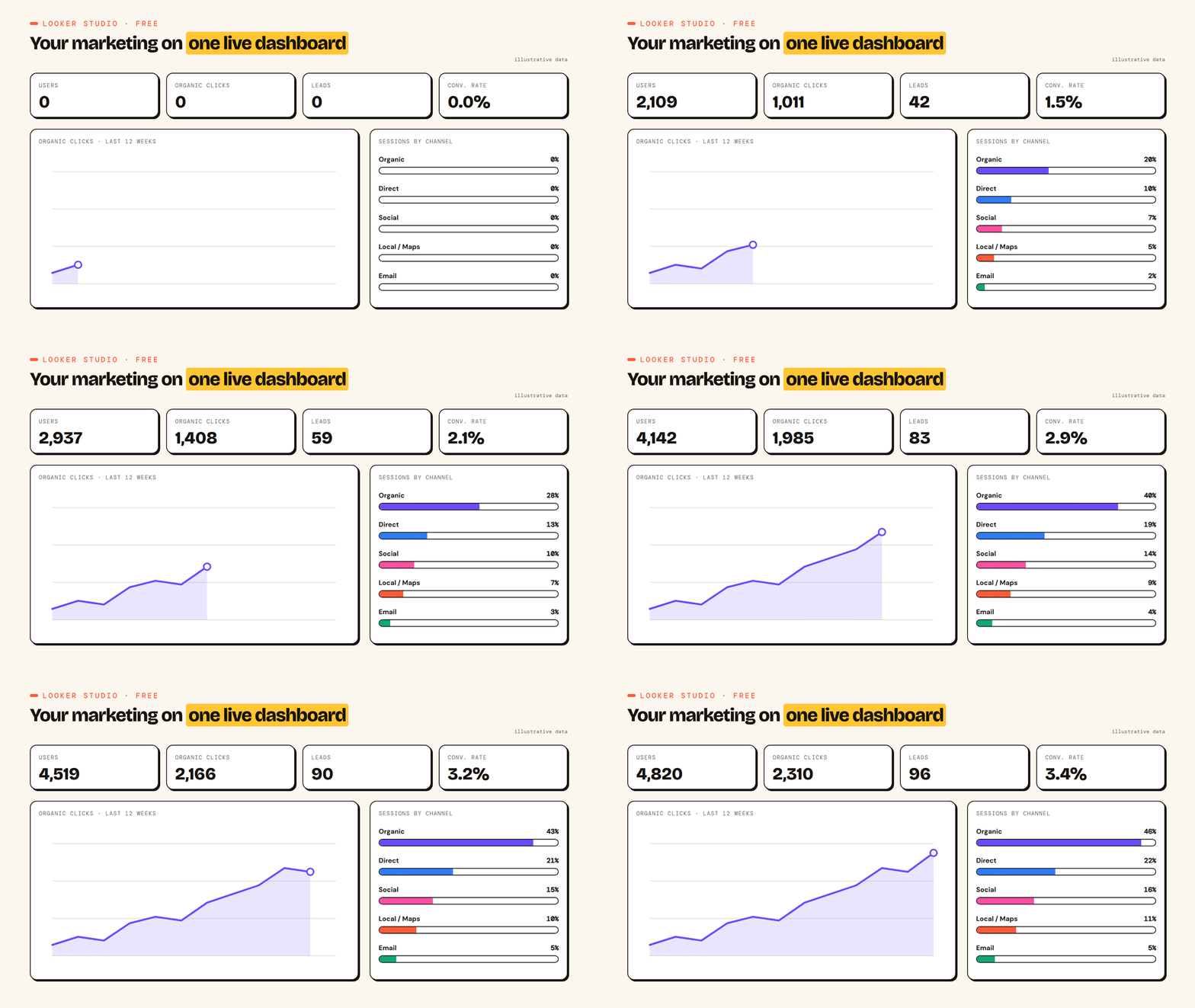
Looker Studio (formerly Google Data Studio) turns data from GA4, Search Console, Google Sheets and Google Ads into shareable dashboards that update automatically. Instead of opening five tools every Monday, you check one page.
Best for: owners and teams who want a weekly marketing report without manual work. Quick tip: start from a template, then cut it down to five or six numbers that drive decisions. If your data still lives in scattered spreadsheets, fix that first. See from spreadsheet chaos to a single source of truth.
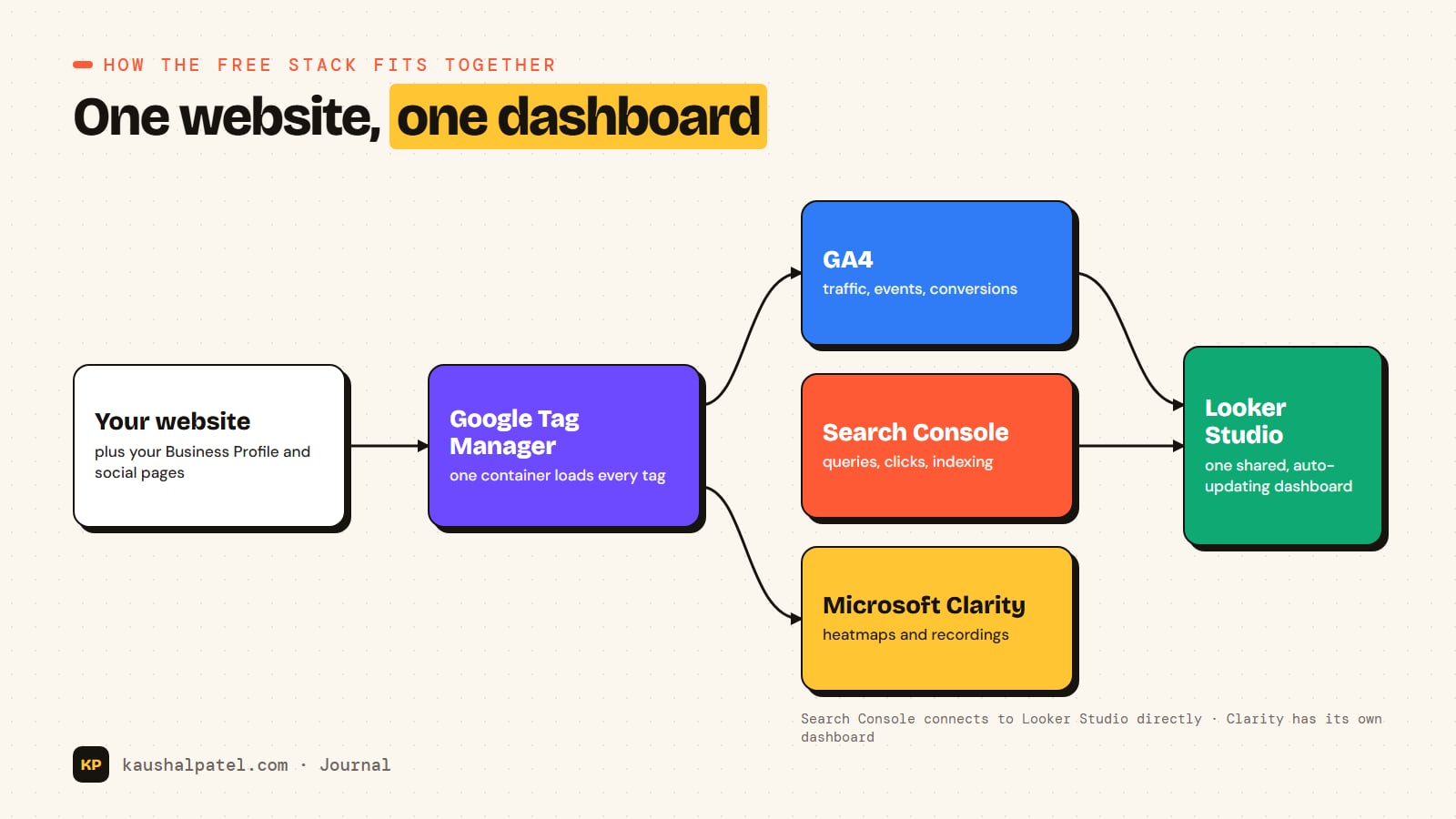
Google Search Console is the most important free SEO tool. It shows the exact search queries that bring people to your site, your average position, clicks, impressions and click-through rate, with up to 16 months of data. It also tells you which pages Google has indexed, flags errors and lets you submit your sitemap.
Best for: anyone who wants traffic from Google. Quick tip: filter for queries where you rank in positions 5 to 15 with plenty of impressions. Improving those pages is often the fastest SEO win. For the bigger picture, read how to rank a website on Google.
Google isn’t the only search engine. Bing Webmaster Tools shows how your site performs on Bing, offers a free site scan for SEO issues, and supports IndexNow, a protocol that notifies participating search engines the moment you publish or update a page. Bing’s index also feeds other search experiences, including some AI assistants, so it’s worth the ten minutes it takes to verify your site.
Best for: every website. Quick tip: you can import your sites directly from Google Search Console. This website pings IndexNow automatically whenever a new post goes live.
Google Keyword Planner lives inside Google Ads, but you can use it to research keywords without running ads. It suggests related keywords and shows search volume ranges and competition, which is ideal for planning blog posts, service pages and product descriptions.
Best for: planning content and paid campaigns. Quick tip: without active ad spend you’ll see broad volume ranges rather than exact numbers. That’s still enough to compare keywords and choose your priorities. If you’re weighing organic against paid search, see SEO vs SEM: what’s the difference?
Google Trends shows how interest in a search term changes over time and by region, on a relative scale from 0 to 100. It’s perfect for spotting seasonality (when to promote wedding wear, school supplies or monsoon offers) and comparing which of two phrases people actually use.
Best for: content calendars and seasonal campaigns. Quick tip: compare up to five terms at once and narrow to your state or city to see local demand.
Slow pages lose visitors and sales. PageSpeed Insights tests any URL and reports your Core Web Vitals: Largest Contentful Paint (loading), Interaction to Next Paint (responsiveness) and Cumulative Layout Shift (visual stability). It uses real-user data where available, plus clear suggestions to fix problems.
Best for: websites, online shops and landing pages. Quick tip: always check the mobile score first. Most of your visitors are on phones. If your website platform makes speed hard to fix, it may be time to rethink it: see what is a CMS and how it helps your website and WordPress vs Wix.
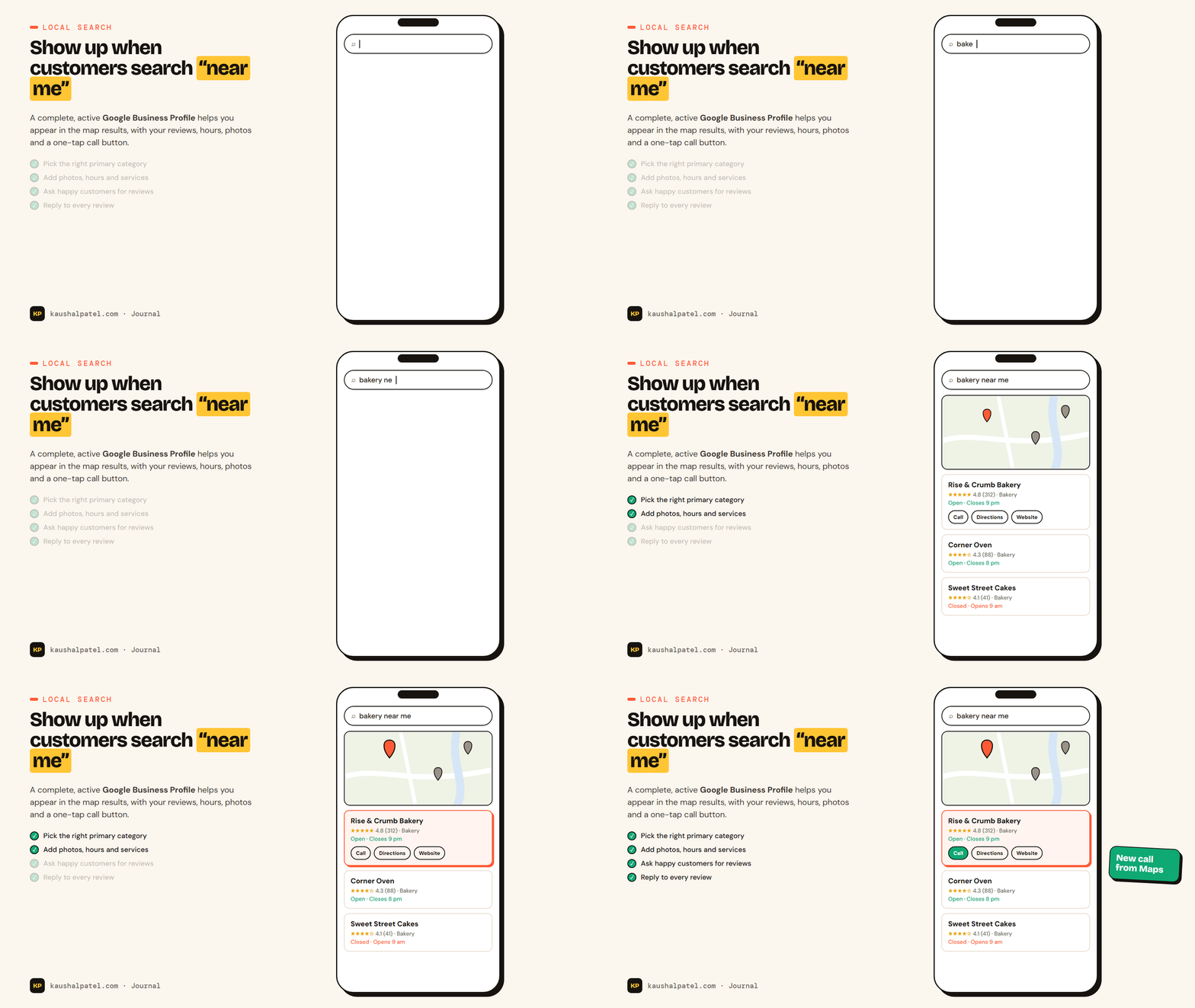
For shops, clinics, restaurants, salons, showrooms and service businesses, Google Business Profile is often the most valuable free marketing tool of all. It controls how you appear on Google Maps and in local results, with your hours, photos, reviews, services and a one-tap call or directions button.
Best for: any business with a physical location or a local service area. Quick tip: choose the most accurate primary category, add real photos, post updates regularly, and reply to every review, good or bad. Reviews and activity build trust with customers and search engines.
Meta Business Suite lets you manage your Facebook Page and Instagram account in one place: schedule posts and stories, reply to messages and comments from a shared inbox, and see which content performs best.
Best for: businesses active on Facebook and Instagram. Quick tip: batch-create two weeks of posts in one sitting and schedule them, then spend your daily time replying to people instead of scrambling for content.
In India and many other markets, customers would rather message than fill in a form or send an email. The free WhatsApp Business app gives you a business profile, a product catalogue, quick replies, greeting and away messages, and labels to organise chats.
Best for: small businesses that sell or take bookings through chat. Quick tip: add a WhatsApp link to your website, Business Profile and Instagram bio, and track clicks on it as a key event in GA4. As message volume grows, the paid WhatsApp Business Platform adds automation and multiple agents. It’s one channel among several, so read multi-channel selling without losing your margin before you spread too thin.
Canva’s free plan gives you thousands of templates for social posts, stories, ads, flyers, banners and presentations, with simple drag-and-drop editing. It’s the fastest way for a non-designer to make content that looks professional.
Best for: social media, ads and quick marketing graphics. Quick tip: create a few templates with your fonts and colours and reuse them for every post. Consistency matters more than variety. Some features, like the background remover and many premium assets, need a paid plan.
Bonus: AI writing assistants. The free tiers of ChatGPT, Gemini and Claude are excellent for drafting captions, email subject lines, product descriptions and content outlines. Always edit for accuracy and your own voice. Compare them in ChatGPT vs Gemini vs Claude and find more in the top 10 AI tools for productivity.
A CRM (customer relationship management system) keeps every lead and customer in one place: contact details, conversations, deals and follow-up tasks. HubSpot’s free CRM covers these basics with a generous contact limit, plus email tracking and simple marketing tools.
Best for: service businesses and B2B companies that need to follow up with leads. Quick tip: define four or five deal stages that match how you actually sell, and log every lead from day one. A CRM is only as good as the habit of using it.
Email is still one of the highest-return marketing channels because you own the list. Brevo (formerly Sendinblue) offers a free plan with email campaigns, basic automation and transactional emails, capped by a daily sending limit (300 emails a day at the time of writing).
Best for: newsletters, welcome emails and simple automated sequences. Quick tip: start with one automated welcome email for new subscribers or customers. It works every day without extra effort.
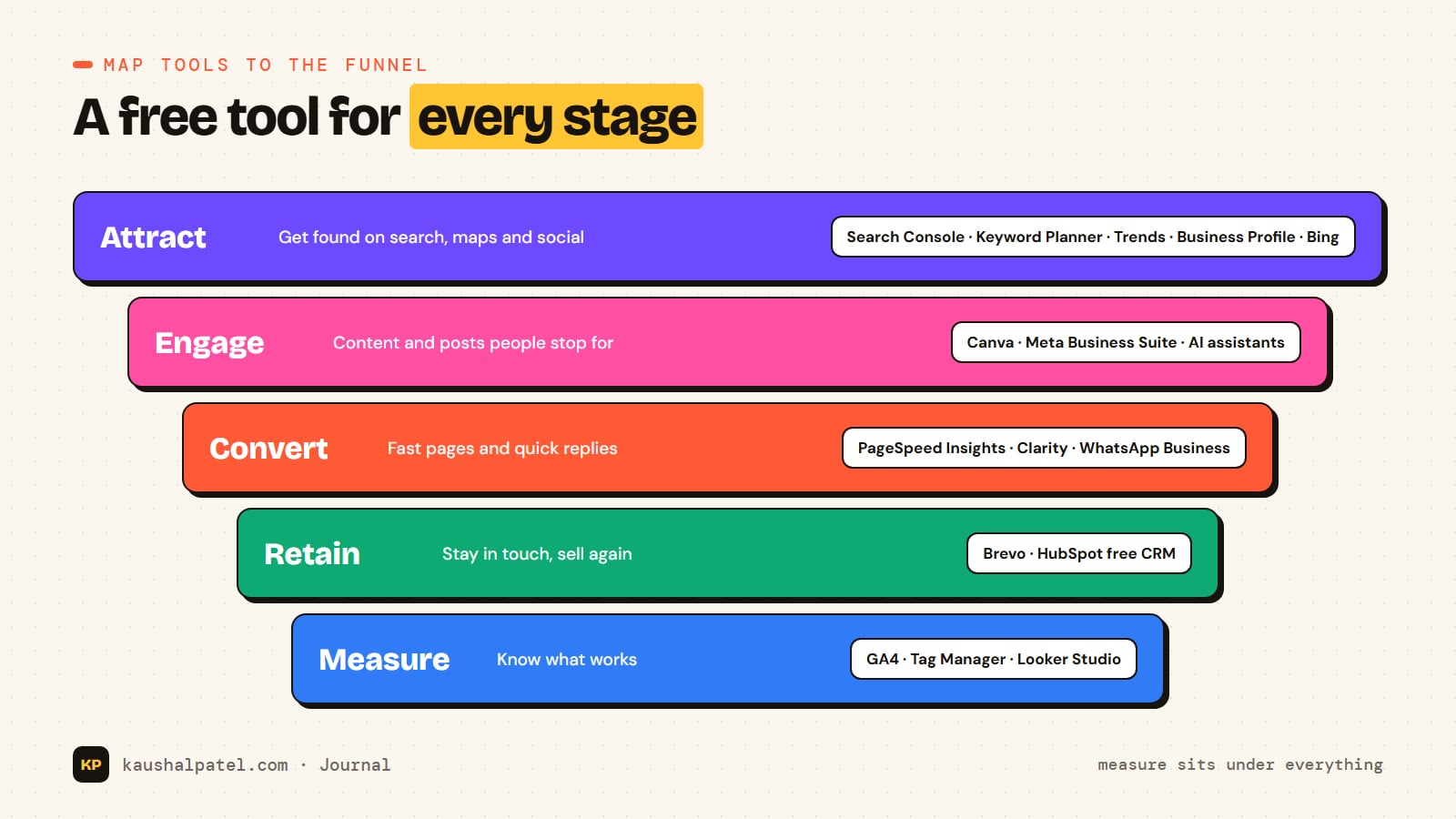
You don’t need all fifteen on day one. Start with the tools that match how your customers find and buy from you:
| Business type | Start with | Add next |
|---|---|---|
| Local shop, clinic or restaurant | Google Business Profile, WhatsApp Business, Canva | Meta Business Suite, GA4, Search Console |
| Online store | GA4, Search Console, PageSpeed Insights, Clarity | Brevo, Meta Business Suite, Looker Studio |
| B2B or service business | Search Console, HubSpot free CRM, GA4 | Keyword Planner, Brevo, Looker Studio |
| Content creator or blog | Search Console, Google Trends, Canva | Bing Webmaster Tools, Brevo, Clarity |
| New startup or MVP | GA4, Clarity, Search Console | HubSpot free CRM, Brevo, Keyword Planner |
If you’re launching something new, measurement matters even more: it tells you whether people actually want what you’ve built. See how to build an MVP and why distribution comes first and product second.
Use UTM tags on every link you share in emails, social posts, WhatsApp messages and QR codes, so GA4 can tell you exactly which campaign brought each visitor. Google’s free Campaign URL Builder creates them for you. Keep the naming consistent:
UTM NAMING TEMPLATE (copy and keep it consistent)

https://yoursite.com/offer/
  ?utm_source=instagram      ← where: instagram, whatsapp, brevo, google
  &utm_medium=social         ← type: social, email, cpc, qr, referral
  &utm_campaign=diwali_2026  ← campaign: lowercase_with_underscores

Rules:
1. Always lowercase. "Instagram" and "instagram" show up as two sources.
2. Never tag internal links on your own website.
3. Keep one shared list of sources and campaigns for the whole team.Free tools take most businesses a long way. Upgrade when a clear limit starts costing you time or money, not because a paid plan looks impressive:
| Sign you’ve outgrown free | What to consider |
|---|---|
| You need competitor keyword and backlink data | A paid SEO suite such as Semrush or Ahrefs |
| Your email list hits the free sending limit | Brevo’s paid plans or a comparable email platform |
| You manage many social accounts or a team | A paid scheduling tool with approvals and reporting |
| Sales follow-up needs automation and sequences | A paid CRM tier with workflows |
| WhatsApp chats need several agents or automation | The WhatsApp Business Platform through an official provider |
Whatever you choose, protect your marketing accounts. Use unique passwords and multi-factor authentication on Google, Meta and email tools, because a hijacked business page or ad account is expensive to recover. See cybersecurity threats everyone should know about. For how these tools fit alongside the rest of a lean setup, read the solo founder tech stack for 2026.
The most useful free digital marketing tools are Google Analytics 4, Google Search Console, Google Business Profile, Google Tag Manager, Microsoft Clarity, Looker Studio, Bing Webmaster Tools, Google Keyword Planner, Google Trends, PageSpeed Insights, Canva, Meta Business Suite, WhatsApp Business, HubSpot’s free CRM and Brevo.
Start with measurement and visibility: Google Analytics 4, Google Search Console and Google Business Profile. Local businesses should add WhatsApp Business and Canva early. Online stores should add Microsoft Clarity and PageSpeed Insights.
Google Search Console is the most important free SEO tool because it shows real search queries, rankings, clicks and indexing issues directly from Google. Combine it with Bing Webmaster Tools, Keyword Planner, Google Trends and PageSpeed Insights.
Yes. Google Analytics 4 is free for the vast majority of businesses. A paid enterprise version, Google Analytics 360, exists for very large organisations with advanced needs.
Yes. Free tools cover analytics, SEO, local search, social media scheduling, design, email and CRM. Many businesses only pay for advertising and upgrade specific tools once they reach a clear limit.
Search Console shows what happens before the click: the searches, impressions and rankings on Google. Google Analytics shows what happens after the click: what visitors do on your website and whether they convert.
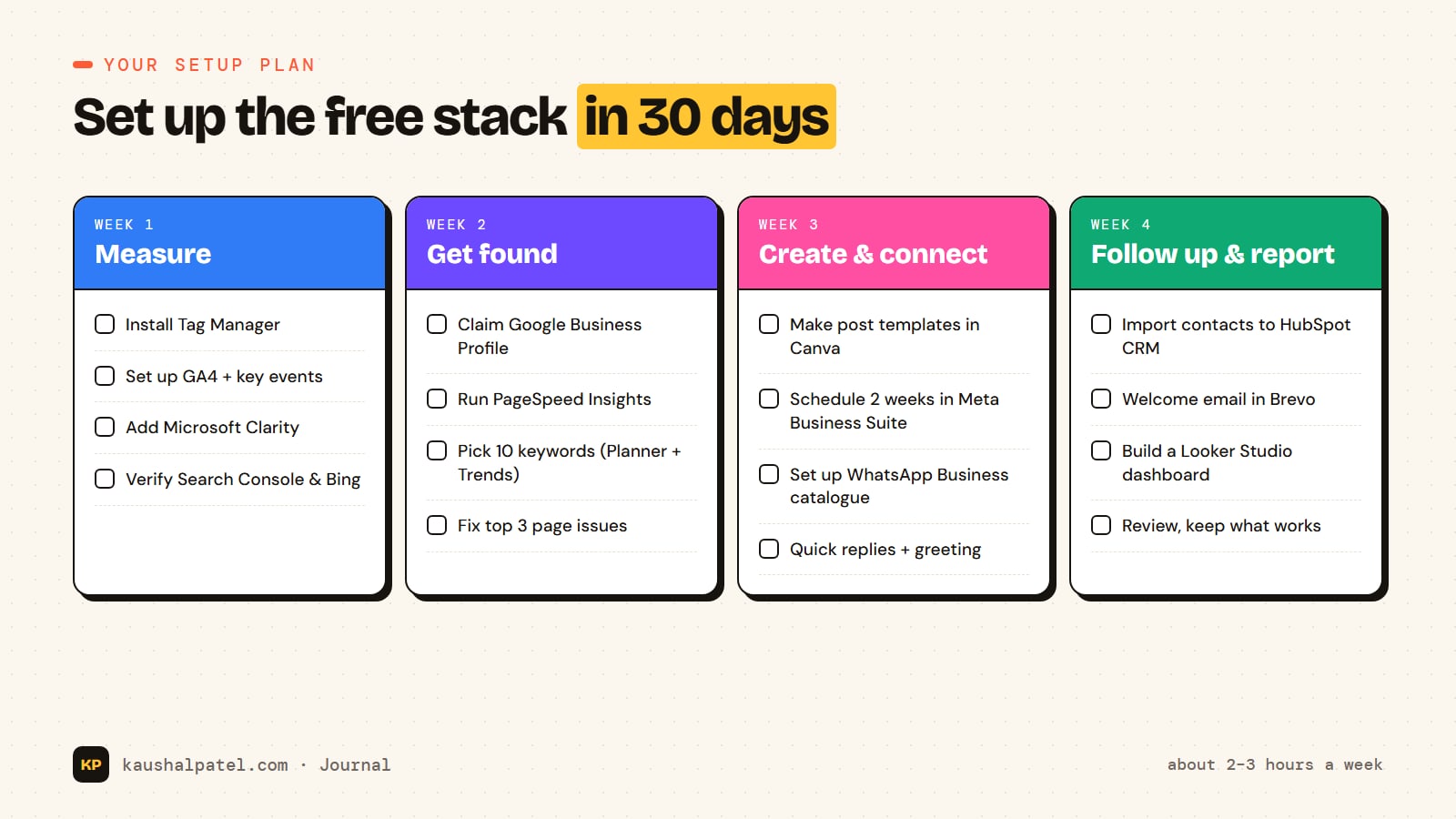
The best free digital marketing tools give small businesses the same core insight that large companies rely on: where customers come from, what they search for, what they do on your site and whether they come back. Set up measurement first, make it easy for local and search customers to find you, create consistent content, and follow up with every lead. Fifteen free tools and a 30-day plan are enough to build a marketing engine that works while you run the business.
Want help setting up analytics, SEO and tracking for your website? Let’s talk.

Entrepreneur · Business Owner · IT Consultant — writing about startups, AI and building products.
Keep reading
How AI is changing digital marketing in 2026: AI search and GEO, content, personalisation, ads, analytics and chatbots, plus tools, risks and a 90-day plan.
16 min readQuiet, written building in public: share architecture decisions, mistakes and real numbers to attract early adopters and talent, with an update builder.
10 min readMarketplace fees, ad spend and D2C acquisition: how to see your true profit per order in every channel, with a margin calculator, break-even ROAS and a roadmap.
12 min read