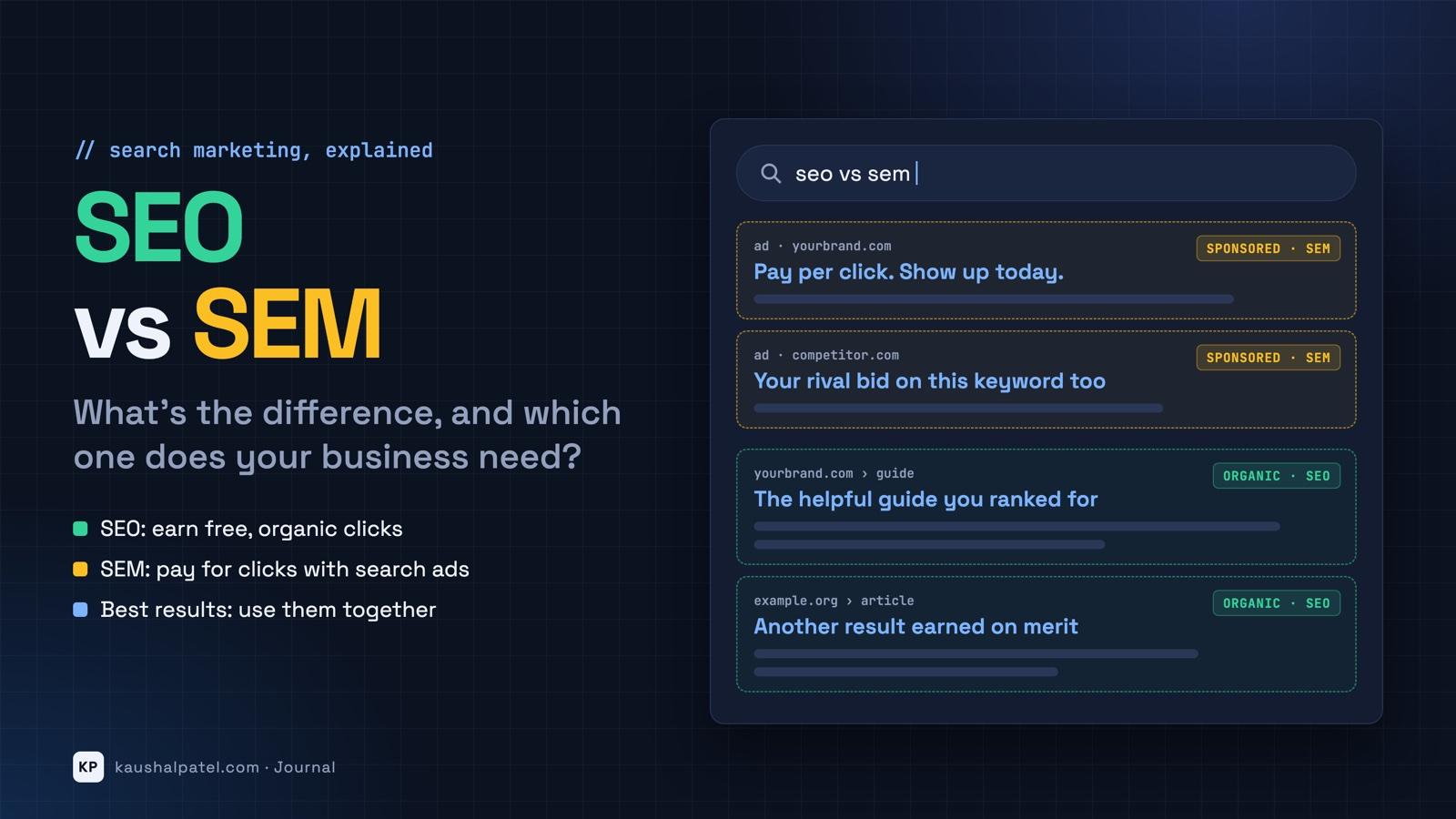
Type almost anything into a search engine and you’ll see two kinds of results: sponsored ads at the top, and organic results below them. Getting into the first group is SEM (search engine marketing). Earning a place in the second is SEO (search engine optimisation). Both put your business in front of people who are actively searching, but they work very differently.
This guide explains SEO vs SEM in plain language: what each one means, how they work, the key differences in cost, speed and long-term value, and how to decide which one your business needs (or how to use both together). You’ll also find comparison tables, a decision guide and copy-ready checklists.
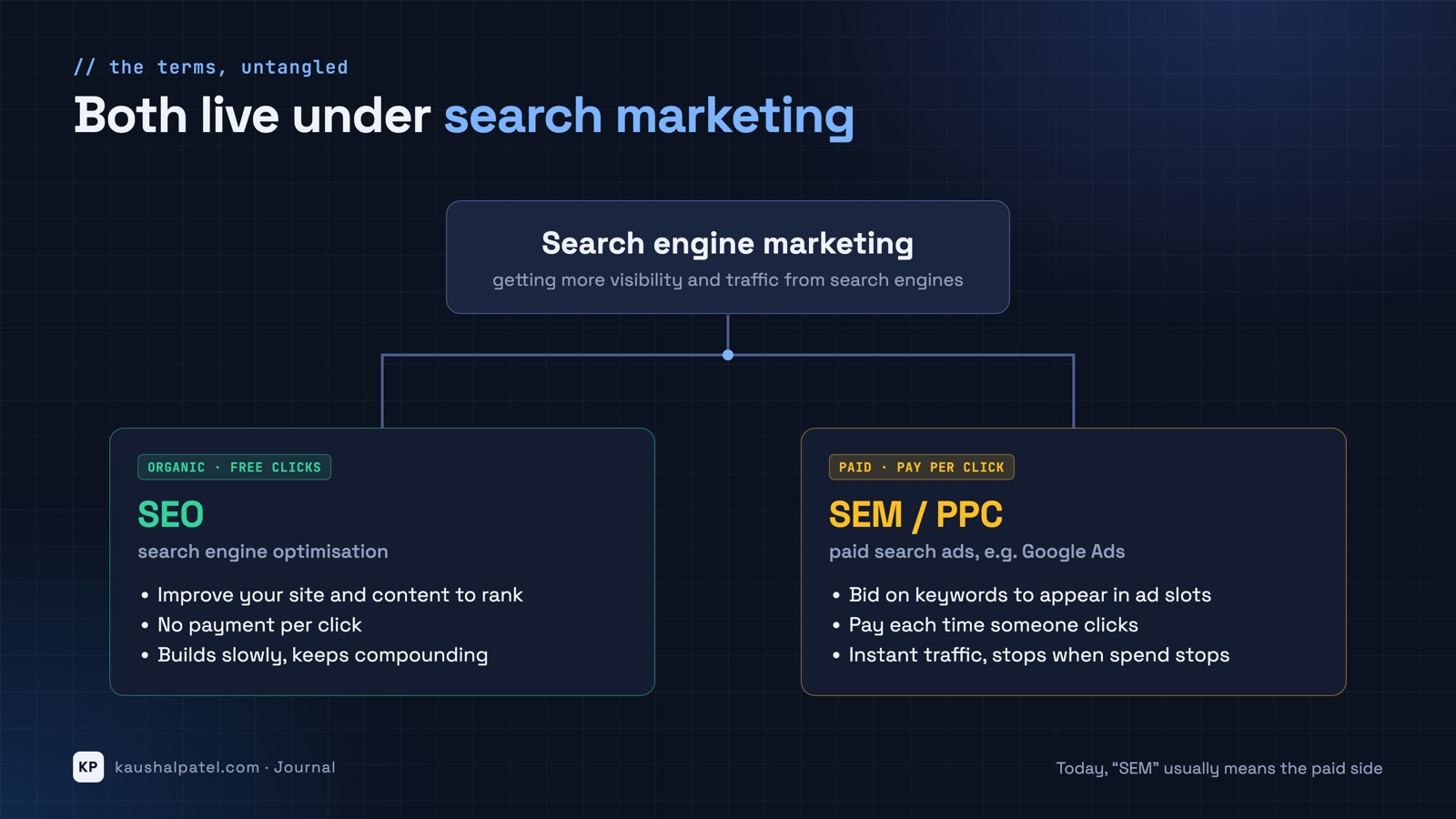
SEO and paid search both sit under search marketing. Today, “SEM” usually means the paid side.
What is SEO?
SEO (search engine optimisation) is the practice of improving your website and content so search engines like Google and Bing rank it higher in the organic search results, the unpaid listings. You don’t pay the search engine for these clicks. Instead, you earn your position by being the most relevant, useful and trustworthy answer to what people are searching for.
Good SEO covers your whole website: how fast and crawlable it is, how your pages are structured, what your content says, and how other sites refer to you. For a full step-by-step walkthrough, see how to rank a website on Google.
What is SEM?
SEM (search engine marketing) originally meant any marketing on search engines, including SEO. Today, most marketers use SEM to mean paid search advertising: bidding on keywords so your ads appear in the sponsored slots of the results page. The most common model is PPC (pay-per-click), where you pay only when someone clicks your ad. The biggest platforms are Google Ads and Microsoft Advertising (which shows ads on Bing).
So when people ask “SEO vs SEM?”, they usually mean organic search vs paid search. That’s the comparison this guide uses.
Where SEO and SEM appear on the results page
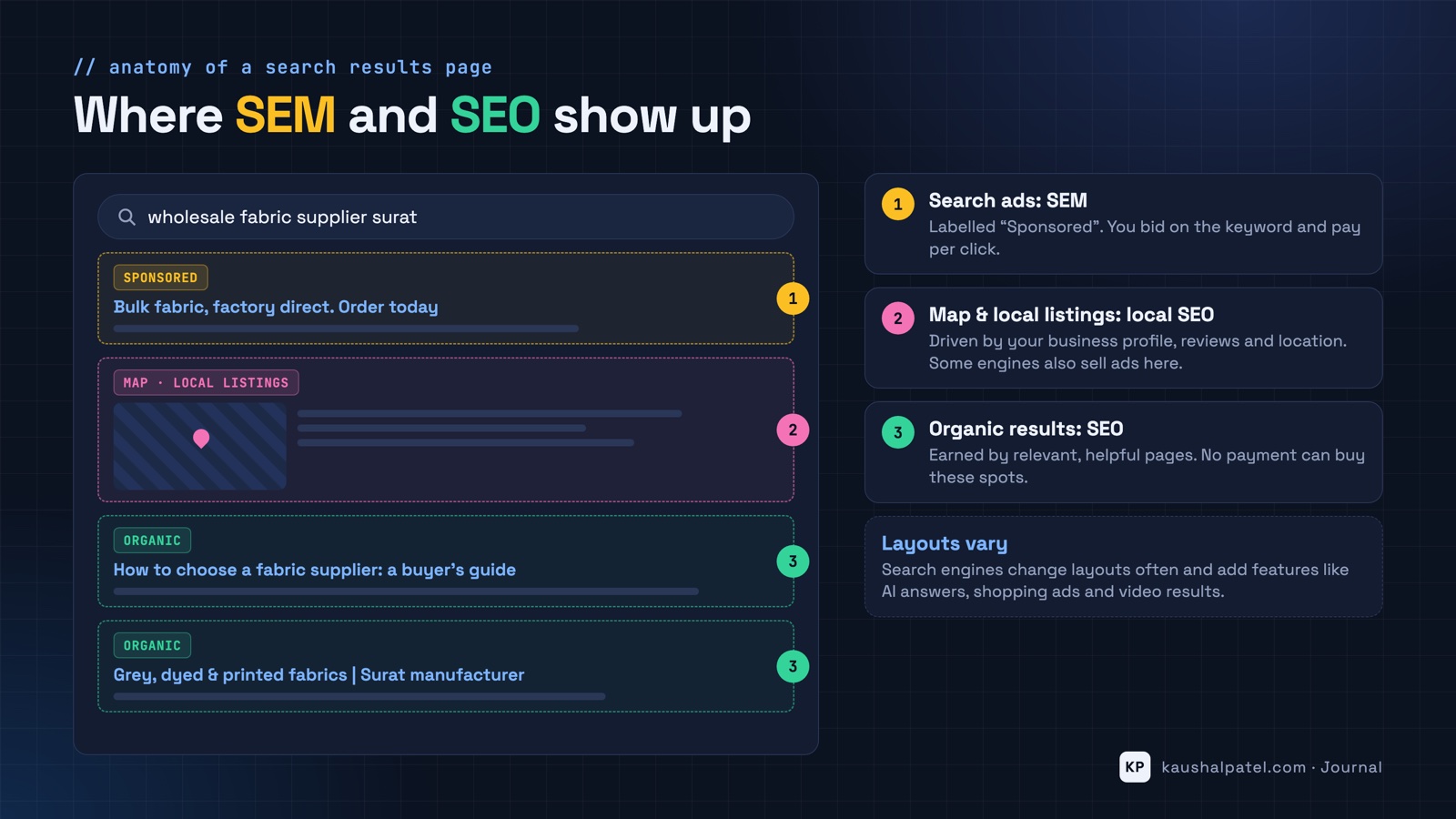
Sponsored ads (SEM), the local map pack (local SEO) and organic results (SEO). Exact layouts vary by search and change often.
Sponsored results are clearly labelled, often with “Sponsored” or “Ad”. Organic results can’t be bought: no amount of ad spend moves your website up the organic rankings. Local businesses can also appear in the map listings, which depend mainly on your business profile, reviews and relevance to the searcher’s location.
SEO vs SEM: the key differences
SEO (organic search)
SEM (paid search / PPC)
Where you appear
Organic results
Sponsored ad slots
Cost per click
None; you invest in content, time and expertise
You pay each time someone clicks
Speed to results
Usually months
As soon as ads are approved and live
When you stop
Rankings often hold for a while, then fade without upkeep
Traffic stops almost immediately
Control
Limited; search engines decide rankings
High; you choose keywords, budget, locations, schedule and ad text
Targeting
By topic and search intent
By keyword, location, device, time, audience and more
SEO earns the ranking. SEM wins an auction on every search.
The four pillars of SEO
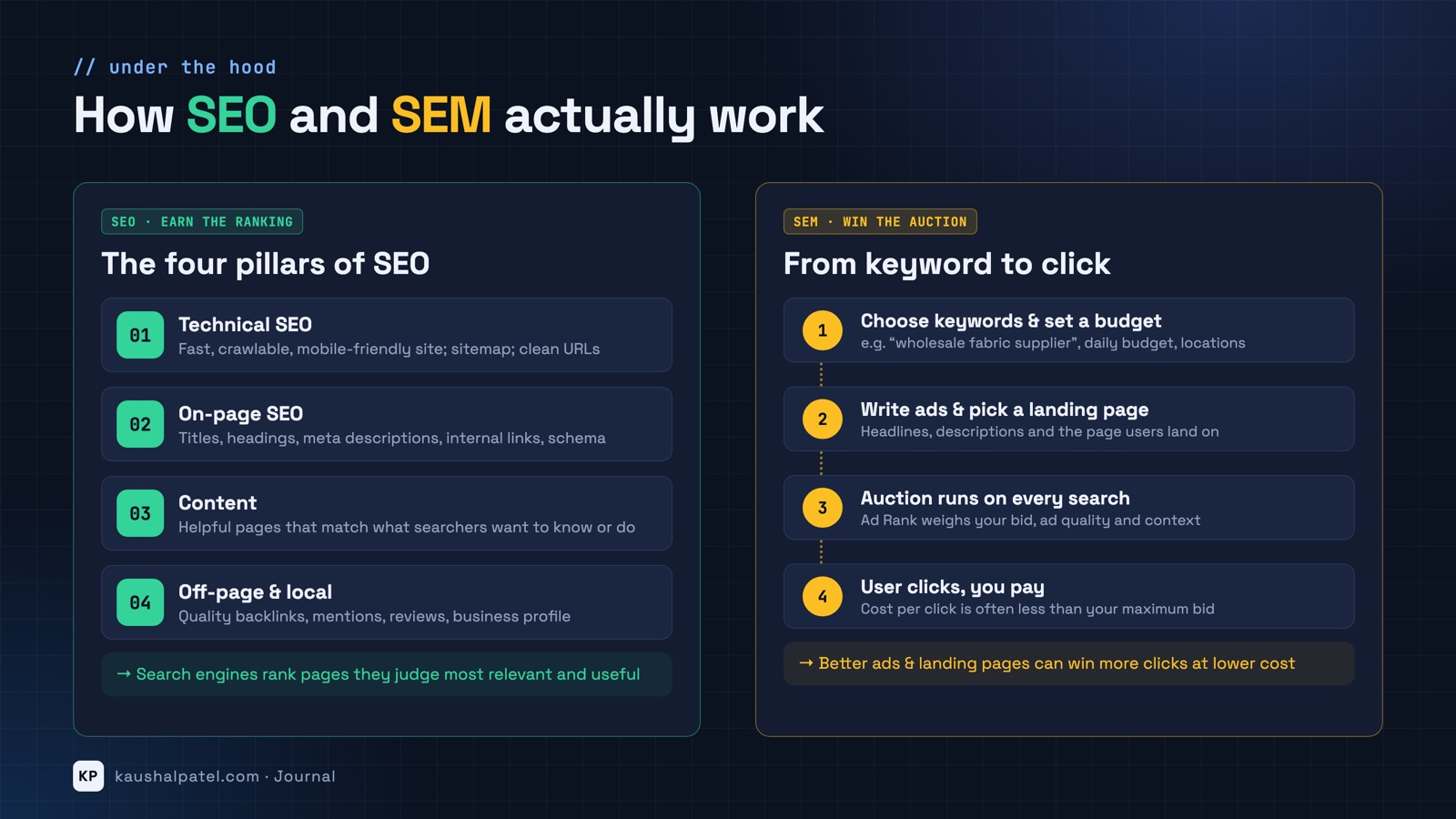
Technical SEO: search engines must be able to crawl and understand your site. That means fast pages, a mobile-friendly design, HTTPS, an XML sitemap, clean URLs and no broken links.
On-page SEO: each page targets a clear topic, with a descriptive title tag, a helpful meta description, logical headings, descriptive image alt text, internal links and structured data where it fits.
Content: pages that genuinely answer what searchers want: guides, comparisons, product and service pages, FAQs. If you need a way to publish this easily, a good content management system (CMS) helps.
Off-page and local SEO: links and mentions from other reputable websites, plus for local businesses, an accurate business profile and genuine customer reviews.
How paid search (PPC) works
Choose keywords and a budget. You pick the searches you want to appear for, set a daily budget and choose locations and languages.
Write ads and pick a landing page. Your ad needs headlines, descriptions and a page that delivers what the ad promises.
An auction runs on every search. Search engines don’t simply show the highest bidder. In Google Ads, your position depends on Ad Rank, which considers your bid, the quality of your ad and landing page, and the context of the search.
You pay when someone clicks. You’re charged per click, and the actual cost per click is often lower than the maximum bid you set.
Google Ads also gives each keyword a Quality Score from 1 to 10, based on expected click-through rate, ad relevance and landing page experience. Higher-quality ads can win better positions without simply bidding more, which is why good SEO habits (relevant, fast, helpful pages) also make paid search more efficient.
Speed vs staying power
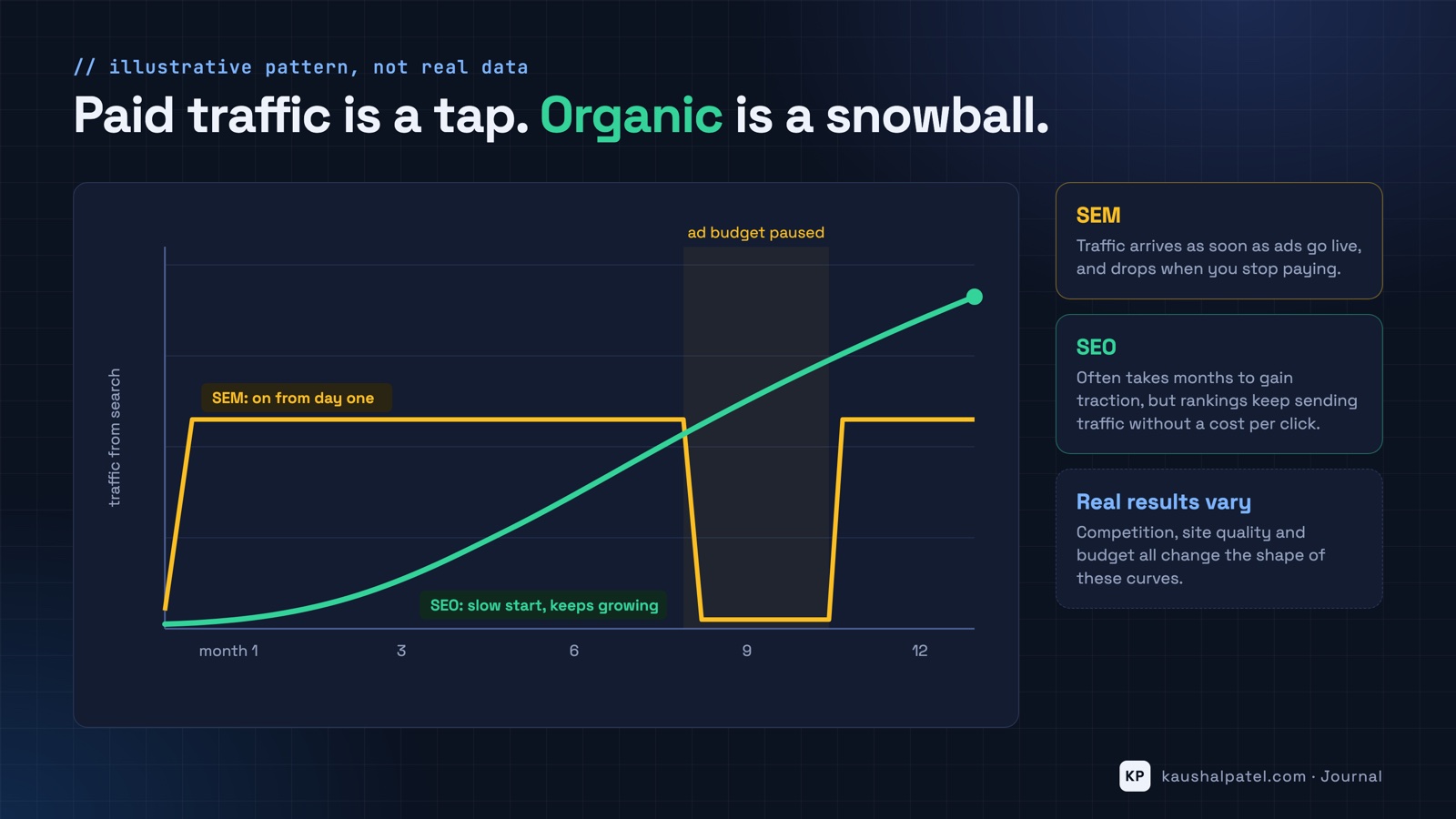
An illustrative pattern: paid search is a tap, organic search is a snowball. Real curves depend on competition, site quality and budget.
This is the biggest practical difference between SEO and SEM. Paid search delivers traffic as soon as your ads go live, which makes it perfect for launches, seasonal offers and testing. But it’s rented attention: when the budget stops, so do the clicks.
SEO is the opposite. It often takes months before new pages rank well, especially in competitive markets. But once a page ranks, it can keep bringing visitors for a long time without a cost per click. Over time, a library of well-ranked pages becomes one of a business’s most valuable marketing assets.
Pros and cons of SEO and SEM
Pros
Cons
SEO
No cost per click
Compounding, long-term traffic
Builds trust and authority
Covers many long-tail searches
Slow to show results
Rankings aren’t guaranteed
Algorithm updates can shift rankings
Needs ongoing content and upkeep
SEM
Immediate visibility
Precise targeting and control
Fast, measurable testing
Easy to scale up or pause
Costs money for every click
Traffic stops when spend stops
Competitive keywords can be expensive
Needs constant monitoring to avoid waste
Match the keyword to the right channel
Not every search deserves the same strategy. A practical way to divide the work is by search intent, meaning what the person wants when they type the query:
SEO first, with SEM for your most valuable comparisons
Transactional: ready to act
“buy cotton fabric wholesale”
SEM and SEO: capture high-intent buyers both ways
Local: nearby
“fabric supplier near me”
Local SEO, plus local search ads if competitive
Navigational: your brand
“your brand name”
SEO; brand ads only if competitors bid on your name
SEO or SEM: which one does your business need?
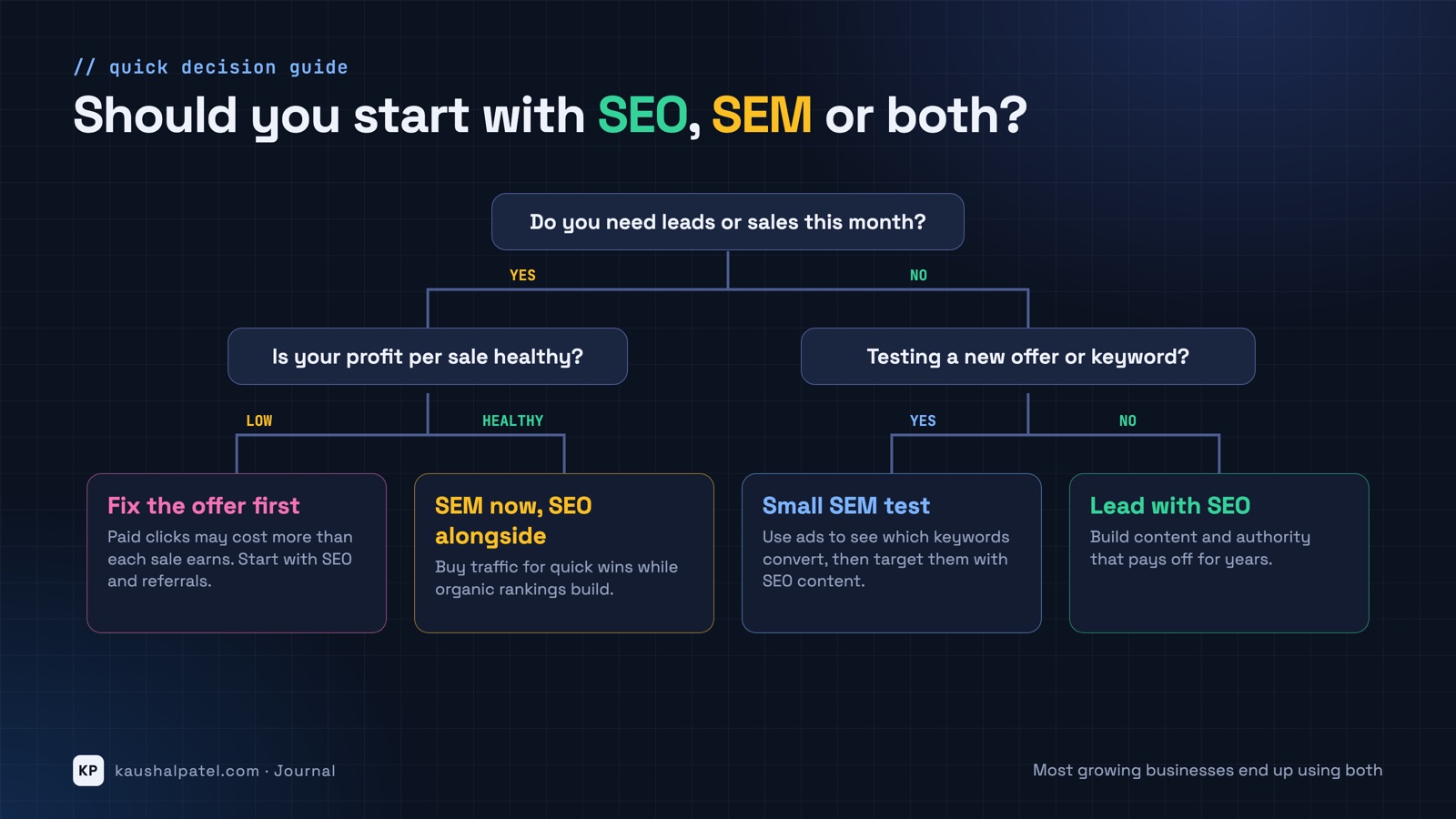
A quick way to choose where to start. Most growing businesses end up using both.
Choose SEM first when: you’re launching something new, you need leads quickly, you’re running a time-limited offer, or your organic rankings are still weak. Make sure your profit per sale can cover your cost per lead.
Choose SEO first when: your budget is tight, your customers research before buying, you want to build long-term authority, or the paid keywords in your industry are very expensive.
Use both when: you want both quick results and long-term growth. That describes most businesses once they get going.
Quick game · SEO, SEM or both?
Which would you choose?
Six real-world situations. Decide, then tap to reveal a suggested answer.
A new online store launching a festive sale next week
SEM. There’s no time for organic rankings to build. Paid search can put the offer in front of buyers immediately.
A consultant who wants steady leads over the next few years
SEO. Helpful articles and service pages build authority and keep bringing enquiries without paying per click.
A local clinic that wants more patients from nearby searches
Local SEO first. An accurate business profile, reviews and location pages matter most. Add local ads if competition is high.
A startup unsure which message will resonate
A small SEM test. Run ads with different headlines to learn which promise gets clicks and sign-ups, then build SEO content around the winners. It’s the same test-first thinking behind building an MVP.
A low-priced product with a thin profit margin
SEO, and fix the economics first. If each click costs more than you earn per sale, paid search loses money. See how to protect your margin.
An established business with good rankings and a healthy budget
Both. Keep improving SEO, and use SEM on high-value keywords, new products and searches where you don’t yet rank.
How SEO and SEM work better together
Use SEM data to guide SEO. Paid search shows within days which keywords actually lead to sales. Prioritise those for your SEO content.
Use SEO pages to improve SEM. Fast, relevant, helpful landing pages can raise ad quality and lower your cost per click.
Cover the whole results page. Appearing in both the ads and the organic results for an important search increases your visibility and credibility.
Fill gaps while SEO grows. Run ads on valuable keywords you don’t rank for yet, then reduce spend as organic rankings improve.
Retarget organic visitors. People who found you through SEO but didn’t buy can be reached again with paid campaigns.
Metrics to track for SEO and SEM
Channel
Metric
What it tells you
Where to find it
SEO
Impressions and clicks
How often you appear and get chosen
Google Search Console
SEO
Average position
Where your pages rank for each query
Google Search Console
SEO
Organic conversions
Leads or sales from organic visitors
Your analytics tool, e.g. Google Analytics
SEM
Click-through rate (CTR)
How compelling your ad is
Your ads platform
SEM
Cost per click (CPC)
What each visitor costs
Your ads platform
SEM
Cost per acquisition (CPA)
What each lead or sale costs
Ads platform with conversion tracking
SEM
Return on ad spend (ROAS)
Revenue earned per rupee or dollar spent
Ads platform with conversion values
The most important number for both: cost per lead or sale compared with what that customer is worth. Clicks and rankings are only useful if they turn into business.
Checklists you can copy
Use this on-page SEO checklist for every important page:
ON-PAGE SEO CHECKLIST
[ ] One clear primary keyword per page
[ ] Title tag under ~60 characters, keyword near the start
[ ] Meta description under ~160 characters with a clear benefit
[ ] One H1, with logical H2/H3 headings
[ ] Answers the searcher's question early on the page
[ ] Descriptive image file names and alt text
[ ] 3+ internal links to related pages
[ ] Fast on mobile, no layout shifts
[ ] Structured data (schema) where it fits: FAQ, product, article
[ ] Clear next step: call, enquiry, purchase
And this simple structure for your first paid search campaign:
FIRST PAID SEARCH CAMPAIGN PLAN
Goal:          [e.g. 20 qualified enquiries / month]
Max CPA:       [the most you can pay per lead and still profit]
Daily budget:  [start small; scale what works]
Locations:     [only where you can serve customers]
Ad group 1:    [one tight theme, e.g. "wholesale cotton fabric"]
  Keywords:    [5-15 closely related, high-intent searches]
  Negatives:   [free, jobs, DIY, other irrelevant terms]
  Ads:         [2-3 versions; test headlines and offers]
  Landing page:[the page that matches this exact search]
Tracking:      [conversion tracking set up BEFORE launch]
Review:        [weekly: search terms, CPA, pause the losers]
Common SEO and SEM mistakes
Sending ad traffic to your homepage. Each ad group should land on the page that matches the search.
Running ads without conversion tracking. Without it, you can’t tell which clicks make money.
Ignoring negative keywords. Irrelevant searches can quietly eat your budget.
Expecting SEO results in weeks. Plan for months, and keep publishing.
Writing for search engines, not people. Keyword stuffing doesn’t help; helpful, clear content does.
Neglecting site speed and mobile. A slow site hurts both your rankings and your ad quality. If you’re on Next.js, deploying on Vercel is a simple way to get fast hosting.
Treating them as rivals. SEO and SEM work best as one search strategy, sharing data and goals.
Frequently asked questions
What is the main difference between SEO and SEM?
SEO earns free, organic traffic by improving your website so it ranks higher in search results. SEM, in its common modern meaning, uses paid search ads to appear in sponsored results, and you pay for each click.
Is SEO part of SEM?
Originally, yes: search engine marketing was an umbrella term that included SEO and paid search. Today most people use SEM to mean paid search only, and treat SEO as a separate discipline.
Is SEM the same as PPC?
They overlap heavily. PPC (pay-per-click) is a pricing model where you pay per click, used in search ads and elsewhere. SEM refers to marketing on search engines, which today mostly means PPC search ads.
Which is better, SEO or SEM?
Neither is better in every case. SEM is better for fast results, launches and testing. SEO is better for long-term, cost-efficient growth. Most businesses get the best results by combining them.
How long does SEO take to work?
It varies with competition, your website’s history and the quality of your content, but SEO typically takes months rather than weeks to show meaningful results.
Does running Google Ads improve my organic rankings?
No. Paying for ads doesn’t directly change your organic rankings. However, ad data can show you which keywords convert, which helps you plan better SEO content.
How much should I spend on SEM?
Start with a budget you can afford to test with, set a maximum cost per lead based on what a customer is worth to you, and only increase spend on campaigns that stay under that limit.
The bottom line
The difference between SEO and SEM comes down to earned vs paid, and slow and compounding vs fast and rented. SEM gets you seen today; SEO keeps you seen tomorrow. Start with the one that matches your goals and budget, measure what turns into real customers, and bring the two together as you grow. And remember that search is only one channel; distribution matters as much as the product itself.
Want a fast, SEO-friendly website that ranks and converts, or help planning your search strategy? Let’s talk.
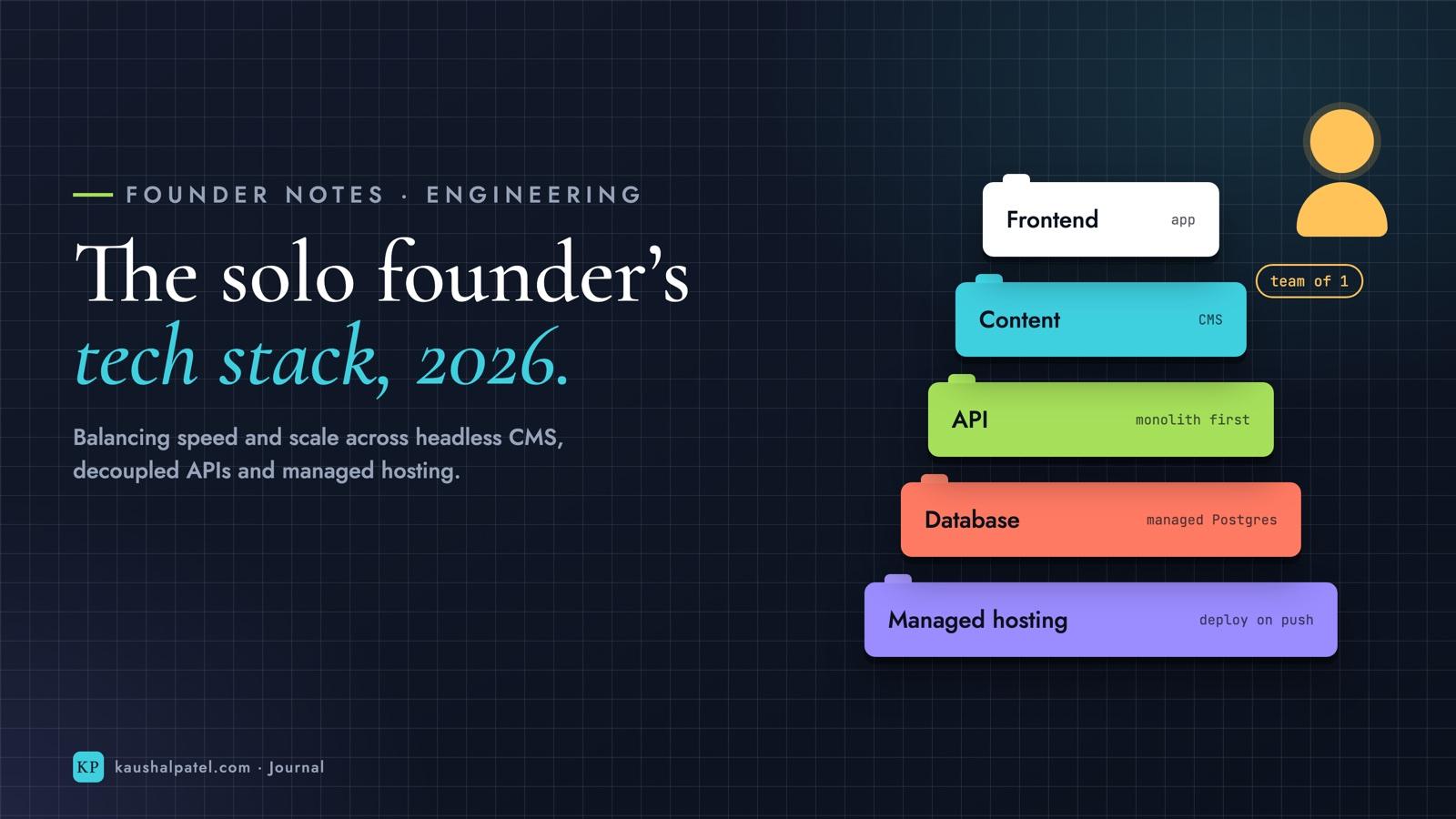
Headless CMS, decoupled APIs or a monolith, managed hosting or a VPS: how to pick a 2026 stack one person can run, with a hosting cost calculator and checklist.
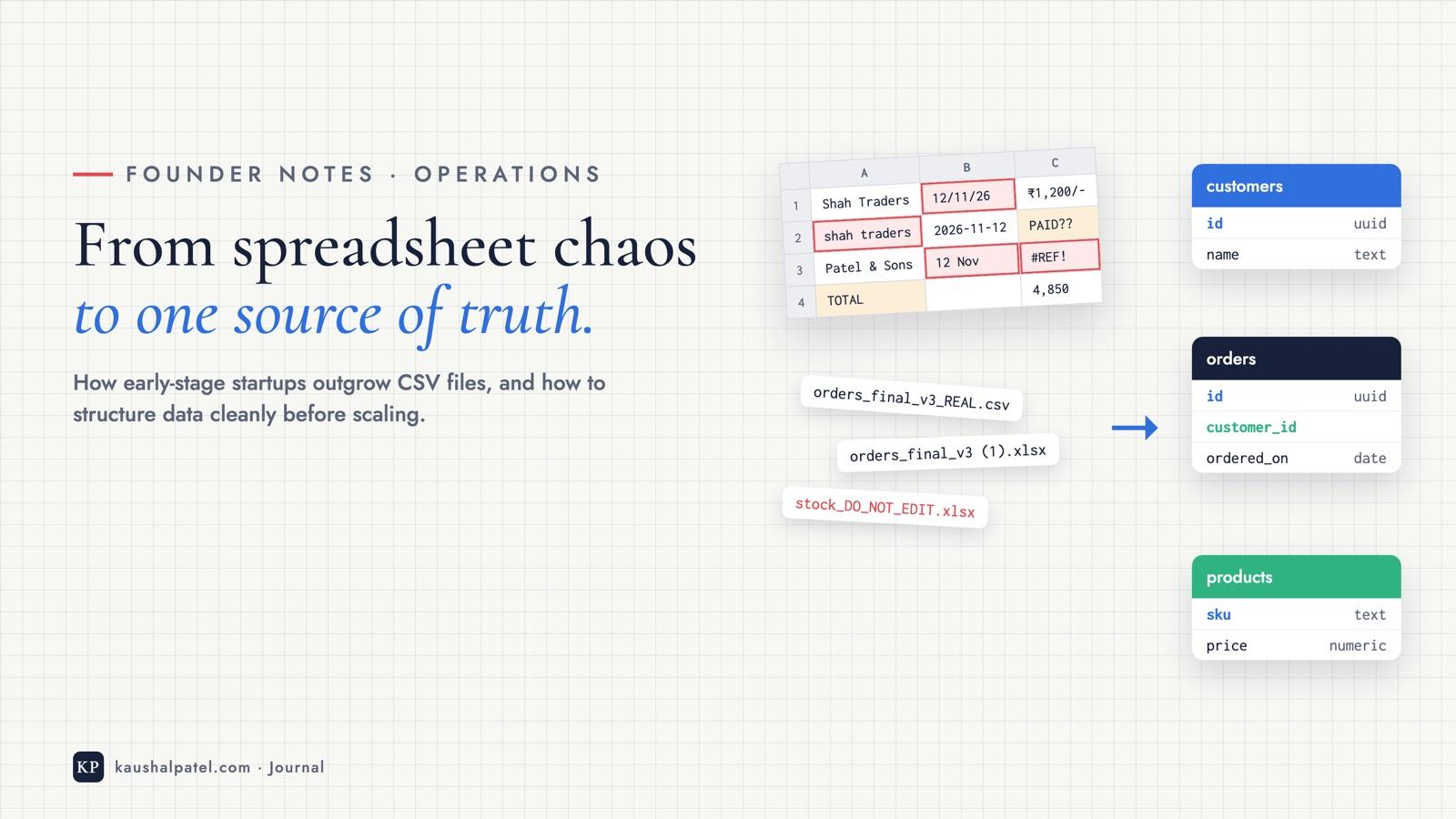
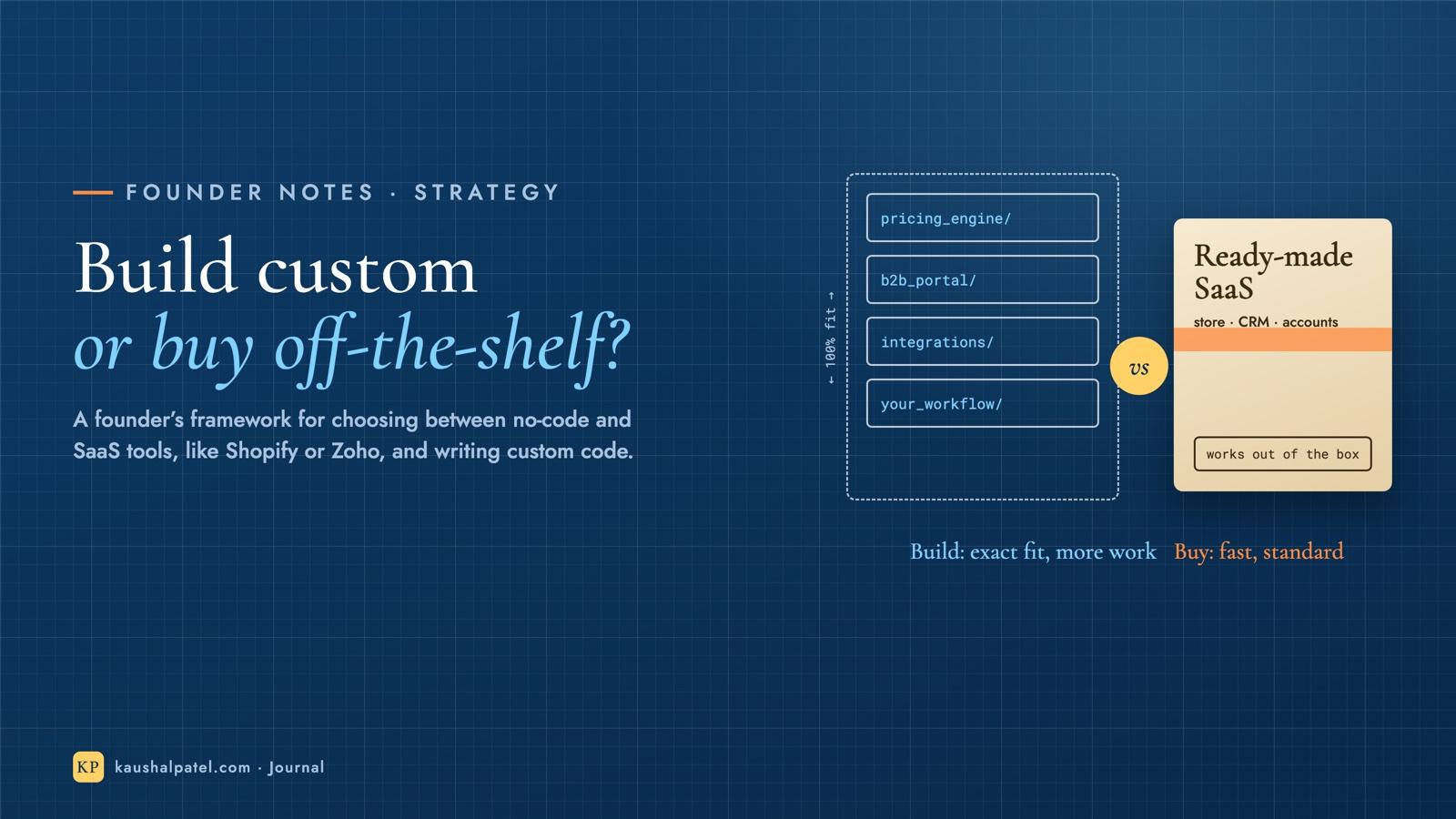
Build vs buy software: when to use no-code and SaaS tools like Shopify or Zoho and when to write custom code, with a decision tree, cost guide and matrix.