Every business wants to be on the first page of Google. But search is changing fast: AI-generated answers, more video and forum results, and constantly updated ranking systems. So what actually works if you want to rank a website on Google in 2027?
The good news: the fundamentals haven’t changed. Google still wants to show the most helpful, relevant and trustworthy result for each search. This step-by-step SEO guide shows you how to build exactly that: a technically sound website, well-chosen keywords, genuinely useful content, real authority, and pages that get cited in AI search. It includes diagrams, comparison tables, copy-ready templates, a 90-day SEO roadmap and a checklist.
How Google search works
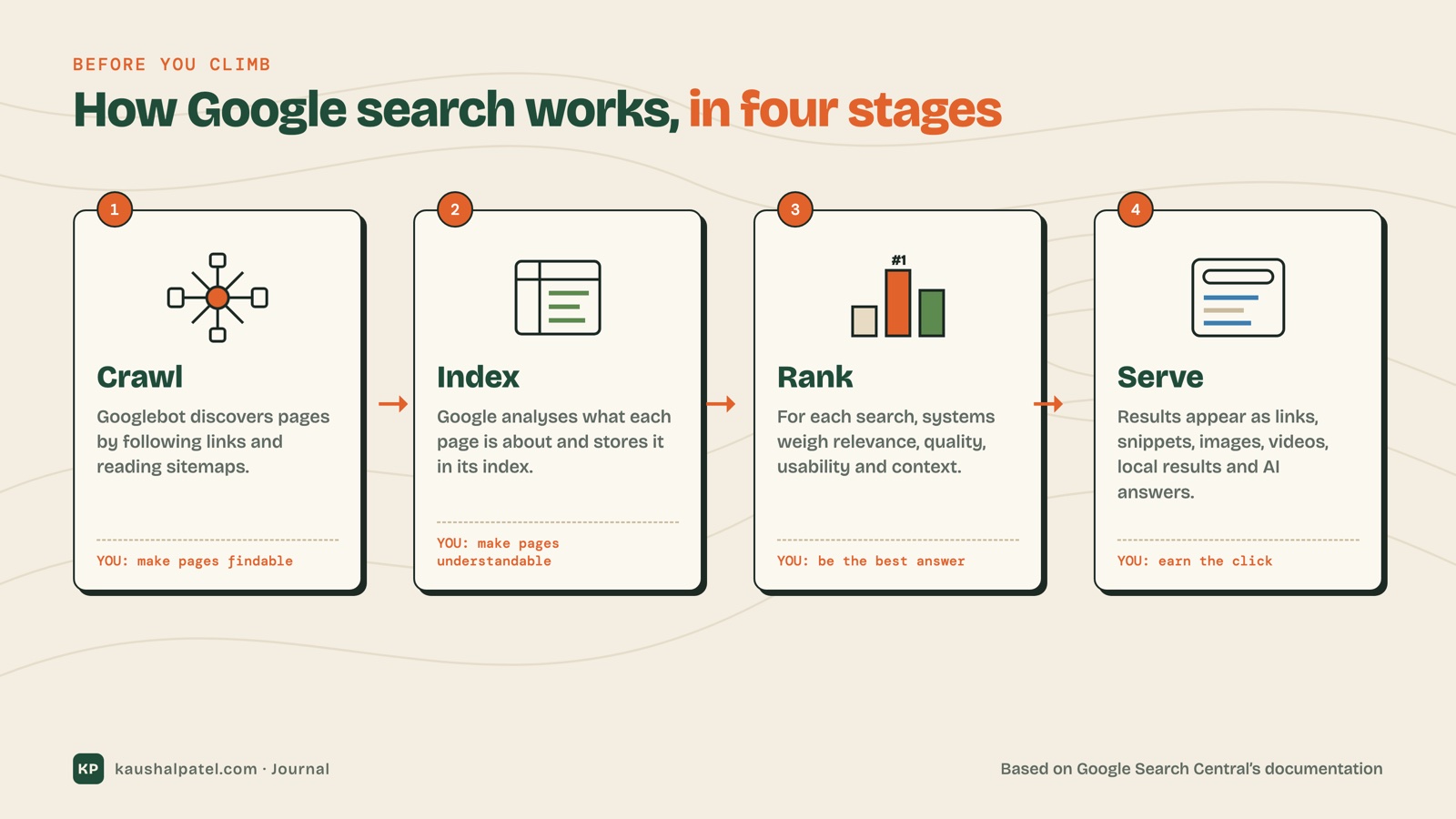
Before you try to rank, it helps to know what Google does with your website. According to Google Search Central’s documentation, search works in stages:
Your job at every stage: findable, understandable, the best answer, worth the click.
Crawling: Googlebot discovers pages by following links and reading your XML sitemap.
Indexing: Google analyses the text, images and structure of each page and stores it in its index. Pages that aren’t indexed can’t rank at all.
Ranking and serving: when someone searches, Google’s systems pick and order the most relevant, useful results, taking into account things like the searcher’s location, language and device.
The SEO ranking pyramid
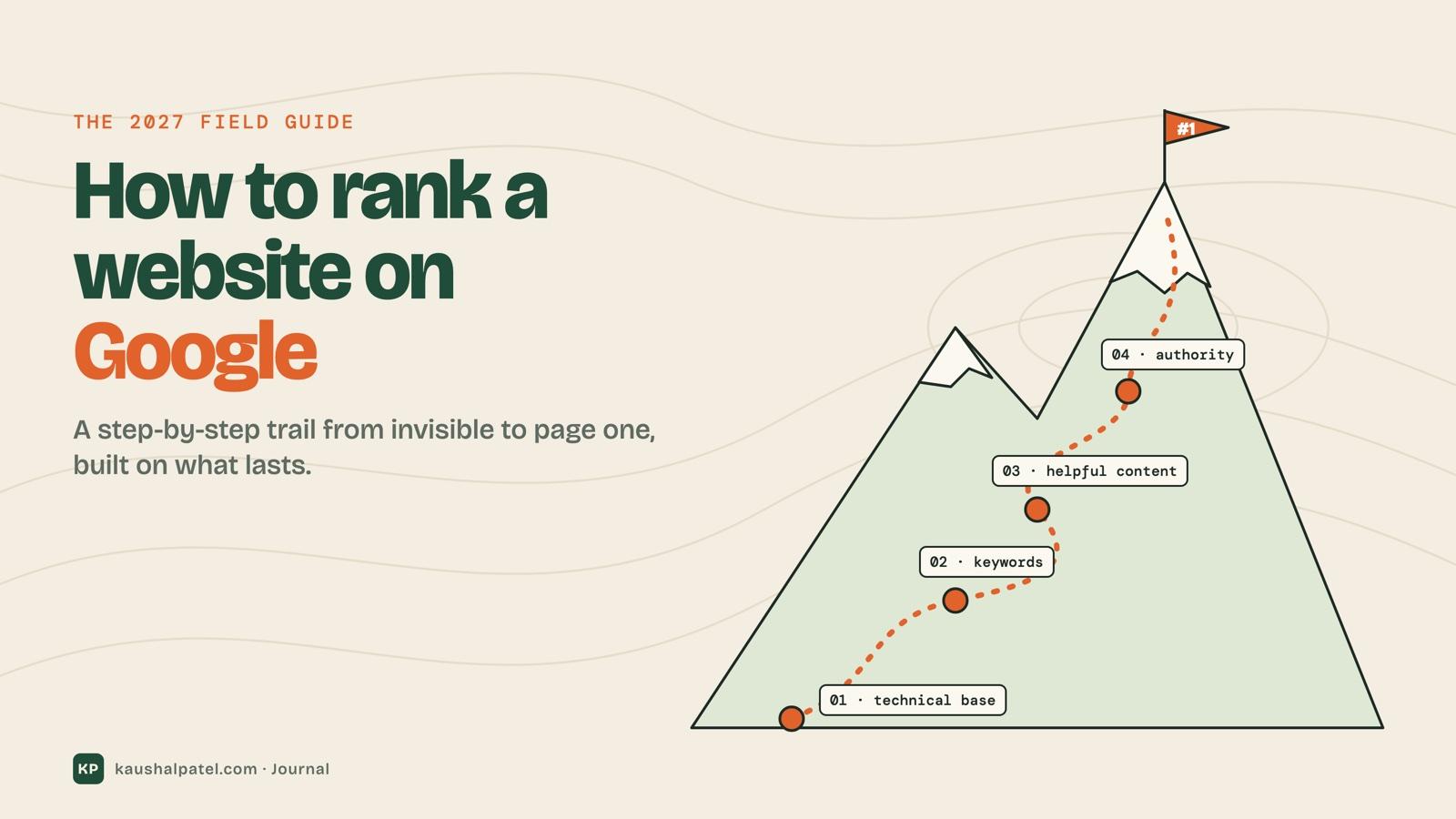
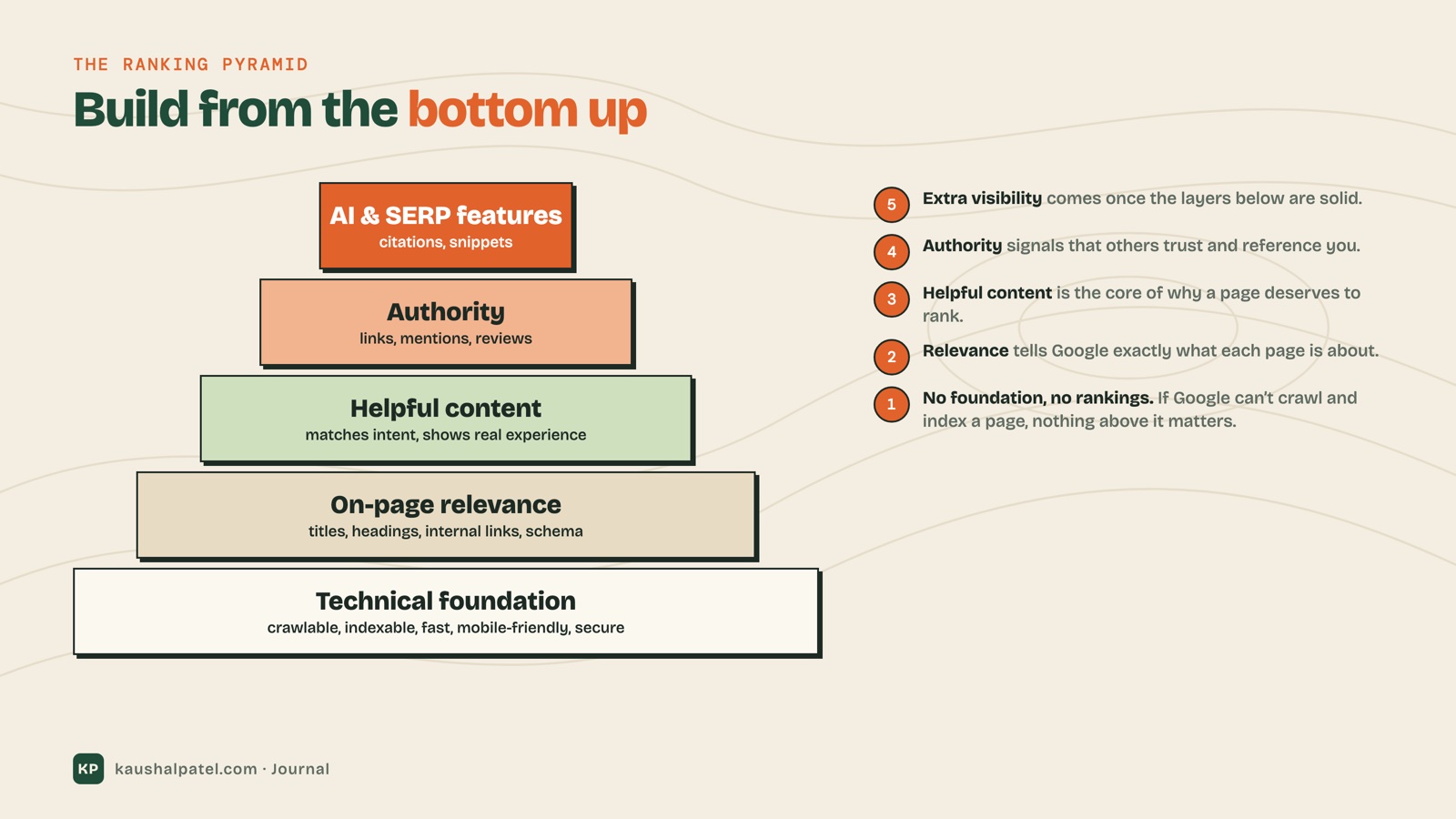
Ranking well is like climbing a mountain: you can’t skip the base camp. Each layer depends on the one below it.
No foundation, no rankings. Build from the bottom up.
How to rank a website on Google: 10 steps
Step 1: Set up Google Search Console and analytics
Google Search Console is free and essential. It shows which searches bring people to your site, which pages are indexed, and any problems Google finds. Verify your site, submit your XML sitemap, and connect an analytics tool such as Google Analytics so you can see what visitors do after they arrive.
Step 2: Fix your technical SEO foundation
Technical SEO makes sure Google can find, crawl, render and index your pages. Check these first:
Technical SEO check
Why it matters
How to check
Pages are indexed
Unindexed pages can’t rank
Search Console: Pages report
XML sitemap submitted
Helps Google discover your pages
Search Console: Sitemaps
robots.txt isn’t blocking key pages
A wrong rule can hide your whole site
Open yoursite.com/robots.txt
Mobile-friendly design
Google primarily uses the mobile version of your site for indexing
Test pages on a real phone
HTTPS everywhere
Security and user trust
Look for the padlock on every page
Clean, descriptive URLs
Easier for people and search engines to understand
Page experience matters, especially on mobile. Google’s Core Web Vitals measure loading, responsiveness and visual stability. These are the thresholds Google describes as “good”:
Metric
What it measures
Good
Common fixes
LCP (Largest Contentful Paint)
How fast the main content loads
2.5 s or less
Compress images, fast hosting, preload the hero image
INP (Interaction to Next Paint)
How quickly the page responds to taps and clicks
200 ms or less
Less JavaScript, defer third-party scripts
CLS (Cumulative Layout Shift)
How much the layout jumps while loading
0.1 or less
Set image sizes, reserve space for ads and embeds
Check yours with PageSpeed Insights or the Core Web Vitals report in Search Console. Hosting matters too: if you build with Next.js, deploying on Vercel gives you a fast global setup with little effort.
Step 4: Do keyword research based on search intent
Keyword research means finding the words your customers actually type, then understanding why they type them. Start with your products or services, then use tools like Google Search Console, Google Keyword Planner, Google’s autocomplete and “People also ask” to expand your list.
Focus on search intent. Google ranks pages that match what the searcher wants, so the type of page matters as much as the words on it:
Search intent
Example keyword
Best type of page
Informational
“how to choose a web developer”
Guide, how-to article, explainer
Commercial
“best CMS for small business”
Comparison, review, “best of” list
Transactional
“hire web developer in Surat”
Service page, product page, pricing page
Local
“web design company near me”
Google Business Profile, location page
Navigational
“your brand name”
Homepage, about page
For new websites, long-tail keywords (longer, more specific phrases) are usually easier to rank for and often bring visitors who are closer to buying.
Step 5: Plan topic clusters
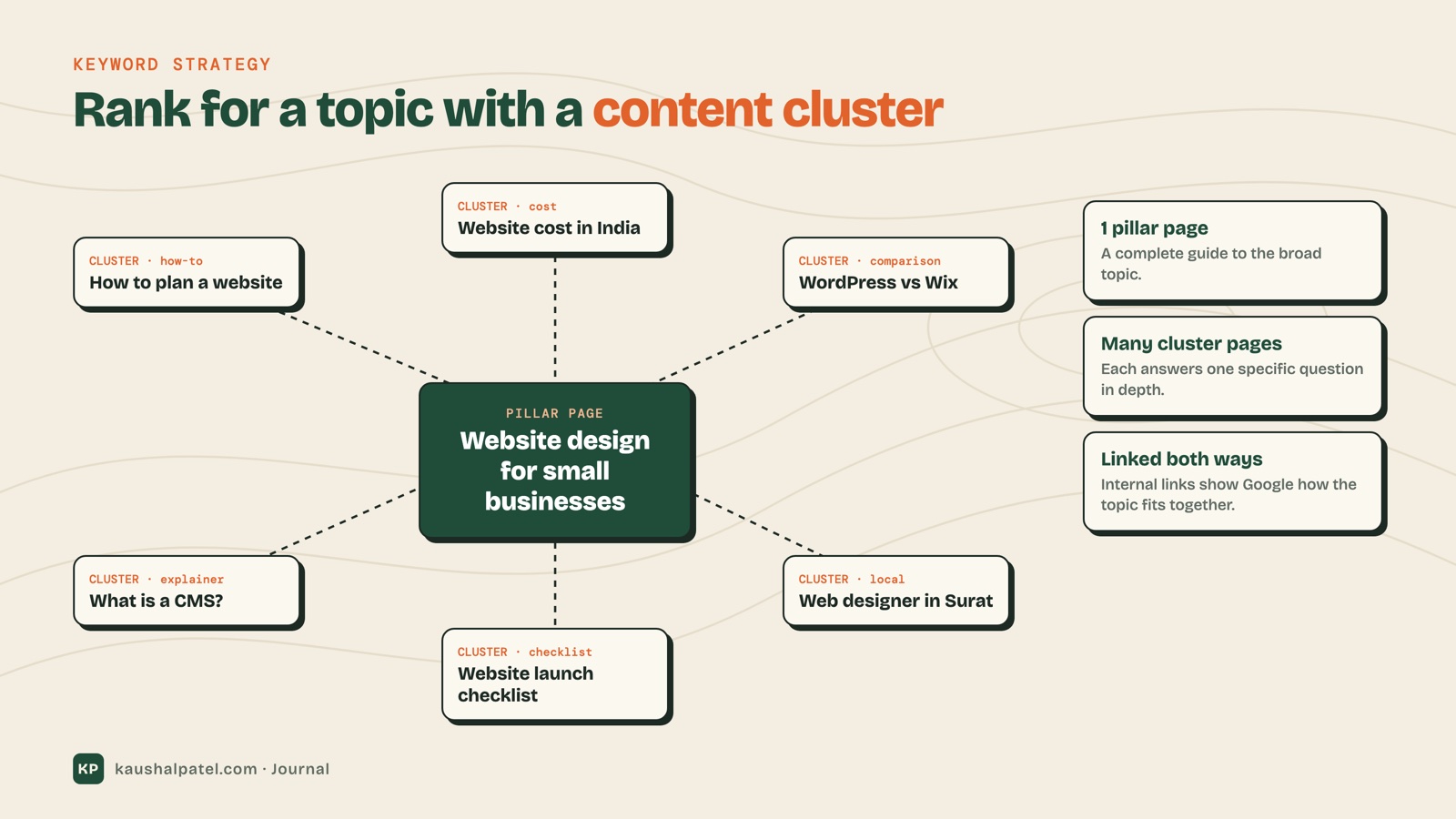
One pillar page, many focused cluster pages, linked both ways.
Instead of writing random posts, build topic clusters: a broad pillar page supported by detailed pages on each sub-question, all linked together. This helps visitors find what they need and helps Google understand that your site covers the topic in depth.
Step 6: Create helpful, people-first content
This is the step that matters most. Google’s guidance on helpful, reliable, people-first content asks whether your page was made to help people, or mainly to attract search clicks. Ask yourself:
Does this page fully answer the searcher’s question, better than what already ranks?
Does it show first-hand experience, such as real examples, photos, results or lessons?
Would someone leave feeling they learned enough to reach their goal?
Is it accurate, up to date and easy to read?
Does it add something original, not just a rewrite of other pages?
What about AI-written content? Google’s guidance focuses on the quality of content, not how it’s produced. But using automation mainly to churn out pages to manipulate rankings goes against its spam policies. AI tools can help you research and draft (see AI tools that boost productivity), but the experience, judgement and final quality need to be yours.
Step 7: Show E-E-A-T
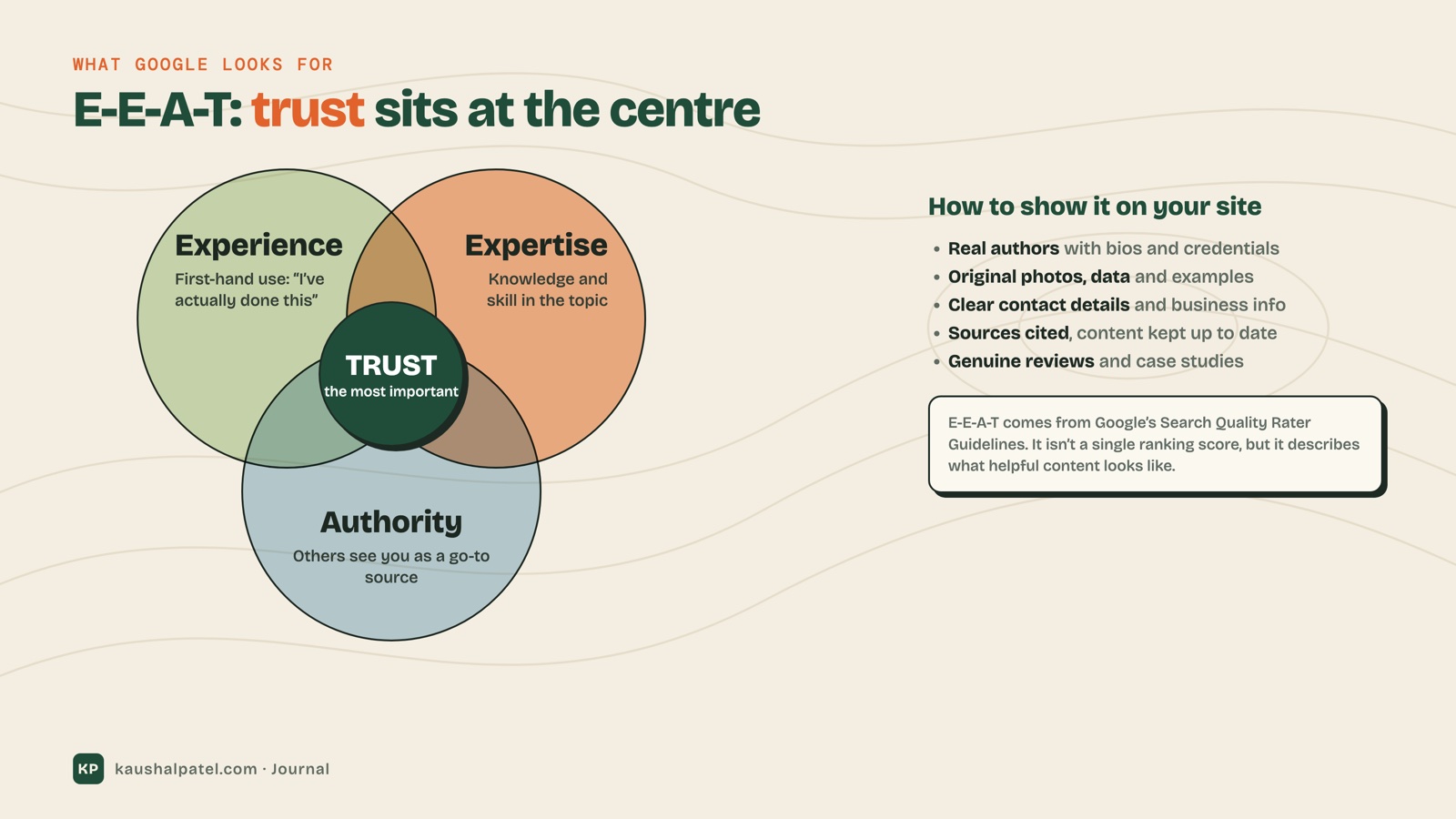
Experience, Expertise, Authoritativeness and Trust, with trust at the centre.
E-E-A-T stands for Experience, Expertise, Authoritativeness and Trustworthiness. It comes from Google’s Search Quality Rater Guidelines, which describe what high-quality content looks like. It isn’t a single score, but it’s a useful checklist. Show who writes your content, why they’re qualified, how to contact your business, and where your facts come from.
Step 8: Optimise every page (on-page SEO)
On-page element
Best practice
Title tag
Unique, descriptive, main keyword near the start, about 50–60 characters
Meta description
A clear summary with a reason to click, about 150–160 characters
H1 heading
One per page, describing the main topic
Subheadings (H2, H3)
Logical structure that answers related questions
Opening paragraph
Answer the main question early and clearly
Images
Compressed, descriptive file names and alt text
Internal links
Link to related pages with descriptive anchor text
Structured data
Schema for articles, products, FAQs, local business where relevant
Copy and adapt this title and description formula:
TITLE TAG FORMULA
[Primary keyword]: [Benefit or angle] | [Brand]
e.g. Web Design for Small Businesses: Fast, SEO-Ready Sites | Acme

META DESCRIPTION FORMULA
[What the page gives] + [who it's for] + [proof or detail] + [next step]
e.g. Affordable, mobile-friendly websites for small businesses in
Surat. Built for speed and SEO. See our work and get a free quote.
And add structured data so Google understands your business. A basic example in JSON-LD:
Test any structured data with Google’s Rich Results Test before publishing.
Step 9: Build authority with links, mentions and reviews
Links from other reputable websites are still one of the clearest signals that your content is worth trusting. Focus on earning them, not buying them. Buying links or joining link schemes breaks Google’s spam policies and can hurt your rankings.
Create link-worthy resources: original data, free tools, detailed guides, templates.
Get listed where it matters: industry associations, local business directories, supplier and partner pages.
Share real expertise: guest articles, podcasts, interviews, quotes for journalists.
Build your local presence: a complete Google Business Profile and genuine customer reviews.
Fix broken backlinks: redirect old URLs that other sites still link to.
Step 10: Measure, improve and refresh
SEO is never “done”. Every month, check Search Console for pages with lots of impressions but few clicks (improve their titles), and pages ranking on page two (improve the content and internal links). Update older articles so they stay accurate and useful.
How to rank in AI search in 2027
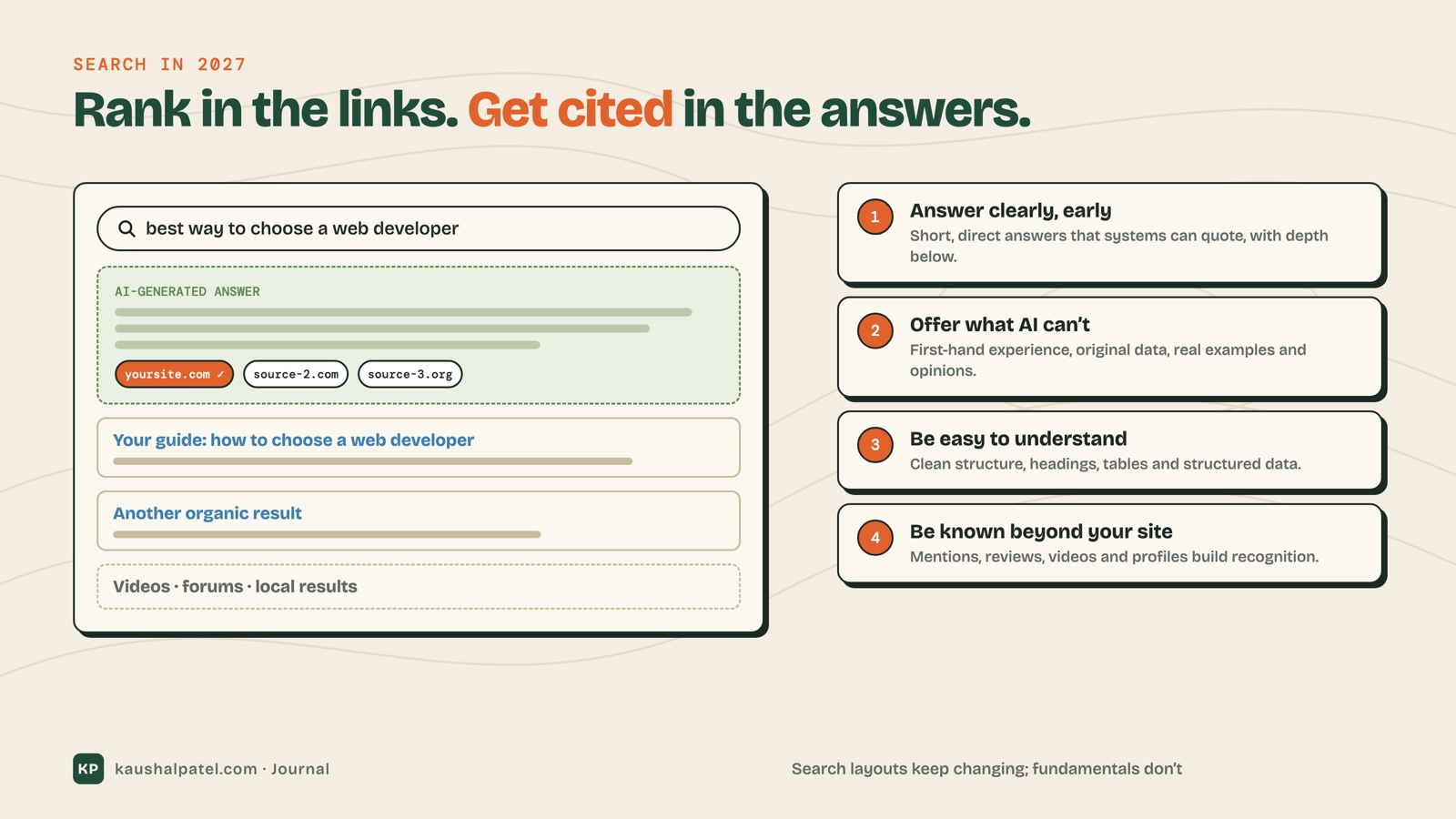
Rank in the links, and get cited in the answers.
Search results increasingly include AI-generated summaries, such as Google’s AI Overviews, alongside traditional links. Exactly how these features will look in 2027 will keep changing, but the pages they draw on tend to be the same pages that already rank well: clear, trustworthy and genuinely useful. To improve your chances of being cited:
Answer the question directly near the top, then go deeper.
Offer what AI can’t generate: first-hand experience, original data, photos, case studies and expert opinion.
Structure content clearly with headings, lists, tables and structured data.
Build a recognisable brand through reviews, mentions, social profiles and video.
Track your results: Search Console includes traffic from Google’s AI features in its overall Performance report.
How long does it take to rank on Google? It depends on your competition, your website’s history and the quality of your work. Many sites start seeing meaningful progress within a few months, but competitive keywords can take much longer. Consistency matters more than intensity.
Quick game · SEO myth or fact?
Test your SEO knowledge
Six common beliefs about ranking on Google. Decide, then tap to reveal.
“Adding a meta keywords tag helps you rank on Google.”
Myth. Google doesn’t use the meta keywords tag for ranking. Spend that time on your title tag and content instead.
“Running Google Ads improves your organic rankings.”
Myth. Paid ads and organic rankings are separate. Learn the difference in SEO vs SEM.
“Google mainly uses the mobile version of your site for indexing.”
Fact. With mobile-first indexing, your mobile pages need the same content and quality as desktop.
“Longer content always ranks higher.”
Myth. Length isn’t a ranking goal. The best page fully answers the question, which sometimes needs 500 words and sometimes 3,000.
“Buying backlinks is a quick, safe way to rank.”
Myth. Paid links intended to manipulate rankings break Google’s spam policies and can lead to lower rankings or manual actions.
“Updating old content can improve its rankings.”
Fact. Making a page more accurate, complete and useful often helps it perform better. Changing the date without real changes doesn’t.
Free SEO tools to use
Tool
Use it for
Google Search Console
Indexing, search queries, clicks, Core Web Vitals, errors
Google Analytics
What visitors do and which pages lead to enquiries or sales
PageSpeed Insights
Page speed and Core Web Vitals for any URL
Rich Results Test
Checking your structured data
Google Business Profile
Local search and map results
Google Keyword Planner
Keyword ideas and rough search volumes
Common SEO mistakes to avoid
Blocking Google by accident with a “noindex” tag or robots.txt rule left over from development.
Targeting the same keyword with several pages that compete with each other.
Thin or copied content that adds nothing new.
Keyword stuffing instead of writing naturally.
Ignoring mobile users and slow page speed.
Buying links or using other spam tactics.
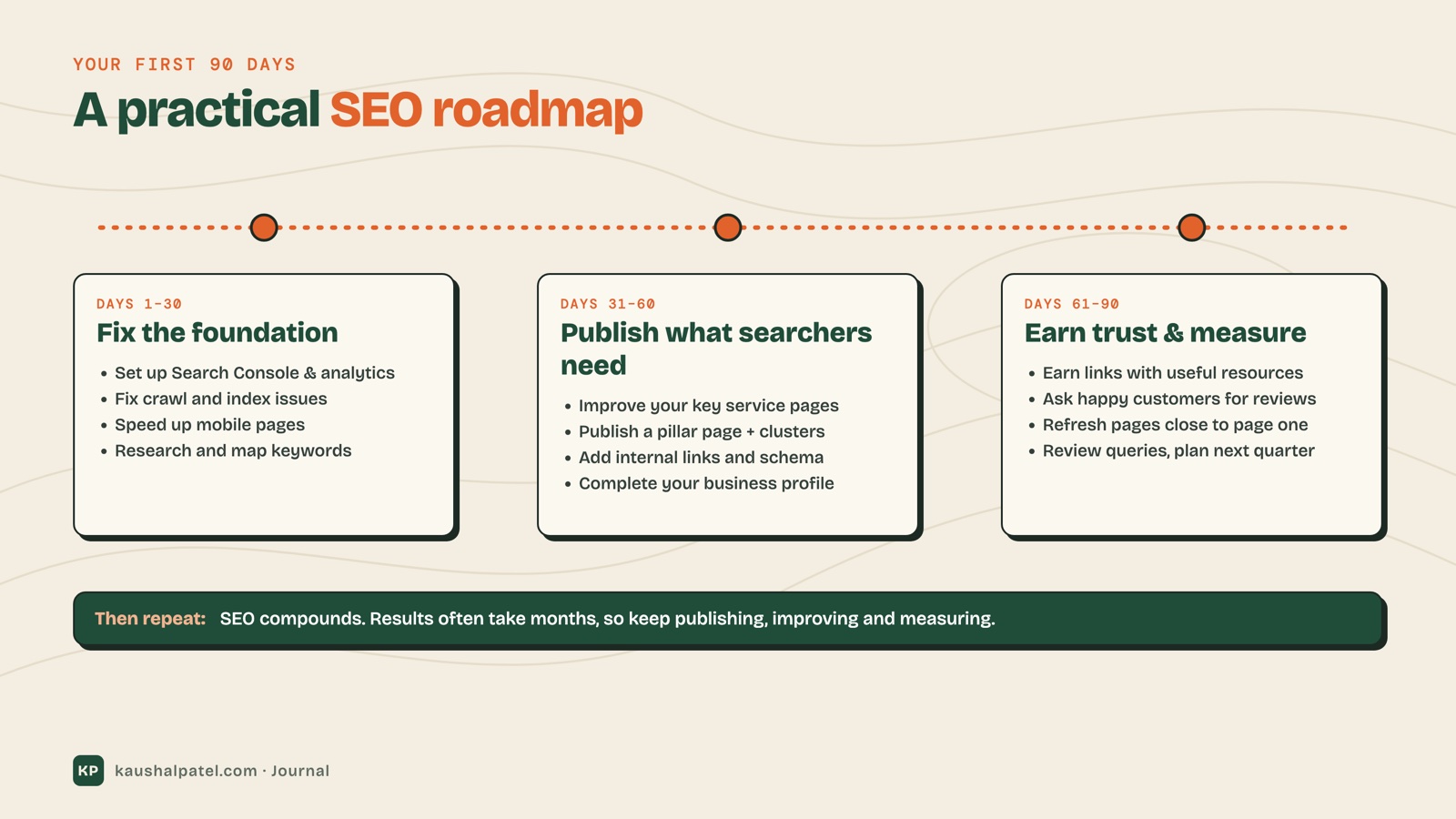
Giving up too early. SEO results compound over months, not days.
SEO checklist for 2027
Search Console and analytics are set up, and your sitemap is submitted.
All important pages are indexed and nothing is blocked by mistake.
Your site is fast, secure (HTTPS) and works well on mobile.
Each important page targets one clear keyword and search intent.
Content is original, helpful and shows real experience.
Title tags, meta descriptions and headings are unique and descriptive.
Related pages are connected with internal links.
Structured data is added and tested.
Authors, contact details and business information are easy to find.
You’re earning links, mentions and reviews the right way.
You review Search Console monthly and refresh older content.
Frequently asked questions
How can I rank my website on Google for free?
Set up Google Search Console, fix technical issues, research keywords, publish genuinely helpful content, optimise each page, build internal links, create a Google Business Profile and earn links naturally. All of this can be done without paying for ads.
How long does it take to rank on Google?
It varies with competition and your site’s history. Some pages for less competitive, specific keywords can rank within weeks; competitive keywords often take many months of consistent work.
What is the most important Google ranking factor?
Google uses many signals, and no single factor guarantees rankings. The most reliable approach is content that best satisfies the searcher’s intent, on a site Google can crawl easily, backed by trust and authority.
Do I need to pay for SEO?
No. You can do SEO yourself with free tools. Hiring an expert can save time and avoid costly mistakes, especially for technical issues or competitive markets.
Will AI search replace SEO in 2027?
No. AI-generated answers change how results look, but they still rely on websites as sources. Clear, trustworthy, experience-based content and solid technical SEO remain the foundation for both traditional rankings and AI citations.
Does a blog help a business website rank?
Yes, when it answers real customer questions. Helpful articles target extra keywords, earn links and support your main service pages through internal links.
The bottom line
Learning how to rank a website on Google in 2027 isn’t about chasing algorithm tricks. It’s about building a fast, accessible website, understanding what your customers search for, and creating the most helpful, trustworthy answer to each question. Do that consistently, measure your progress, and your rankings will compound over time. If you want faster results while SEO grows, pair it with paid search; see SEO vs SEM.
Want a fast, SEO-ready website built to rank, or help with your SEO strategy? Let’s talk.
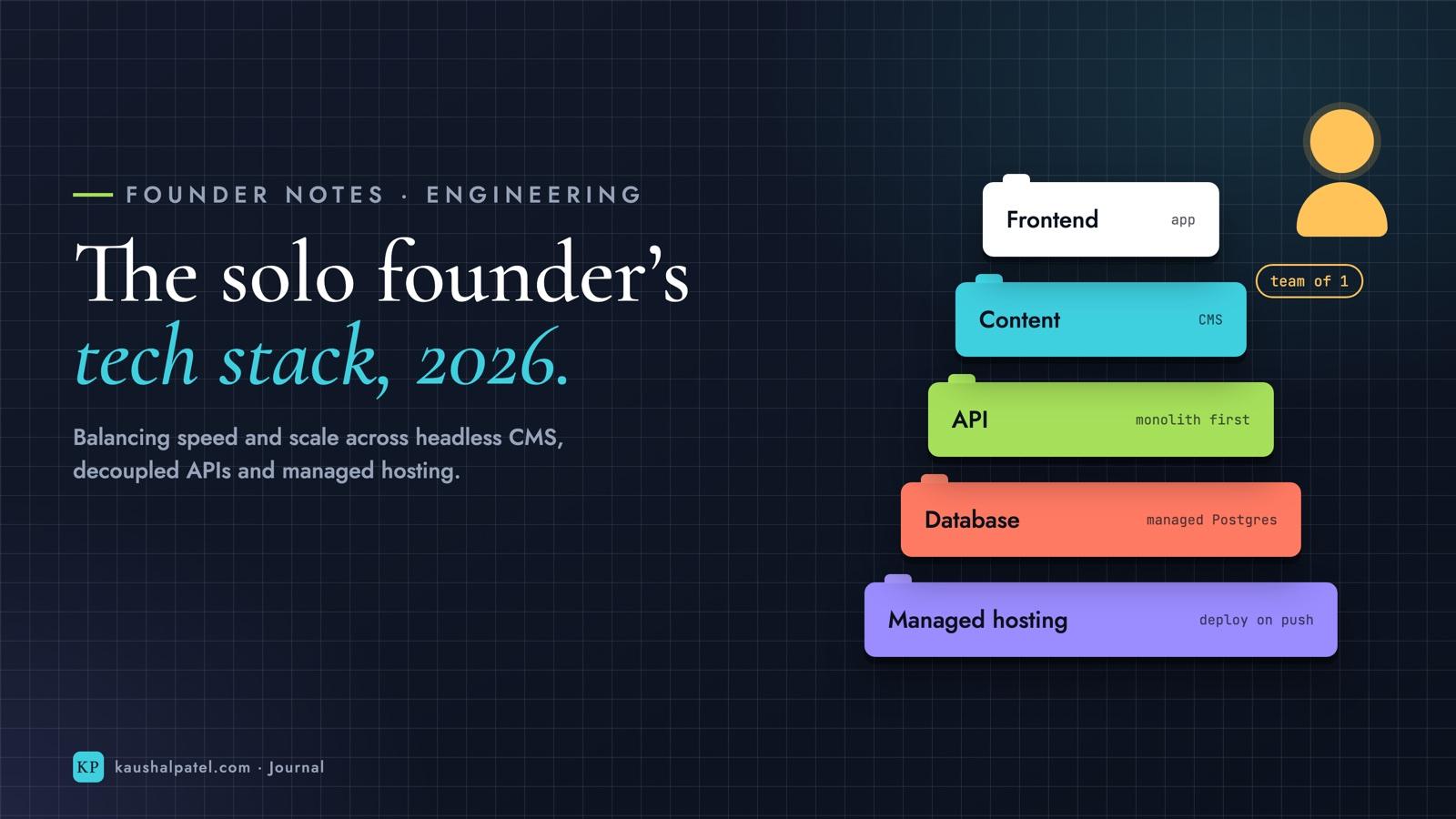
Headless CMS, decoupled APIs or a monolith, managed hosting or a VPS: how to pick a 2026 stack one person can run, with a hosting cost calculator and checklist.
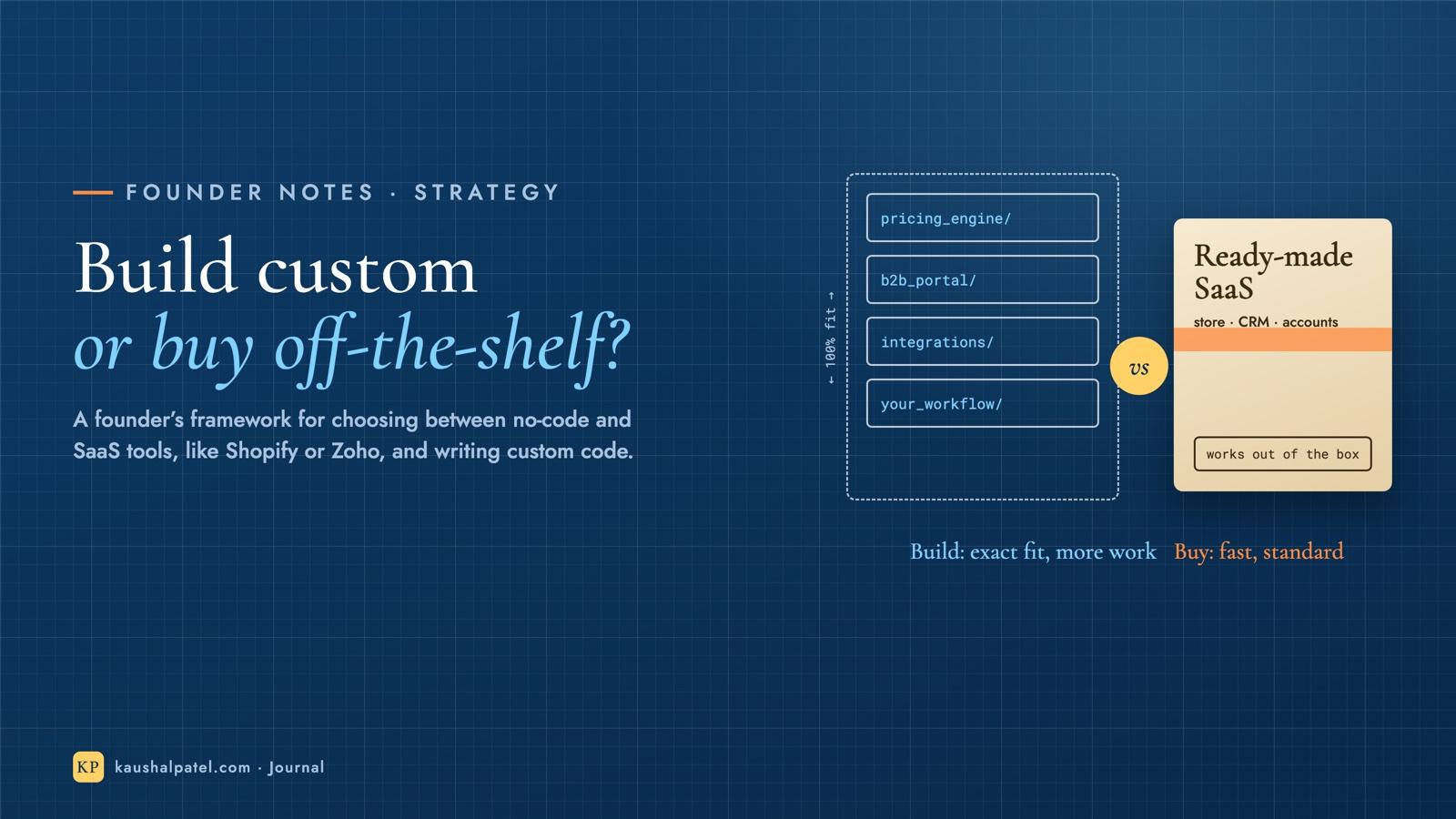
Build vs buy software: when to use no-code and SaaS tools like Shopify or Zoho and when to write custom code, with a decision tree, cost guide and matrix.